Please try uploading it again, there was an issue with your account where on the old tool site you had conner_bw but here on the forum you are Conner_Bw, I missed this in the tool migration and your tools were assigned to the former username which you couldn’t authenticate now.
I transferred your tools to your actual username, so you should be able to update Grid Pie now.
Sadly, when I even try to use Gridpie, this wonderfulerror pops up…
“GridPie.xrnx’ failed to execute in one of its midi mapping functions. The MIDI mapping will be disabled to prevent further errors.
Please contact the author (Dac Chartrand [[email protected]]) for assistance…
.\toolbox.lua:22: variable ‘arg’ is not declared
stack traceback:
[C]: in function ‘error’
[string “…”]:24: in function ‘__index’
.\toolbox.lua:22: in function ‘least_common’
main.lua:289: in function ‘toggler’
main.lua:725: in function main.lua:721”
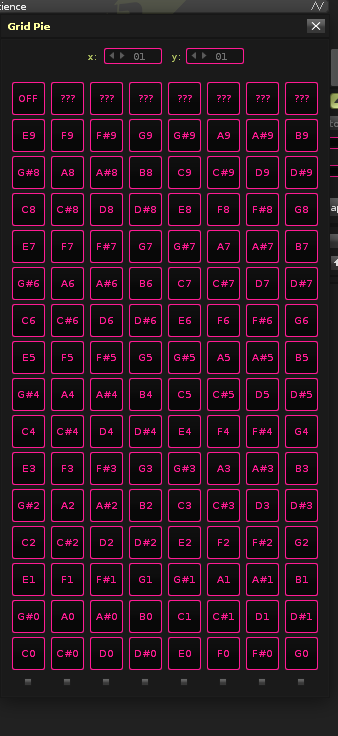
Hi, I’m using the Grid Pie tool with renoise 3.5.4 and a 8x16 monome controller. I added a menu entry in the tool code for an 8x16 controller, and it shows up. The monome just spits out midi 0-127 notes. I mapped all of them
And while the mapping works, It won’t trigger any thing lower than the 8th row. When I press the button with the mouse, triggering works.
Any idea what might cause this?
In the same Lua file you added your menu item, go to the top and edit
local MATRIX_HEIGHT = 8
local MATRIX_WIDTH = 8
Change these to the same dimensions, restart the tool, then remap, does this help?
I think the problem could be that midi mappings is invoked using code like
renoise.tool().add_midi_mapping{ ... snip ...
So, even though the change you made ie. main(16, 8) updates the variables for the GUI (ie mouse clicks) it doesn’t create more MIDI mappings, which is done when the tool is registered (instead of launched.)