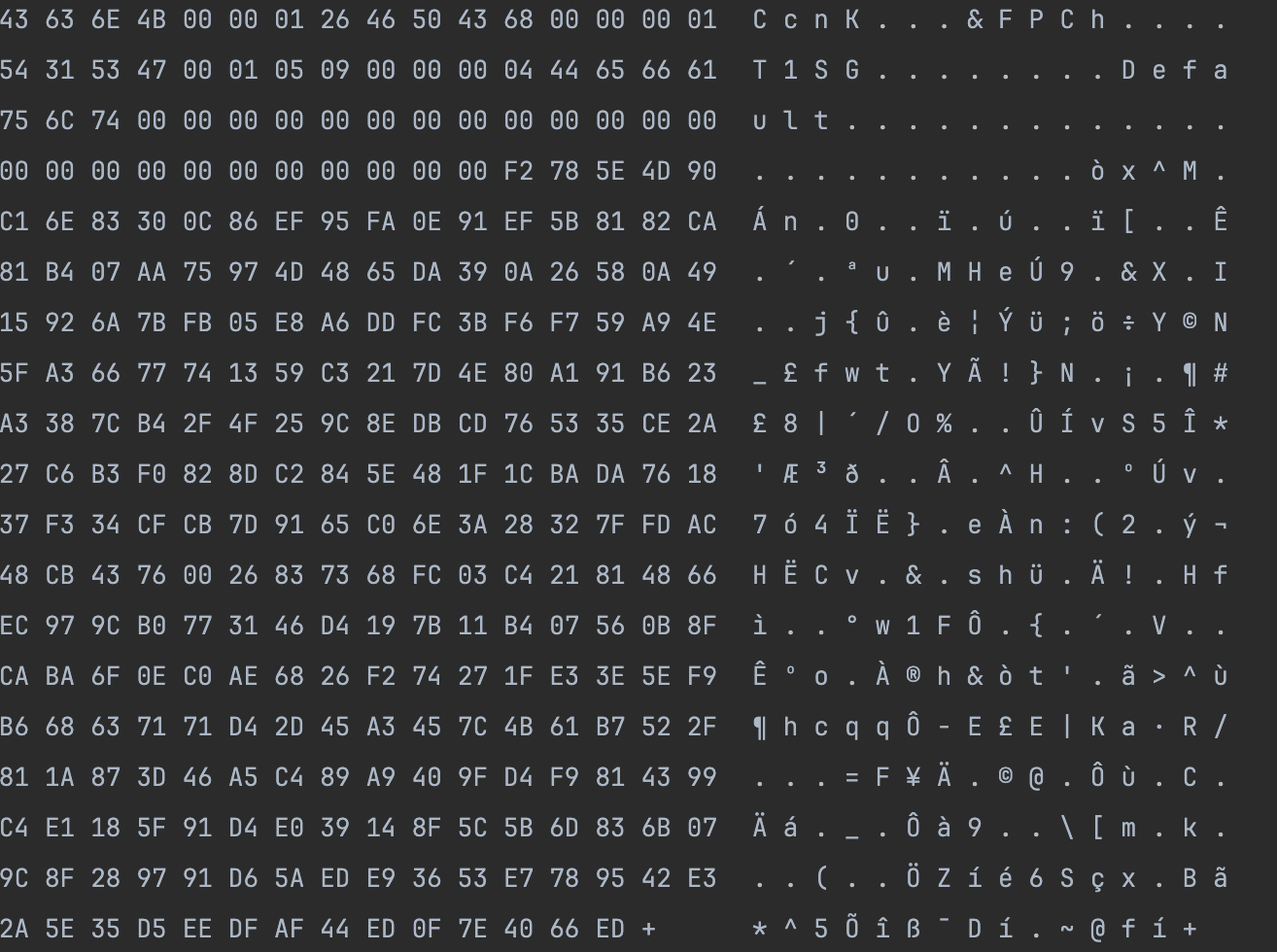
@taktik is it possible that the parameterchunk for VST2s in the active_preset_data is somehow compressed and then base64 encoded? Or bitflipped? Can’t properly decode this one:
Ah ok And how did you decode it? I don’t know any terminal command which would decompress the base64->binary decoded file…
This online decoder works, no idea how I would do that oin lua, even without a zlib library:
Can I use these libs:
local ffi = require("ffi")
local zlib = require("zlib") -- benötigt zlib-ffi oder zlib-lua Binding

local compressed = ... -- zlib-komprimierte Daten als String oder Bytearray
local inflated, err = zlib.inflate()(compressed)
I randomly had a program called zlib-flate on my computer (seems to have been installed by something else). Frankly I don’t have any recommendations for how to do this, especially cross-platform.
I mean, maybe? You can try it. I don’t think you’re supposed to load DLLs and such in Renoise tools. I’ve done it before for some personal tools but I ended up crashing Renoise a lot.
I’m not talking about the FFI library. You totally can write a Lua module in C and then load it in Renoise. Most likely it’s just going to crash, though in the past I’ve gotten a few steps beyond just crashing. My response to @ffx wasn’t meant all that seriously. If the tool is meant to be publicly released, please don’t do this.
But maybe you would need to add code for identifying the plugin by the fxp/vstpreset data itself. To prevent this, the plugin could have to be loaded first, via plugin_path.
Could you give me details about the encoding of the vst2 chunkdata and also audiounit,
for having a quick workaround solution? Or did I just found a wrong chunkdata? Very confusing…
no, this doesn’t work. Although it creates some archive with a “PK” header, it can’t be opened by the DAWs.
tar --help
tar --help
tar(bsdtar): manipulate archive files
First option must be a mode specifier:
  -c Create  -r Add/Replace  -t List  -u Update  -x Extract
Common Options:
  -b #  Use # 512-byte records per I/O block
  -f <filename>  Location of archive
  -v    Verbose
  -w    Interactive
Create: tar -c [options] [<file> | <dir> | @<archive> | -C <dir> ]
  <file>, <dir>  add these items to archive
  -z, -j, -J, --lzma  Compress archive with gzip/bzip2/xz/lzma
  --format {ustar|pax|cpio|shar}  Select archive format
  --exclude <pattern>  Skip files that match pattern
  -C <dir>  Change to <dir> before processing remaining files
  @<archive>  Add entries from <archive> to output
List: tar -t [options] [<patterns>]
  <patterns>  If specified, list only entries that match
Extract: tar -x [options] [<patterns>]
  <patterns>  If specified, extract only entries that match
  -k    Keep (don't overwrite) existing files
  -m    Don't restore modification times
  -O    Write entries to stdout, don't restore to disk
  -p    Restore permissions (including ACLs, owner, file flags)
Only gave this a quick test here on Windows 11 and Renoise loads the created file just fine for me, Windows Explorer can read it and Total Commander does as well, even WinRAR. If on another system, make sure to use BSD TAR (tar(bsdtar)) command.
The pattern_iterator:note_columns_in_song(true) seems to have a bug then, it never repeats the same pattern twice. That’s why my export was missing some notes, because my test song initially uses a sequence with all pattern nums ascending, but later repeats patterns, which won’t be outputted here.
The iterator should also output repeated patterns of course, to reflect the actual song sequence.
More easy to test with this (repeat some patterns in early sequence):
    for pos, obj in renoise.song().pattern_iterator:note_columns_in_song(true) do
        if (pos.track == 1 and pos.line == 1) then
            rprint(pos)
            print(' ')
        end
    end
Now I geddit: Renoise saves only for VST3 the actual, pure vstpreset data into active-preset-data’s ParameterChunk node. But for VST2 and AudioUnit, the actual plugin song inline data is used instead… Which is a different data. Or something. So this data then does not follow a standard, it is purely up to the plugin developer which kind of data this is. Can be compressed or not.
@taktik Is that a correct assumption? So any idea how to get the actual .fxp preset? Thanks for any hints.
for seqIndex = 1, #Song.sequencer.pattern_sequence do
  local patternIndex = Song.sequencer.pattern_sequence[seqIndex]
  ...
  for position, noteColumn in Song.pattern_iterator:note_columns_in_pattern(patternIndex) do
    ...
  end
end
It’s quite a bit slower, but now works properly, also note-offs caused by muted sequence slots work now.
Perhaps the bug is in your understanding of what PatternIterator is meant to do? It isn’t called SongIterator. Being able to efficiently access every pattern once seems pretty useful to me.
You can always cache the data you need from each pattern into a table, and then run through your table using the pattern sequence data.
EDIT: Maybe you are right and also this one is useful for something, and Renoise team simply left it sequence like to save some cpu… At least I find it quite misleading, since there is no SongIterator or PatternSequenceIterator.
I am a bit confused about renoise.PatternTrackAutomation: Though you can place the automation points between the lines in Renoise, the “time” value in the api is an integer only, ranging from 1 - PATTERN_LENGTH.
Am I missing something, is the documentation outdated, or is it simply not possible to read the fine grained value from automation via the api?
 And how did you decode it? I don’t know any terminal command which would decompress the base64->binary decoded file…