Despite old, you may also have a look to SolarLune tutorials back in the days covering some of the basics. It doesn’t cover new features due to the age of the videos such as module group select, the edit button in Metamodule, and the SunVox Menu Icon at the top left, but these videos should give you some good ideas how SunVox works in general.
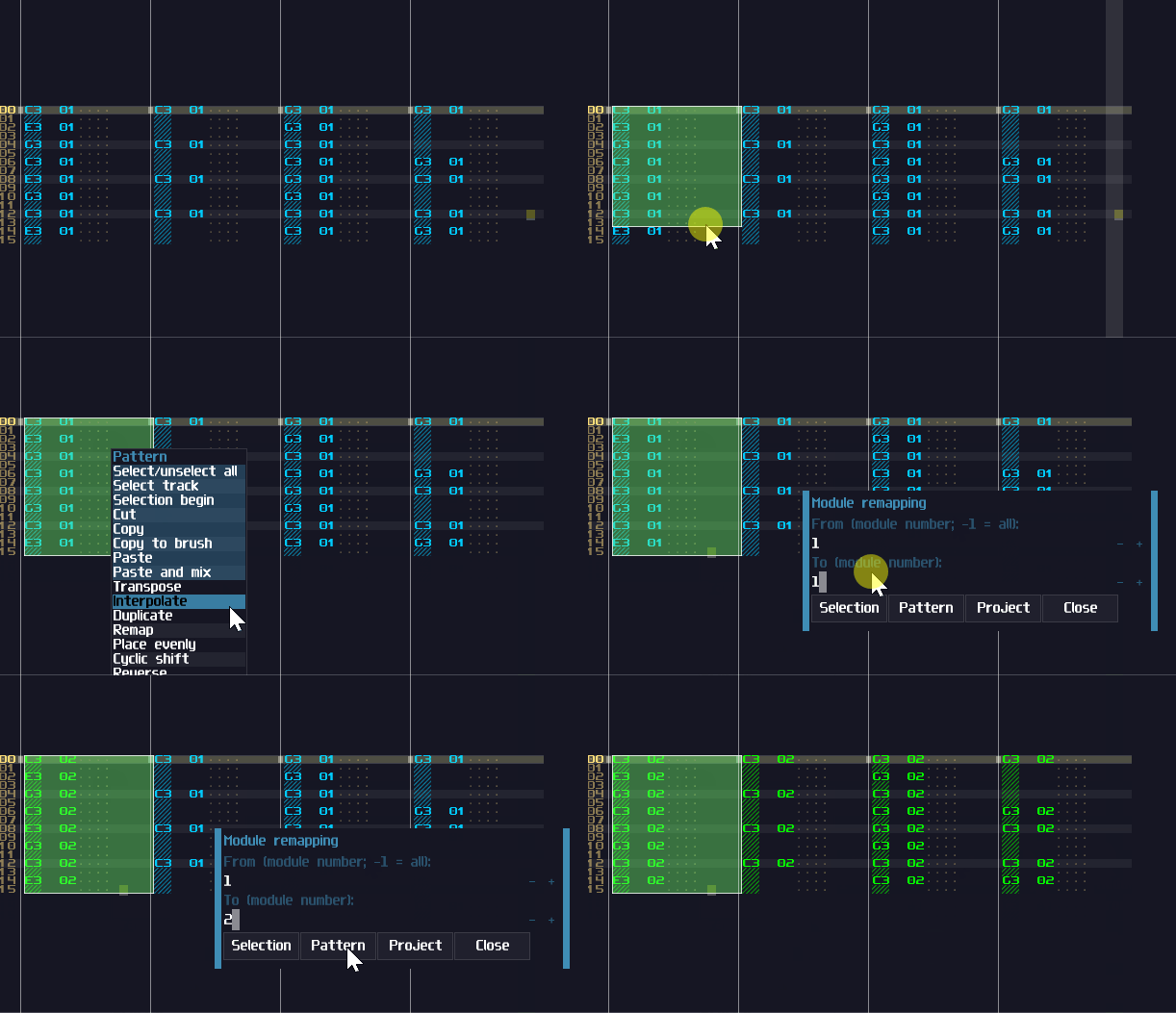
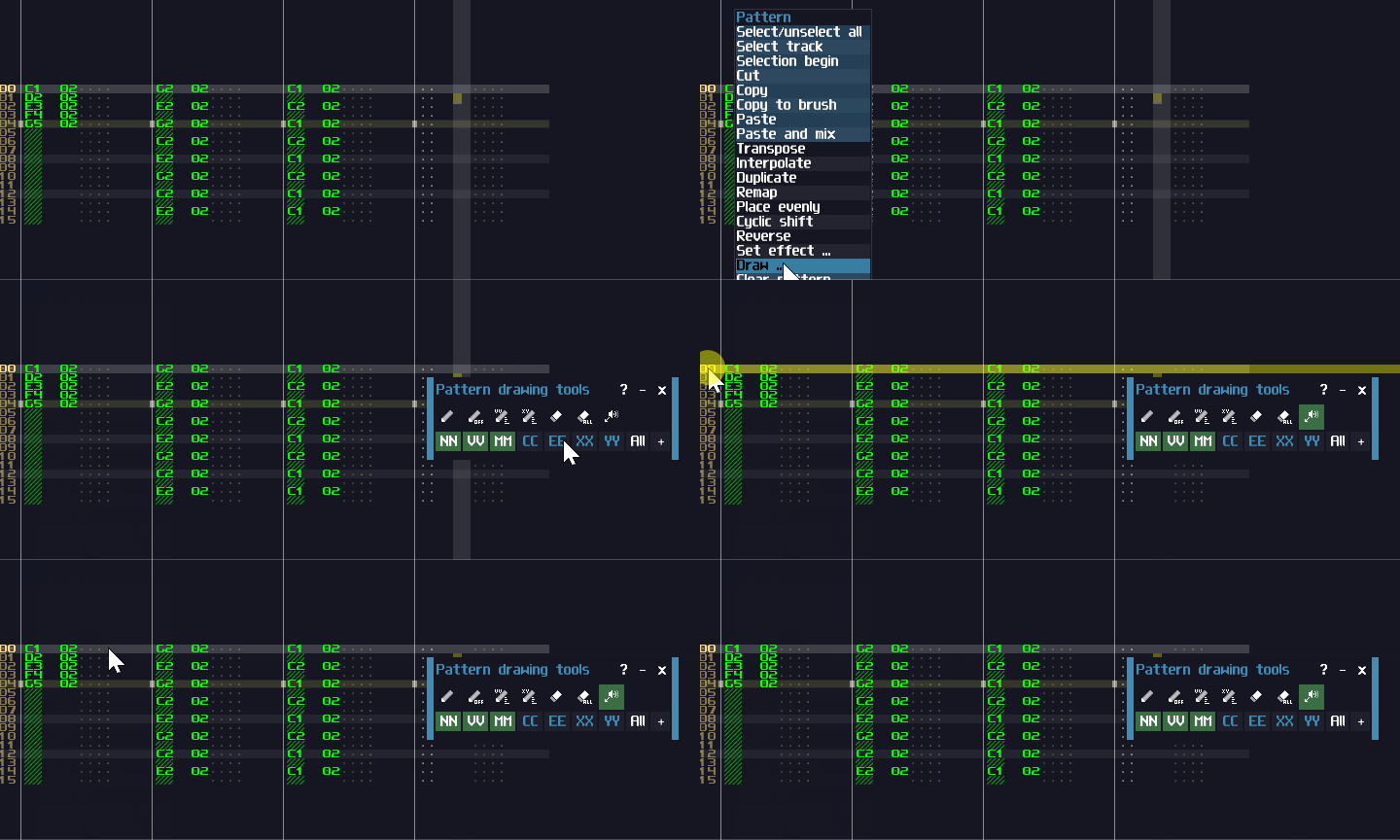
Do you have a melody line requiring an instrument replacement, ending with different instrument number? Instead of retyping them one by one, there is a remap function for you to replace instrument ID at selection, pattern, or the project level:
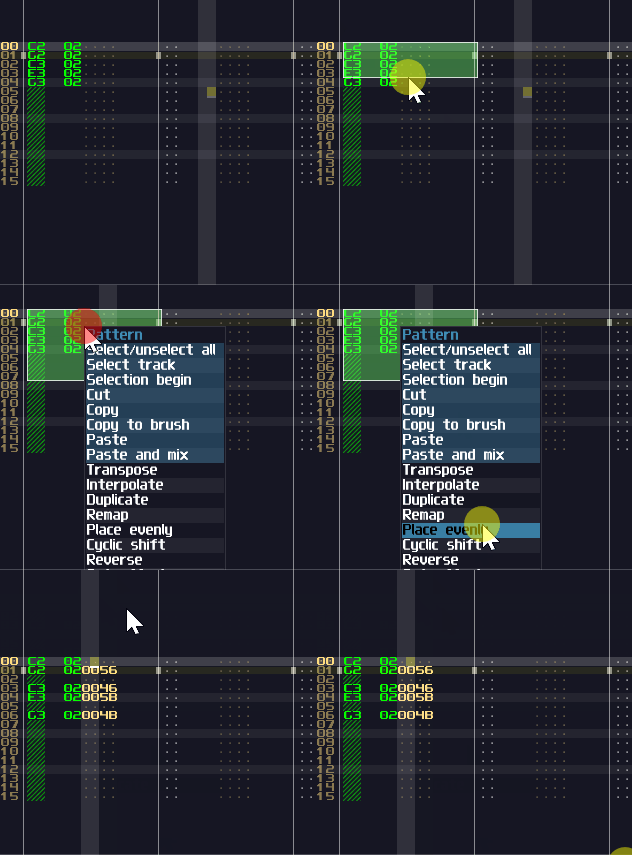
Want quintuplet for a sequence? It is also possible with the Place evenly option on the right click menu. With this function, instead of using the standard 1D delay command, it uses finer delay command 0040…005F at the CCEE column:
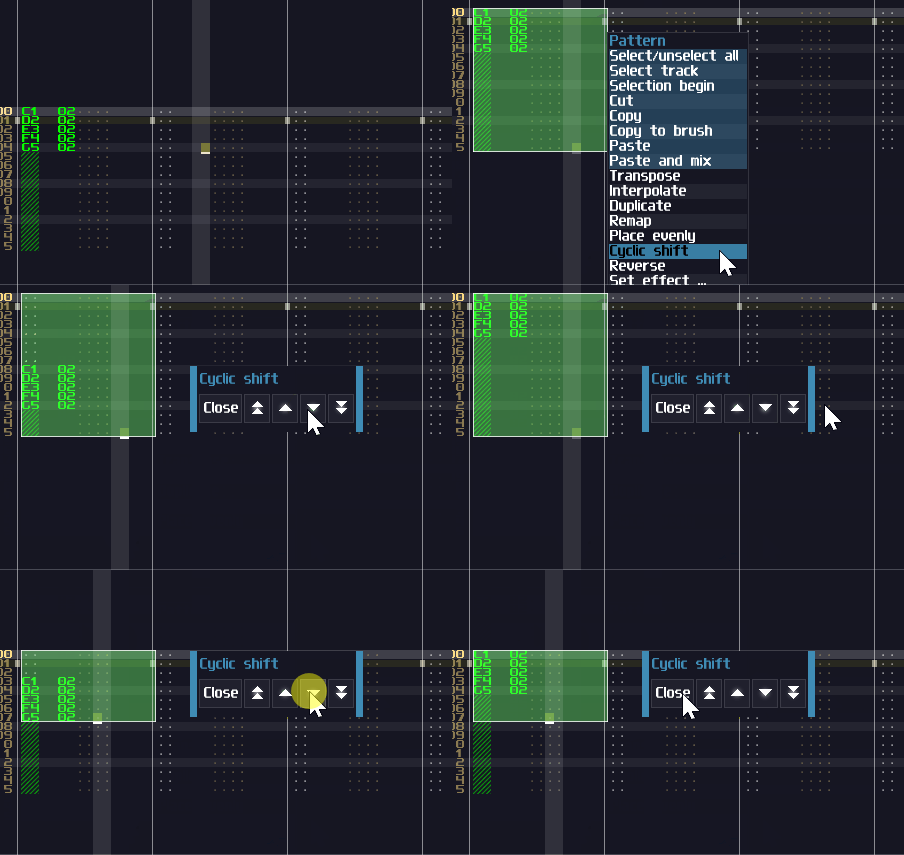
Sometimes, you many want to shift a sequence with n lines with wrap around, for echo effects. The Cyclic shift tool could help you for that. The function is affected by the block selection region, so you can wrap around just a subset of a sequence like shown:
If you want to preview the sound of a specific line, but you don’t want to play the project, you may press the speaker icon button (the preview button) in the draw … tool to preview a specific note or a line:
Last but not least, to transpose the sequence, all you need are the following shortcut keys:
shift + - → down by a semitone shift + = → up by a semitone shift + [ → down by an octave shift + ] → up by an octave
That’s about some additional features on the pattern editors, hope you find something useful for your compositions.
Two more weeks to go! Anyone got any questions related to the software? (I can’t think of any hints right now, so let see if there are SunVox related questions in general from others)
At the meantime, let me show the requirement of the event once again:
size of the SunVox file must not be greater than 4 MB (4194304 bytes);
no more than two works from one author;
works must not be published before the start of voting;
prohibited: remixes, covers, tracks shorter than 1 minute, tracks written as a joke with no artistic value.
Send your .sunvox file(s) to nightradio@gmail.com with “SunVox Compo 2026” topic.
Don’t forget to name your project in the SunVox → Main Menu → Song Properties. Name format: Author - Song Name
Deadline: March 29 / 23:59 (UTC+05:00)
By participating, you agree that your tracks will be published on WarmPlace.ru, on all channels related to the competition and will be included in the votepack and in the SunVox distribution.
Winners will be announced later (after the public vote) on WarmPlace.ru and on all SunVox-related channels.
The best works (from the first three authors with the highest points, only if the packed file does not exceed 256kb) will be included to SunVox distribution.
Promocodes for any of my apps will be provided for all participants.
PS: I know it is generally not a good idea to double post the detail, but to save people from scrolling between the hints and the details, I think this is necessary, and this is the last time I do so. The point of this post is to find out if anyone have SunVox related Questions for their works