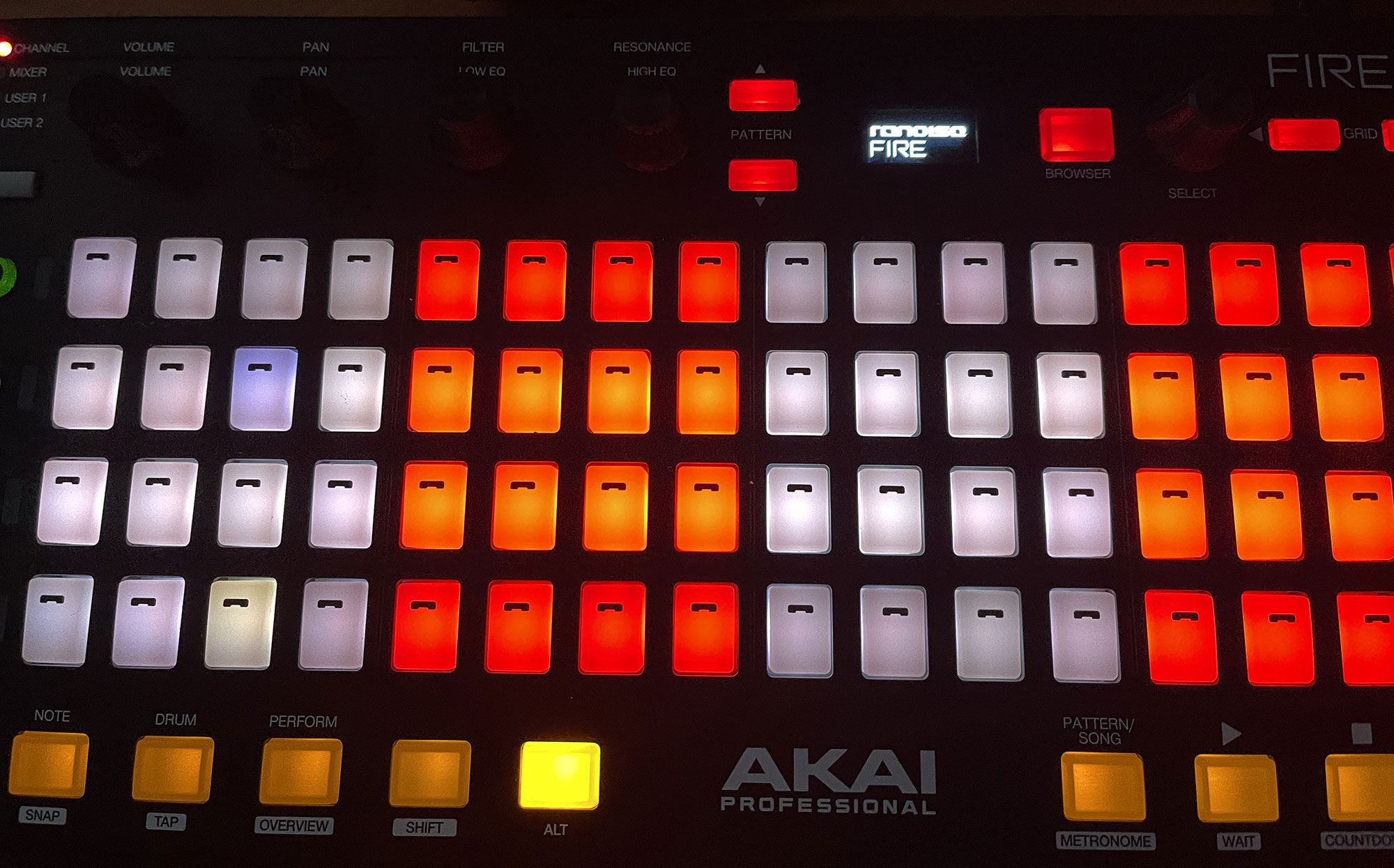
"I know it’s an older device, but I still think the Akai Fire is a solid controller. I managed to pick one up in near-mint condition for a steal and have started reverse-engineering all the buttons, knobs, and the display. I just finished coding the boot logo, and the next step is using the Duplex framework to give it full functionality within Renoise. Progress is looking great so far!
9 Likes
I always wanted to get this MIDI controller to create a multipurpose tool for specific control needs. It’s a shame I don’t have one. Infinitely rotating wheels and buttons—that’s all you need. I’m surprised this controller is already 8 years old.
I’ve been thinking for quite some time that brands just keep releasing rehashed versions of the same products. There needs to be a clear evolution. I need a device with quality jog wheels and buttons, customizable RGB lighting, and a variety of transport buttons, all at a price that reflects the quality of the hardware, without being bundled with software to inflate the cost. It should be a beast for routing things via MIDI and SysEx.
I mean, I want these controllers to be of higher quality and not include anything extra, like multiple connections and things like that.
1 Like
so I’m keeping my fingers crossed, it’s a pleasure to have your HW fully under control according to your needs.
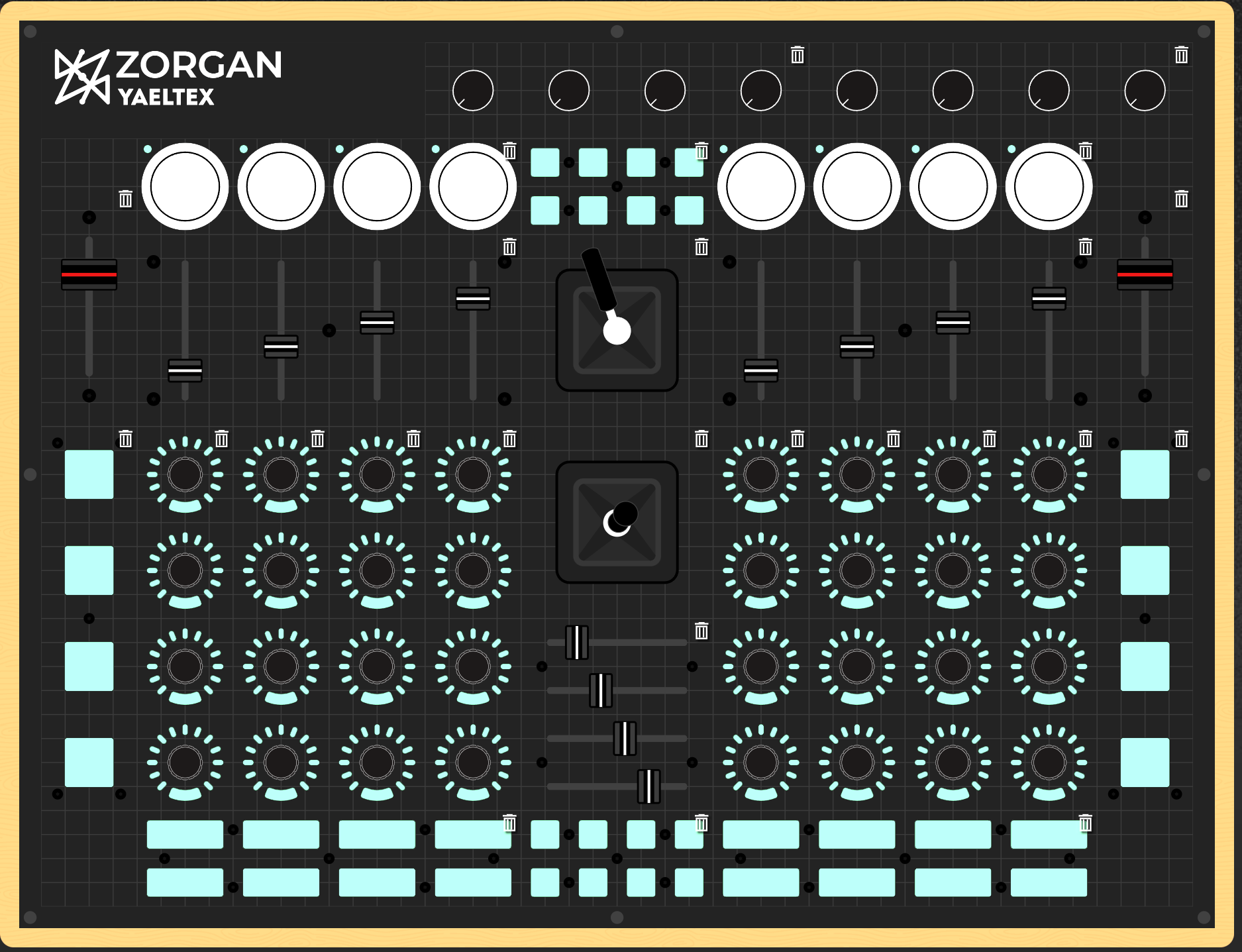
I was interested in YALTEX … fully open source programmable … endless encoder fully metal with ring LED, faders 14 bit. , quality button … many colors to choose from.
Quick Progress Update: I’ve successfully mapped all buttons and display messages, bringing the project to about 89% completion. The final stretch involves refining the LED backlights and RGB management to ensure everything runs smoothly. Once the code is finalized, this controller should be compatible with any DAW. I tried to share the full documentation here, but as a new user, I’m currently hit with a character limit
1 Like
Hardware reverse-engineering complete! I now have full bi-directional control over the device via Node.js, covering everything from knob rotations and pad pressure to custom display bitmaps and complex RGB animations. The final step is integrating these messages into the Renoise API using Duplex.
2 Likes
How did you do this? Did you use a program you created with iterations to massively test valid messaging?
Node.js makes MIDI scripting a breeze! I started with the Decoding the Akai Fire MIDI implementation – part 1 blog, but it gets the display’s bit structure and messaging a bit wrong. I’ve documented the real way to address it—it’s simpler than you’d think. GitHub page coming soon!
Currently, I’m also 80% done with cracking the NI Kore 2 for custom plugin control. That one is a beast to crack compared to the Fire, but the hardware is so worth it. Once the code is live, you’ll definitely want to snag one of these on eBay while they’re still cheap! 
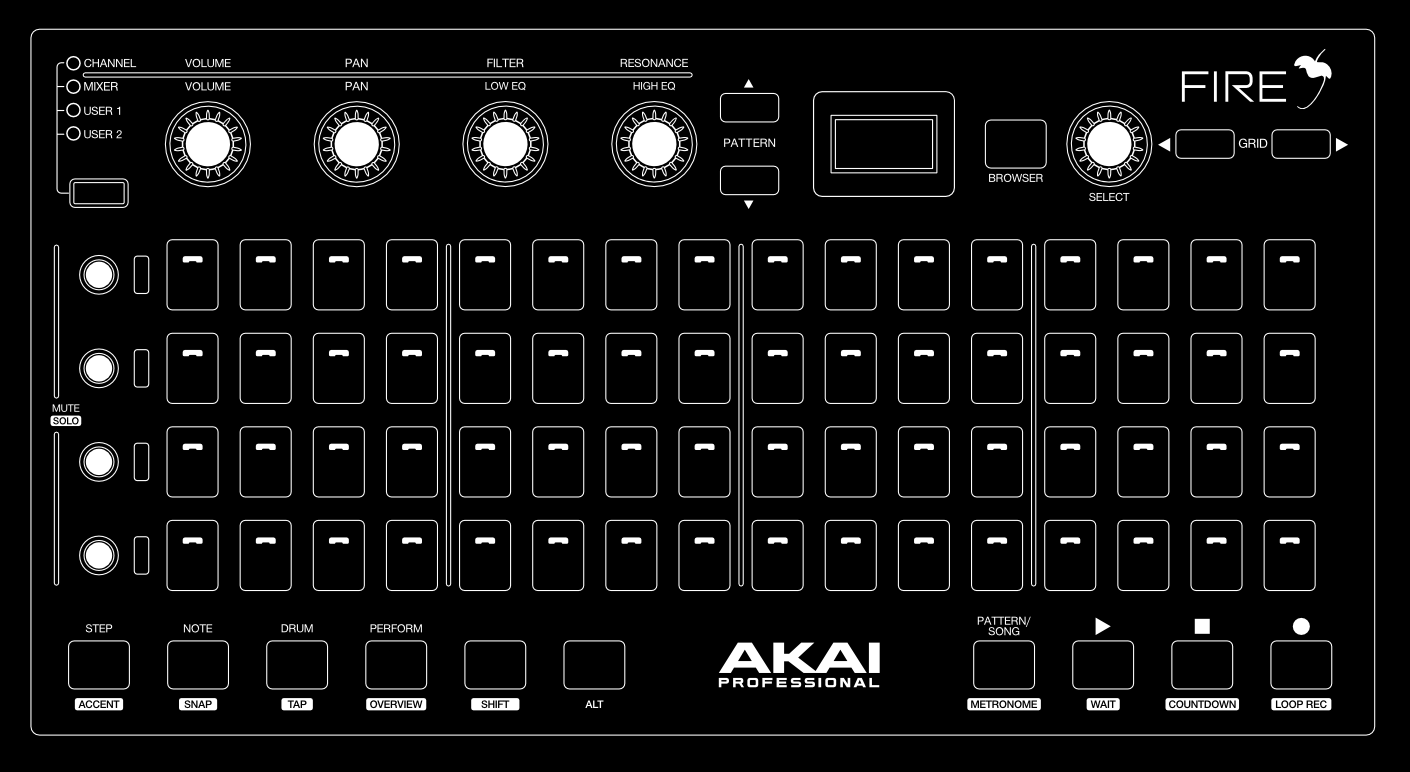
I am developing a cross-DAW configuration tool for the Akai Fire, starting with native integration for Renoise. The goal is to provide a desktop editor featuring a graphical representation of the hardware. Users can select any button, knob, or pad and define its behavior using a node-based logic system. For example, you could link a ‘Button’ node to a ‘Renoise Command’ node, then chain it to ‘Display’ or ‘RGB Animation’ nodes. Complex tasks, like Shift-layer commands, are handled by connecting multiple button nodes. Once your layout is complete, the app exports a ready-to-use Lua script for Renoise. I want to empower users to build their own custom workflows rather than forcing a specific layout on them.
1 Like
Here is small video preview
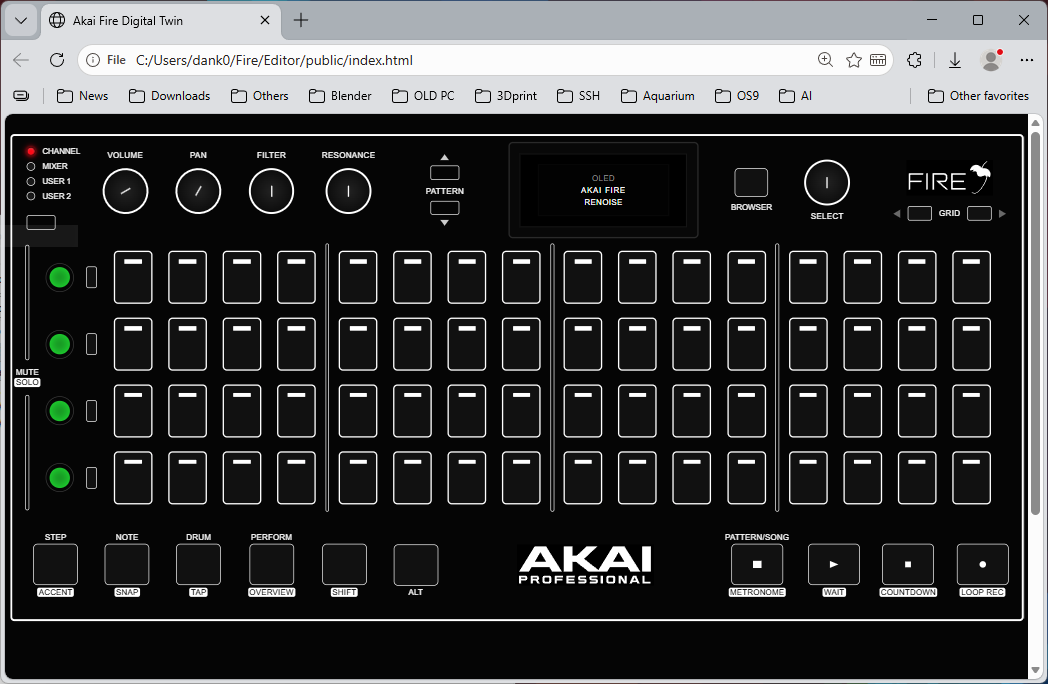
I’ve successfully completed the web interface for the Akai Fire, achieving full bi-directional control. The UI now accurately mirrors all hardware states, including smooth knob rotations, touch-capacitive sensing, and complex Shift-layer button combinations for message capturing. My next milestone is developing a visual mapping editor to bridge these hardware triggers directly with the Renoise scripting API.
1 Like
Cool project! I have one here that is criminally underused  , so look forward test driving the tool!
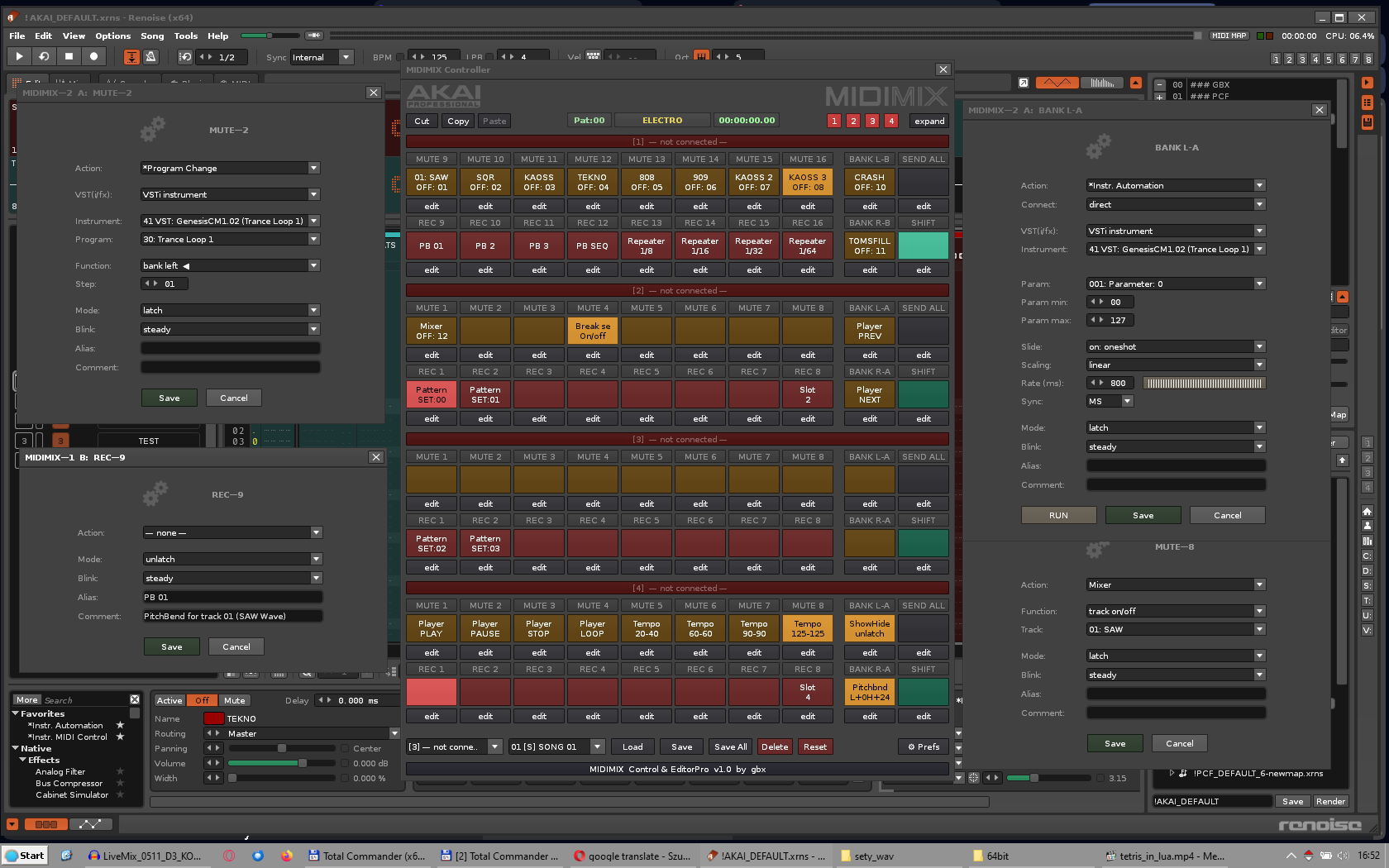
Great news that the Renoise community is doing what AKAI engineers are failing to do. I’m currently finishing a tool for AKAI MIDIMIX.
- Full control over LED behavior
- SHIFT button instead of solo
- Connecting directly to the Renoise API.
- Standalone 100% LUA plugin
- and many other features
The project is nearing completion and will be released.
AKAI engineers can learn from us…
Great work, and keep going!
2 Likes
Glad to see someone else is on a similar path! Your project looks great. I might reach out if I hit a wall with the integration. I’m also planning to hook up an old Ableton Push (first one) to Renoise and Kore 2 to handle my plugin interaction.
I was about to buy one, but finally I opted for another controller with 3 octaves so I could come up with quick ideas and be able to transport it (I have the MPK Mini Plus).
Everything published here is interesting. I had my share of struggles with the Arturia Keylab 49 mk2 (I eventually sold it to get an 88-key keyboard). I managed to use many of its SysEx-compatible messages and I implemented them in a tool. But some brands hide this information.
My current workflow focus is on repurposing legacy hardware for Renoise. The Akai Fire has proven to be an excellent candidate; its small footprint and CC-heavy protocol make it highly extensible. I’ve successfully reverse-engineered the display protocol and am currently developing a custom UI editor for it.
Looking ahead, I plan to map the Ableton Push 1 for pattern visualization, following my current work on the Native Instruments Kore 2. Despite its age, the Kore 2’s high-resolution touch encoders make it a cost-effective alternative for controlling my Virus Snow.
It is disappointing to see the industry shift toward a disposable model…
1 Like
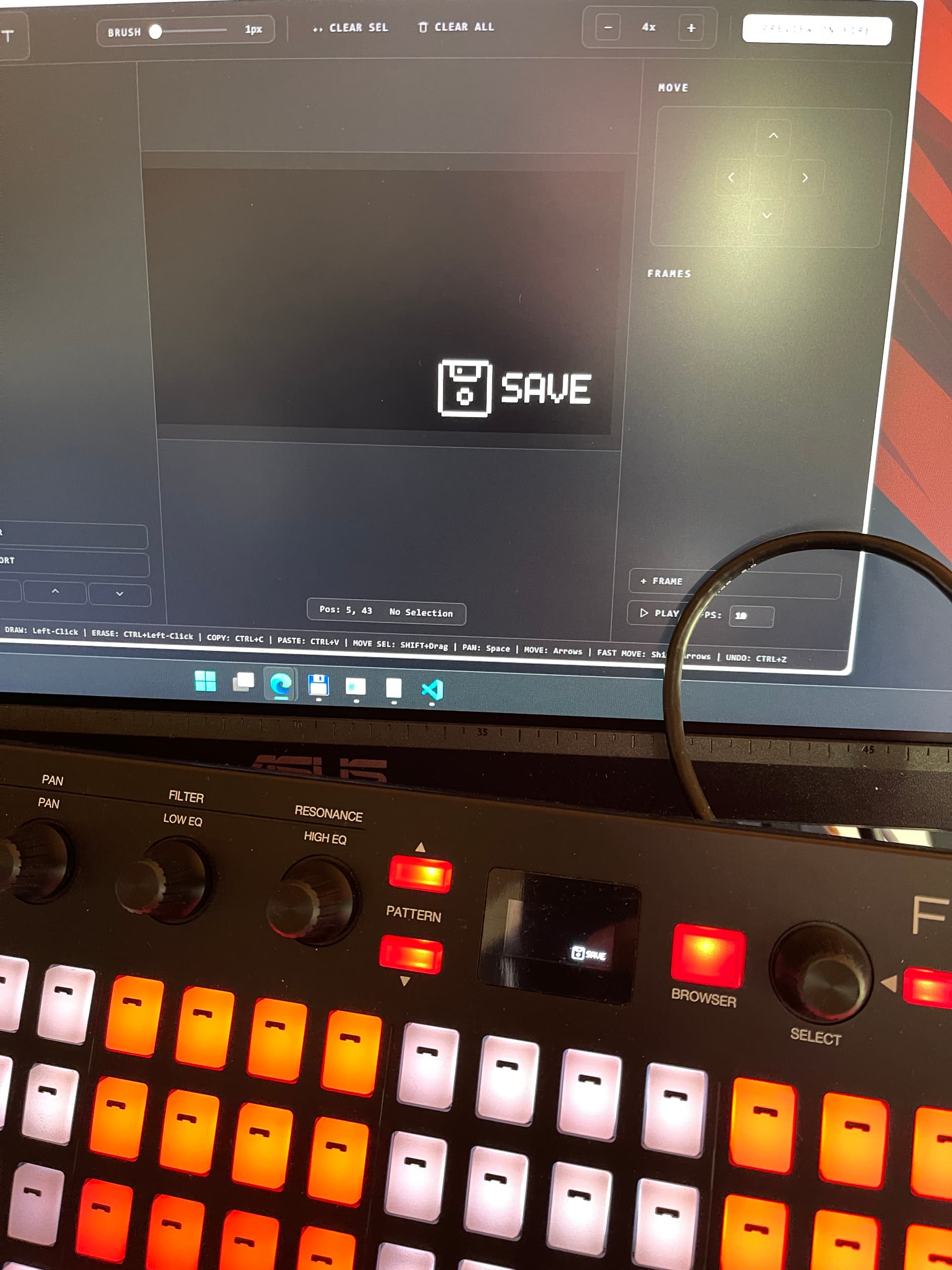
Quick update: I’m just wrapping up the display editor! It lets you design custom LCD screens for specific tasks. Check out this sneak peek:
3 Likes
Hell yeah, are the buttons velocity sensitive?
the pads are velocity sensitive, the functional buttons are not, they have only click function.
1 Like
Awesome. You could play your entire drum kit. I always thought the huge MPC pads were redundant
WAIT. AKAI MIDIMIX?
color me interested. i have an Akai Midimix. please can i have a look at your tool?