Summary
This API allows Renoise to operate at the speed of thought.
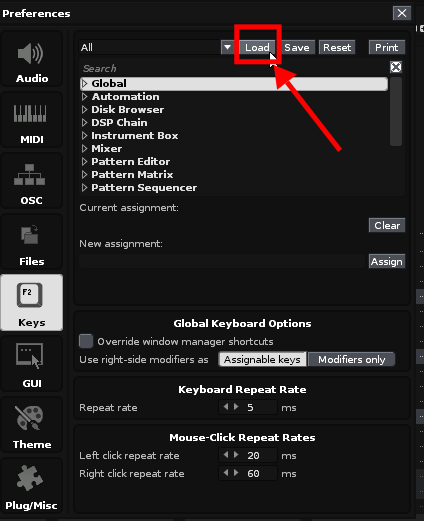
While keyboard-centric operation is convenient in Renoise, the current challenge is that key bindings are quickly depleted due to assignments to numerous functions.
I believe this can be resolved by enabling the modalization of key bindings.
A specific method would be something like the following:
(This is merely one example as a simple idea; if there is a better implementation method, that would be preferable.)
- “Temporarily” reassign or unassign any key to any function expressed in
Keybindings.xml - Read any file path, such as within a Tools archive, as
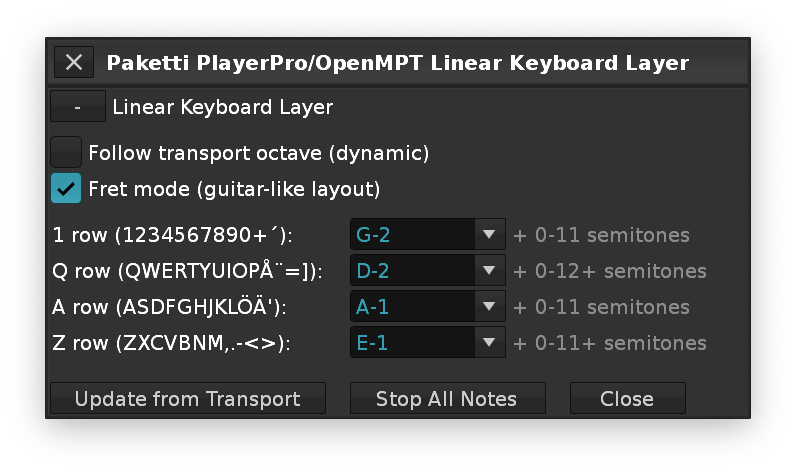
Keybindings.xml - Piano keyboard keybindings definable within
Keybindings.xml- This allows piano keys to be freely used with non-QWERTY layouts like DVORAK, Colemak, or Workman.
- For those like me who are more accustomed to the fret layout of guitars and basses than piano keyboards, it becomes possible to input using an arrangement where Z corresponds to E-2, A to A-2, Q to D-3, and 1 to G-3, then progressing in semitones to the right from there.
I posted a proposal for this function below, but I thought it was worth posting as a dedicated thread since it is a pretty game changer for what seems to be a relatively simple implementation.
How would this be useful?
It would allow for modal handling of the keyboard system, allowing for virtually unlimited key bindings.
For example z,x,c,v… Each of these keys can have its own key layer, and on top of each key layer, an infinite number of additional key layers can be created.
Example 1: Toggle keys on the piano keyboard layer
The F key can be assigned as an enable/disable toggle key on the piano keyboard.
This way, 37 keys from Z to = on ANSI keyboards and about 40 keys on ISO and JIS keyboards can be assigned to other functions.
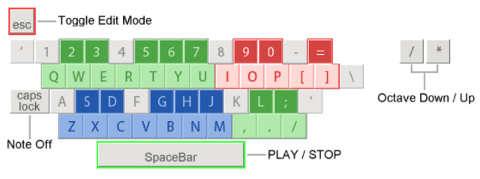
However, this requires support for standard functions.
In the current V3.5.2, it is not possible to assign another key to a key on the piano keyboard layer.
Example 2: VIM mode
Modal key bindings in the form of vim are possible. Use h,j,k,l to move the cursor keys. Enter edit mode with i or a, use macro functions, etc. for quick editing, and return to normal mode with esc when you are done.
request
You can’t immediately imagine how much more efficient this will make your work.
Of course, this is only if you properly implement Renoise Tools with this API, but it is important to note that it is possible in principle.
Please consider implementing this API.