Since a long time i had the problem that the audio in Renoise or in any other DAW i use starts crackling as soon as i move the mouse fast or when the mouse cursor changes. I solved the issue by myself, but it might be interesting for other users with the same problem. And you don’t believe what was the solution.
The issue was:
as soon as i moved the mouse fast, the audio playback started crackling.
As soon as the mouse cursor changed when hovering over different panels or windows the audio playback started crackling.
Troubleshooting:
Tried updating audio drivers: didn’t solve it.
Tried updating mouse drivers: didn’t solve it.
Tried bigger buffer sizes: didn’t solve it.
Tried other USB ports for both, mouse and audio interface: didn’t solve it.
Tried updating graphics drivers: didn’t solve it.
I tried many more things that didn’t help until a friend told me he had the same issue and he solved it.
He gave me the tip to go into Windows settings for the mouse and enable mouse trail.
Believe it or not, this was the solution. It doesn’t matter if you set long or short trails.
I thought this also might be helpful for other users who have the same issue on Windows.
I also have problems with the Renoise app popping and crackling sounds. It’s a problem both on my Macbook Pro and my Lenovo P14s. I think maybe the problem started when i installed and started using Reaktor 5 as a vst in Renoise, but the thing is, i just got a new Lenovo last week, and now it’s already an issue
I already installed latest versions of all neccessary drivers with no result. I think it’s more a Windows problem. If i remember right, that issue came with a Win update.
Which version of Windows?
Does this happen on battery power mode and normal power mode also?
Glad you found a work-around; could this be related to power settings…
That’s some weird shit. Thanks for the information. I’m currently facing some weird shit too. A few months ago I was finally fully setting up my audio interface (Focusrite Scarlett Solo 3rd Gen). Since then it starts to slightly crackle after round about 30-45 minutes, and then it gets more intense with every minute until there’s nothing else but crackling noise. The only way to get back to normal is to unplug and replug the USB. Everything is affected, whether Renoise, MP3 players, YouTube and other websites, so this is a general issue. Anyway, no big deal but annoying, but weird above all.
Yeah. Since Windows got the 24H2 update weird things happen. It even killed 2 of my SSDs. I was able to recover all data and make them working again. Seems the 24H2 was damaging the MBR of these SSDs and you have to repair it with capable software. I’m not the only one where this SSD issue happened.
This update already is installed on my system. It has still this issue. I don’t know why this problem dissappear when mouse trail is enabled. I suspect there’s a problem with Windows USB controllers. Because both, the audio interface (Roland) and mouse are connected via USB. It seem there is a communication issue between mouse drivers and audio drivers or with graphics hardware acceleration. Updating both drivers didn’t help.
The weird thing is, before the 24H2 update all was working fine. Since 24H2 and all newer updates this problem is present.
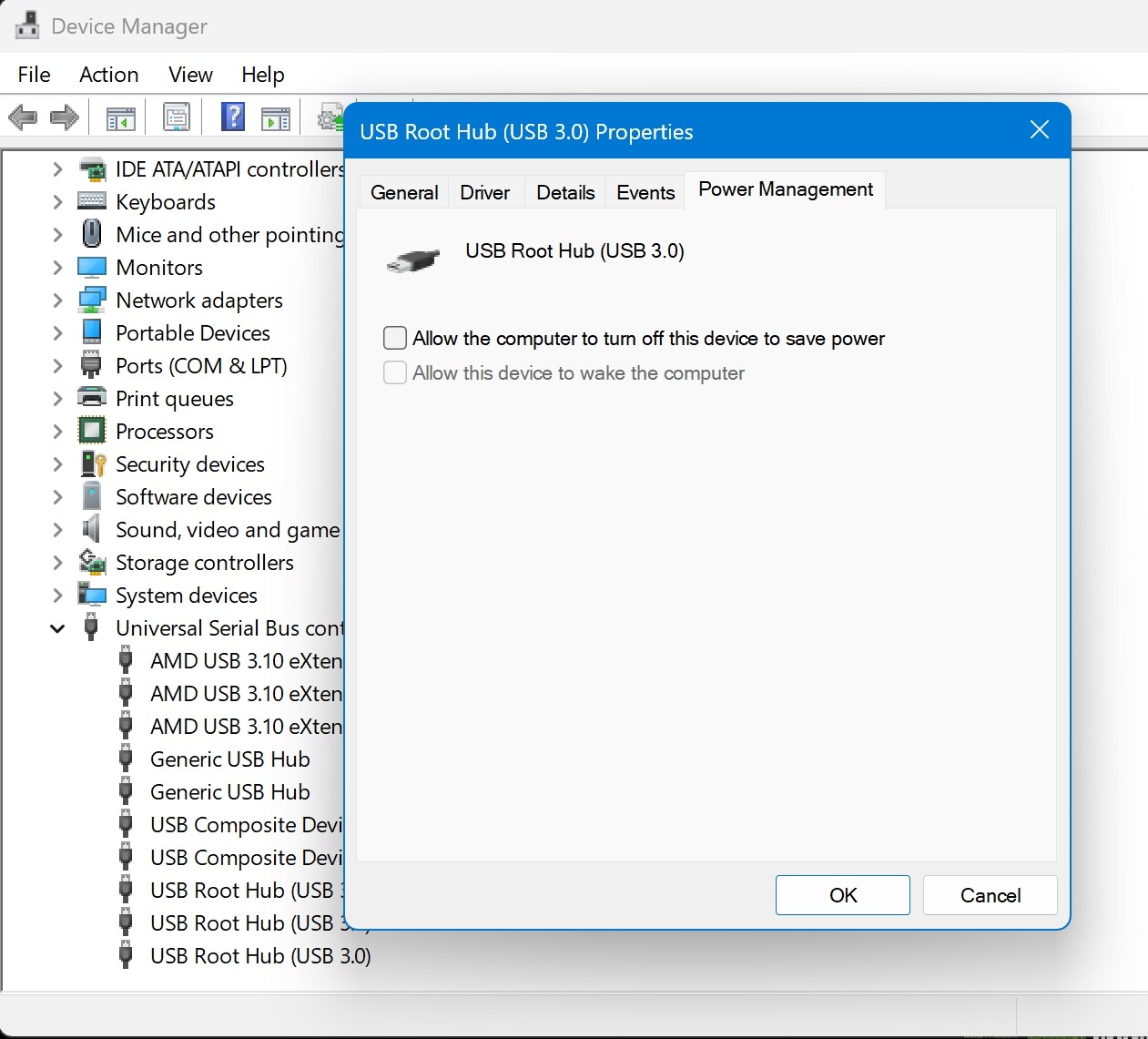
Have you gone into device manager and made sure that Windows can’t power down USB hubs/devices it thinks are idle? This always causes crackling for me with USB interfaces if it’s not set properly.
As i already wrote, i have no power saving modes enabled. All is disabled as i always do after re-installing Windows. I also disabled all things in Windows that are not important like shadow effects, animation effects, etc. to get the best performance out of my machine for music production. As i wrote before, it began with the Windows 11 24H2 update and all later updates. Before 24H2 all was working fine. You can find a lot forums out there where other users have the same issue. Seems there’s someting weird going on with these Windows updates.
It’s a separate thing to power plans etc. so quite easy to miss… I’ve forgotten it on new systems even though I know about it from past experience. Thought it was worth checking.
This 24H2 update even damaged 2 of my SSDs (they were brand new at this time). I had to recover all the data (thanks God it was successful) and had to repair their MBR with my disk repair tool and had to re-format the disks to make them working again. This issue also can be found in a lot forums where other users also got damaged disks after updating to 24H2. Even a bunch of computer magazines reported about this problem.