Ooh?? Please elaborate
1 Like
hi, i have rebuilt the Paketti Amigo support from scratch.
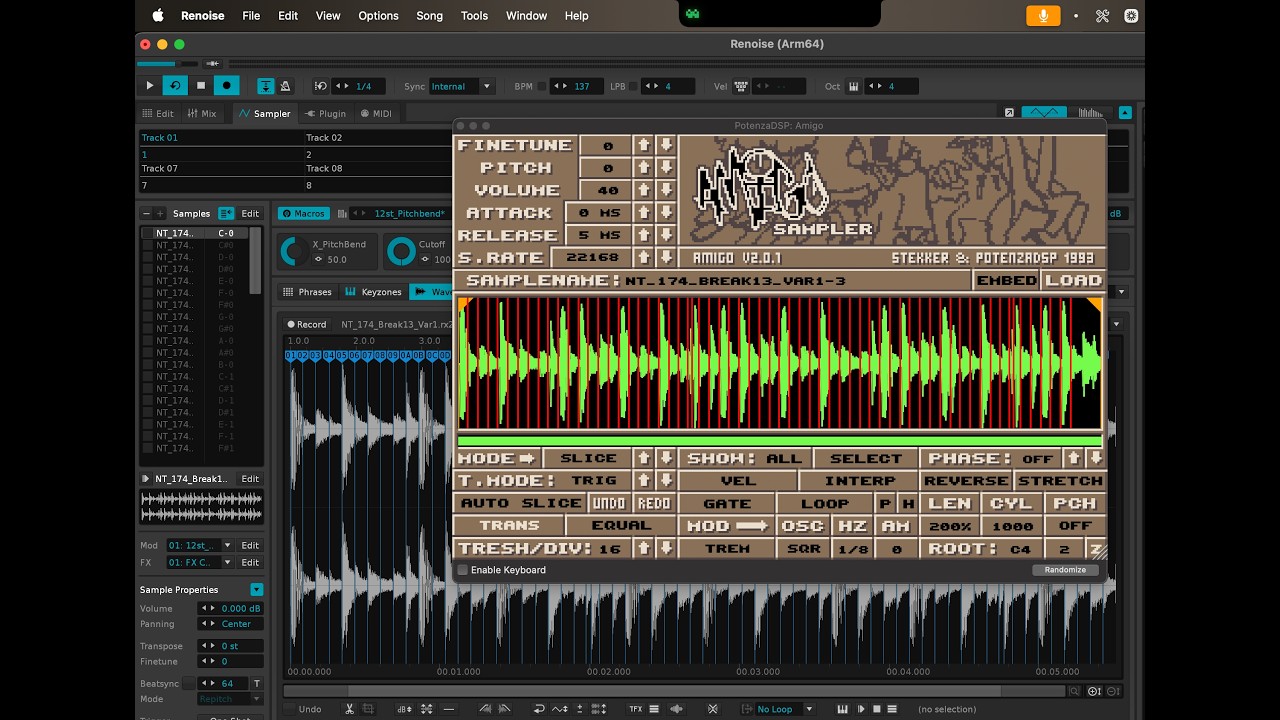
it is now possible to drop in a .RX2 or a .REX or a .PTI and directly have it be loaded into both Renoise (instrument01) and then to Amigo (Instrument02).

Amigo stuff can also be exported into Renoise, so if you have a Renoise song with a ton of Amigo plugins in it, you can just get them directly into Renoise, side-by-side (so 10 Amigos followed by 10 Instruments with the Slices set).
It is basically a switch that you toggle on&off. I also added WAV Cue header support.
next steps are to iron out .ot (octatrack) and a few other things and shoot out a video.
its a nice little demo being able to drag a .rx2 in and get amigo to boot open the external editor, already sliced.
@hellochap thanks for kicking me into gear about this. it was haphazard and unfinished for far too long (2 years)
2 Likes
Oooh wow nice work! I’ll check this out right now, should be really useful.
1 Like
have a look!
@hellochap just in case this helps:
2 Likes
I was recently wishing we had this feature as well. One work around I’ve been using is one I learned from a @slujr aka Xenobaba tutorial. Running everything through Rolling Sampler. You just play the sample then can drag it anywhere. It’s not a perfect solution but works well enough for 1 shots.
2 Likes
Thankyou! Sorry for the late reply but yeah this is handy, I’ve also since bound a hotkey to the “renoise to amigo” paketti script which is also proving useful, esp for browsing using the renoise file browser.
1 Like
@hellochap hey, glad to hear you’re getting mileage out of paketti’s amigo converter. it’s pretty fun!
was glad to get it working.