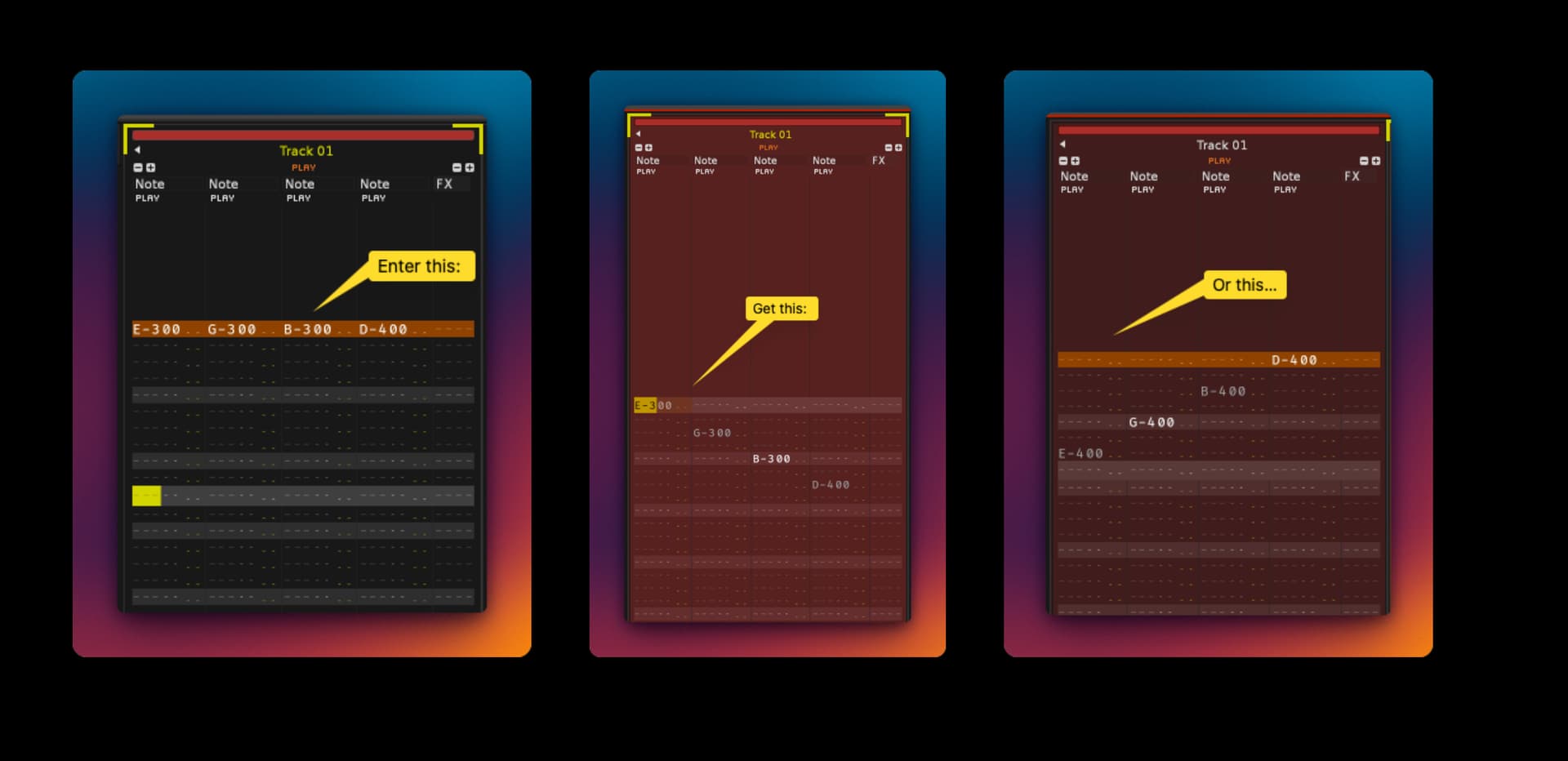
I would like to input a chord on one line of the pattern editor and then easily convert it to an arpeggio by moving the notes to different lines in the pattern editor.
I don’t think I’m looking for a method using the note delay feature since I want to end up on lines, not between them (like a strum).
Ideally, I’d like to define the notes in the chord and then have keystrokes to step through common arp patterns quickly, like up/down, up/up, down/down, random, ascending, etc. I’d also like to be able to play with the spacing quickly, alternating between skipping 1 line, 2, 4, and maybe more between note hits.
I know this is possible with Phrases but you have to make sure that the major/minor notes align with the notes in your phrase or else you make musical mush. This workflow seems like it would be a quick way to input chords and get useful arp patterns quickly.
Am I missing something? I would think this would already exist somehow but I just can’t figure out how and I’m doing the whole thing manually which is terribly tedious.
1 Like
I think we in Renoise have phrases instead of an arpeggiator but I don’t find phrases to be as useful in this specific case
now, the “or this” is the one that throws me a bit. are you saying you take the chord, and take the highest note, and then go higher than that? so
e-3 g-3 b-3 d-4 becomes
d-4 b-4 g-4 e-4?
i could write shortcuts for this, which would then fit into the Paketti ChordsPlus idea. i’ll have a look.
1 Like
No, the “or this” is the same four notes but just arranged in descending order, high to low, rather than low to high (ascending). Just two possible arpeggio patterns that are common in arpeggiators. Adding inversions is what you’re talking about - adding the next higher or lower note in the chord.
I haven’t dug into Paketti’s implementation of the chording features but I’ve been happily using ChordGun for years to do just that - invoke a chord and easily move inversions up and down with keystrokes, so I’m interested to see how it’s implemented in Paketti.
Of course there are many common arpeggio patterns that could be emulated in a tool like this (up - up - down - up, down - up- up - down etc. infinitely) so I guess one way to implement this would be to program an exhaustive list of all of those combinations the way most arp plugins work – but it might be overkill.
Simply giving the option to split a chord over different lines would make it easier to copy and paste bits and pieces of the single resulting arp pattern to produce interesting arp pattern movements manually.
Yeah I feel like when I’ve asked for a similar arpeggiator in Renoise, people just say “use phrases, it’s incredibly powerful” and while that’s true, sometimes I just want an easy way to put a typical arp pattern on a track without a lot of fiddling. Phrases doesn’t do that out of the box. I think in chord progressions so usually I’ll put the chord changes every 8 lines or so, and the next step is filling in the empty space inbetween with arpeggios of that chord.
the interesting copy paste part i would recommend trying “Replicate at Cursor” in Paketti - that way you can do variations as you please, since where the cursor is, anything above it, is replicated till the end of the pattern.
there’s also replicate at cursor for selected note column, and for the whole pattern, allowing for pretty wild polyrhythmic repetitions.
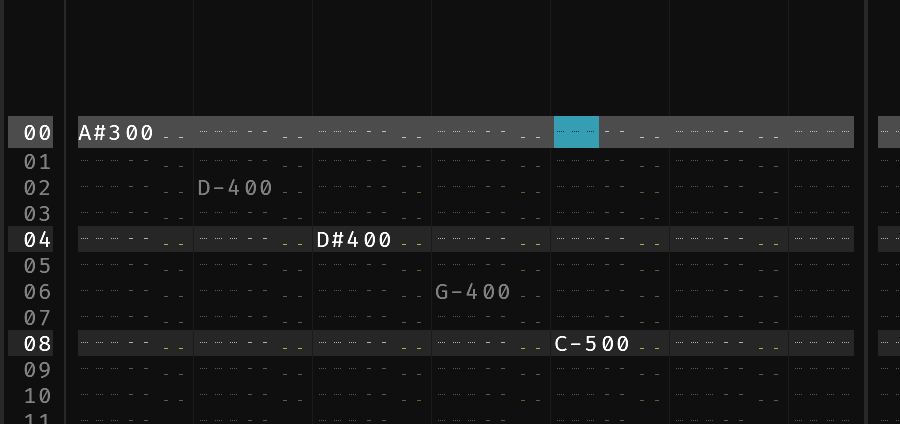
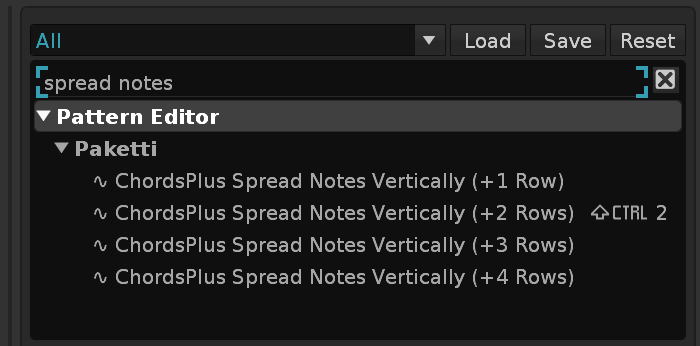
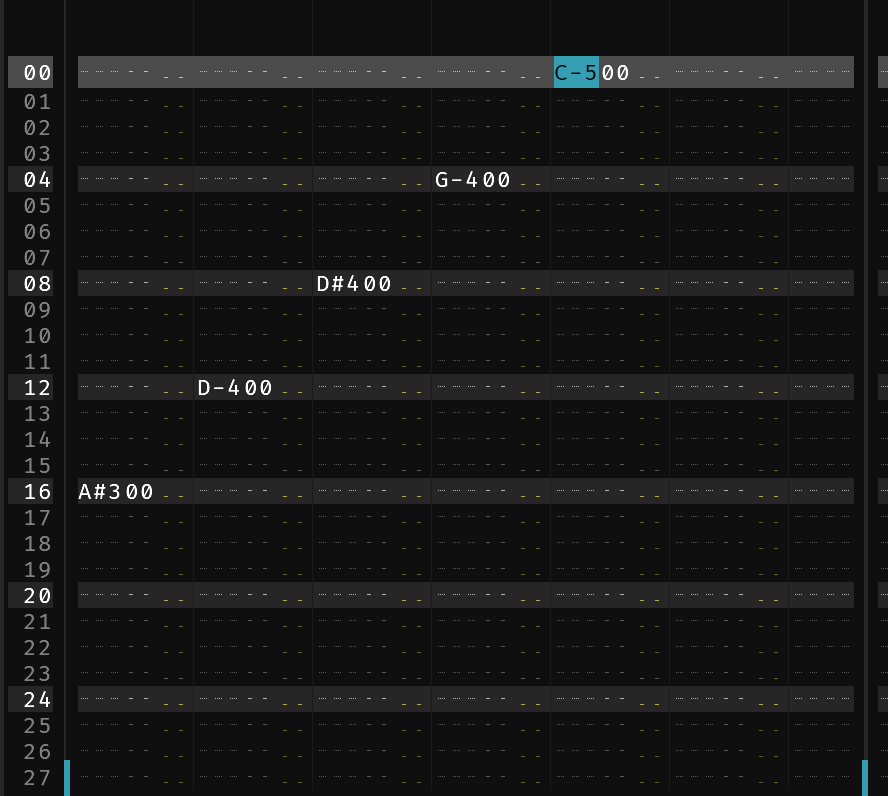
i’m looking at the “spread across 1 or 2 rows” type shortcuts and the “read note column and spread chord from there” bits, will let you know when they’re in.
haven’t looked at chordgun. i deal with requests posted by people directly rather than copying other tools 
1 Like
i’ll have a look at the “read selected note column and spread from there”
1 Like
ok, pushing this all out to github. have a look. hit me up if more details.
1 Like