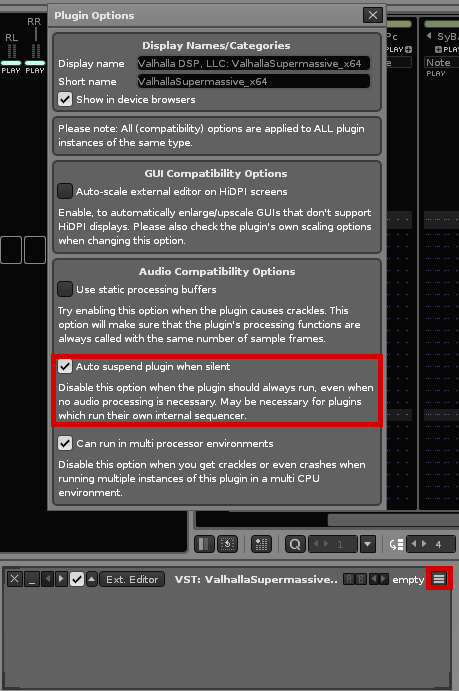
Is there a way to make Renoise Autosuspend all plugins by default? And how can i Autosuspend VST FX Plugins? This should be able too! I Ask for that because my CPU load after loading a song is around 1,5 %. But if i start songplaying, just for a second and stop this then, the CPU load never goes back under 15-30 %
This is the way i adjust it manually! But you must defer beetween “Auto Suspend” and “Autosuspend”.
I look for a method to configure that Renoise make handle activate Auto Suspend automatically for all plugins i add.
There’s an internal blacklist of plugins which disables auto-suspending for a few plugins - because they else tend to crash. And we’re also respecting the VST3 “tail” property here.
So auto-suspend is enabled by default for most plugin FX already.
For instruments’ it’s disabled by default, because this breaks many synths. Especially those with an internal sequencer. But you can manually enable it in the instrument → plugin tab.
Mhhh…ok! Could we have then anyway an option to autoenable it for VST Instruments? I always forgot it most times when i’m in “creative mode”. 3 days later i wondering about the cpu idle amount of the project and must configure all added instuments by hand. My electricity bill would thank you. German energyprices fuckz me in between.