The gu bug is still here
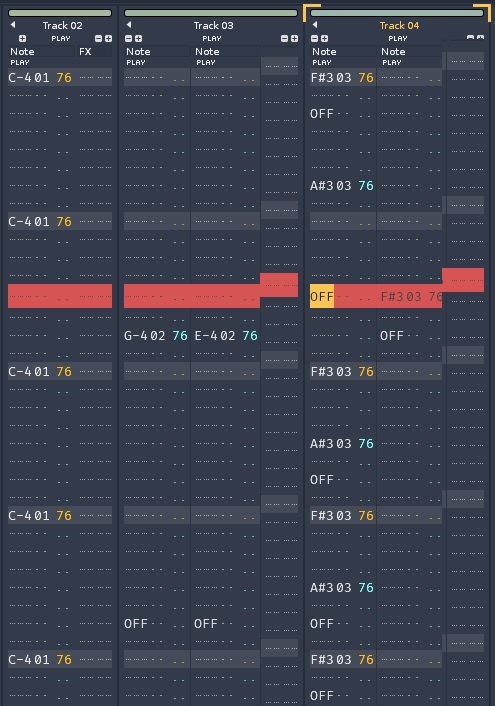
While the pattern is scrolling , every N-th line is broken
A gui screenshot doesn’t reveal it but this is how it looks ( composite image )
Hiding the lower fx panel -the new sample instrument graphics and the top vu meter solves the issue
Stil , kind of a bummer
what are the steps to reproduce?
There are none
I guess it’s system dependent
I also noticed this yesterday…flickering scroll. I thought at first it was a migraine attack. Good to see that i’m not alone.
need more details, what OS, what settings in GUI preferences? Have you A/B’d settings there to see if enabling/disabling stuff makes a difference, capping the framerate yes/no etc?
No problem on Ubuntu 24.04 Wayland / Gnome
Yes , yes and yes to all
My framerate is always set to limited 50 fps , increasing-decreasing doesn’t matter
Gui effects are always OFF
The gui anomalies go away when :
- Top vu meter is disabled
- Sample preview in instruments are minimized
- Effects pane is hidden