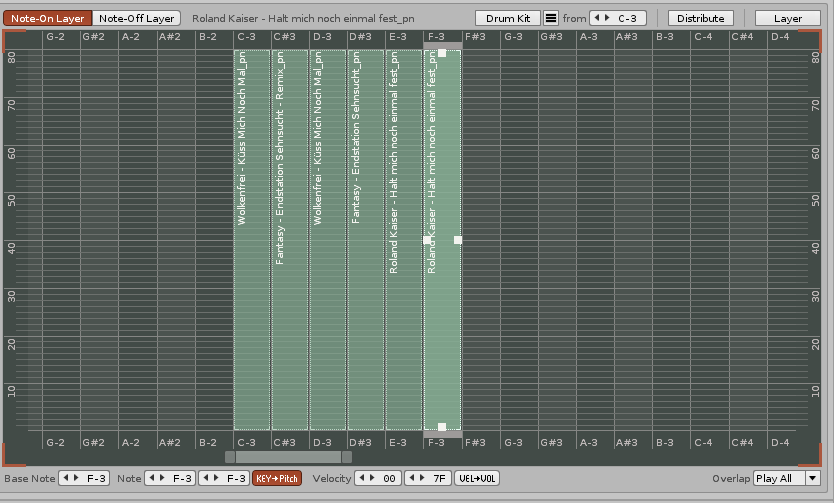
I’d like for a sound always full level - regardless of how hard a key is pressed.
How can i do that?
Deactivate velocity:

As seen in the manual. I would recommend to also use a computer keyboard.
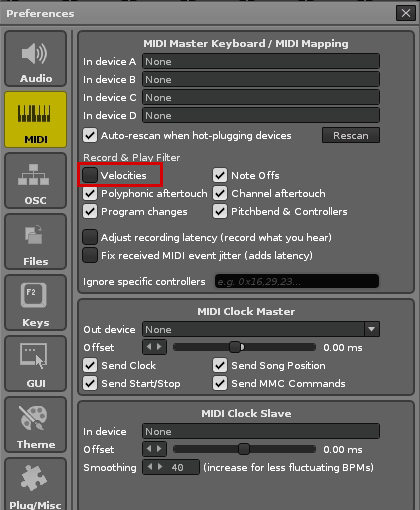
If you’re using a MIDI keyboard, make sure “Velocities” in preferences is deactivated too:
i’d like to have it only for one sound - not for the whole Redux.
Ok, Redux. You can activate/deactivate velocity right here on the left:

You could leave velocity deactivated while typing the notes of the one sound and activate it when finished.