Is this what chatGPT induced psychosis is?
The entire HYDRA SANITY project was created for my purposes, so that I could control the hydra and play without any jerks in the sound, and could work with the graph as a whole concept in all patterns simultaneously and record and play back pure sound at the same time.
I designed this audio engine based on my many years of experience in audio engineering. To speed up development and effectively solve conceptual problems - including optimizing over 200 variables - I use AI in my work. I have dedicated over 60 hours of pure time to the project so far.
My main goal and biggest challenge is to tune the system so that it is universally usable. To ensure the stability of the scripts and the correct connection of variables, I created a comprehensive CODEX. The most demanding phase of development was stabilizing the GUI logic and precise timing of the audio output to avoid errors when changing the graph. That is why the project can seem so robust and complex at first glance.
There are many things that many programmers have already puzzled over. When I solve a problem with stability or connection of variables, I rely on my own comprehensive CODEX. The most worrying thing for me was the stability of the GUI logic and the synchronization of the audio output so that the sound doesn’t drop out when the graph changes. That’s why it all looks so monstrous - but there’s just a huge amount of work behind it.
Besides, you can copy the script into chatGPT and do what it tells you to do, analyze the logic of writing IRON, MIDI_INC… find out how I use buffer, cache… you’ll see that it seems like chaos to you. But in reality, it has a fixed order and logic.
1 Like
Ok, I’ll give it a try!
Thank you all for your patience … I thought it would be easy to make my own 2 tools for Renoise … but in the end I was overwhelmed with work for several weeks full of evenings of testing, debugging, calculating, optimizing, refactoring. You can now use the new version safely without the GUI, it runs in the background. Just set up your MIDI controller correctly so you can use it to its fullest.
The new implementation and tuning of the HYDRA SANITY tool also brought very good latency and respects the Renoise environment so as not to unnecessarily burden the Renoise API resources.
You can use the graphical user interface, but you don’t have to. It is mainly used for overview and settings.
If you set MIDI MAPPING to REC ON , LATCH, STICK, ARM ON, MUTE, SOLO works for you for each HYDRA in song … The LEDs on your MIDI controller will signal all the states that are happening.
Tools works in the background with Renoise and you.
If your HW supports MCU, or reverse control of the LED, via the set MIDI OUT.
For example, the cheapest MIDI device solution Behringer X-touch mini in MC mode supports LEDs.
And save state to song,
You can find the procedure below.
This tool will expand your work with the automation graph, making it more pleasant when recording live, or overwriting the automation graph.
There are also important mappable buttons such as delete notes for the current track in the pattern and return to line 00 … you can play and record again.
Or record notes, or just the automation graph.
Tools was created with the aim of improving work with HYDRA input, if you need to control with a MIDI controller what is happening in your song with HYDRA inputs.
At the same time, this tool will give you an overview of all hydras that you have installed in your song in one place in the GUI.
Automatic track switching when moving the encoder, the fader that belongs to it + automatic loading of the hydra automation graph when moving the MIDI encoder will make it easier for you to have an overview of the situation in your song.
You can also map in Renoise MIDI mapping calls to the graphical GUI environment. And when you don’t need the engine to run, simply turn it off from the GUI.
Usage Example:
Do you have HYDRA ready in your tracks? Do you have HYDRA SANITY in SETUP set MIDI mapping for REC ON/OFF, ARM ON/ STICK OFF, MUTE ON/ SOLO, and fader? then just close the GUI tool HYDRA SANITY and work. By turning the encoder, fader, you call HYDRA automation GRAPH, and track, or you have Renoise MIX running and you look at the HYDRA graph below. Do you have a graph drawn? Call the keyboard shortcut, or MIDI buttons GUI HYDRA SANITY and turn on IRON on HYDRA in REC ON, iron your graph so that the sound output is smooth and clean. finish ironing and turn off IRON when you think the graph is already cleanly ironed. Close the GUI tool and continue working. You can browse the fader, decoder in Hydra Automation, or call a track with an instrument in front of you. write notes straight away. Use MIDI mapping for play REC NOTE , or just for PLAY REC automation graph, or just safe PLAY. Map DELETE active TRACK NOTE in the pattern you are writing notes into. And if you fail to play well, make a mistake in the track while recording notes, just press one button DELL all NOTE in track x Pattern x and the button will delete the track for you and return you to line 00.
HYDRA SANITY 8.18 (19) APEX Engine - respects Renoise
This update continues the direction of making HYDRA SANITY work more naturally with Renoise instead of fighting the current workspace.
What changed:
-
Automatic switching respects Renoise wherever you are, in EDIT, MIX, SAMPLE, MIDI modes…
-
AUTO GRAPH now defaults to ON when the engine starts.
-
The top control layout was cleaned up so the graph auto-focus control stays in one clear location.
-
Versioning and startup labels were updated to the new 8.18 APEX build.
-
Added a Show / Hide Volume Meter option for HYDRA rows.
-
Fixed the volume meter toggle rebuild issue caused by duplicate ViewBuilder id registration.
-
Optimized GUI refresh for high BPM/LPB projects:
-
PLAY refresh throttled to 120 ms
-
STOP/PAUSE refresh throttled to 180 ms
-
Improved MIDI device refresh behavior so setup scanning no longer runs unnecessarily during playback.
-
Refined HYDRA autoswitch focus behavior for EDIT / MIX / other Renoise views.
-
Manual HYDRA graph selection no longer interferes with encoder-driven focus takeover.
In short:
HYDRA SANITY is now getting friendlier with Renoise and better respects the currently open window/view context while keeping fast graph access ready when needed.
Added MIDI LED feedback for the main transport-style control buttons, using the same feedback philosophy already used for LATCH and ARM-related states.What is new:
REC PLAY NOTE & AUTOMATION button now sends LED feedback
REC PLAY AUTOMATION button now sends LED feedback
PLAY / Safe Listen button now sends LED feedback
active mode = LED ON
paused mode = LED blinking, using the same timing principle as ARM ONDEL NOTE TRACK PATTERN:
this button now uses a short confirmation flash
LED turns ON for 1 second after a successful delete action
no persistent state is kept
no false “success” feedback is shown when delete is not actually executedImplementation notes:
integrated into the existing MCU / MIDI feedback path
no separate LED engine added
no unnecessary MIDI spam
existing latency-sensitive design was preserved
feedback refresh stays aligned with the current cached LED update logic
v8.17 slot-channel stable
- Major internal refactor of runtime state and boundary handling.
- Improved REC / STICKY / LATCH stability across pattern and sequence changes.
- Fixed write-target consistency so automation stays in the correct pattern.
- Unified many GUI, refresh, save, and MCU feedback paths through shared helper logic.
- Added safer idle throttling for lighter UI/feedback load.
- Implemented real per-slot MIDI channel transform for MIDI IN / MIDI OUT.
- Cleaned up slot/channel routing layer and promoted the new stable baseline.
My GUI Renoise Theme
zrg-color-theme-settigs-26-04.xrnc (5.0 KB)
HYDRA SANITY v8.20
- Add fix when in Renoise click to track ( select track) HYDRA SANITY auto switche first hydra in selected track.
If the selected HYDRA line is already active in the track you click on in Renoise, the selected hydra will remain in the track (this is the situation when there are more than one hydra in 1 track).
- fix button ARM ON and LEAVE in row HYDRA : better collored rainbow
NEW SLIM MODE GUI & stability fix & feedback with Renoise
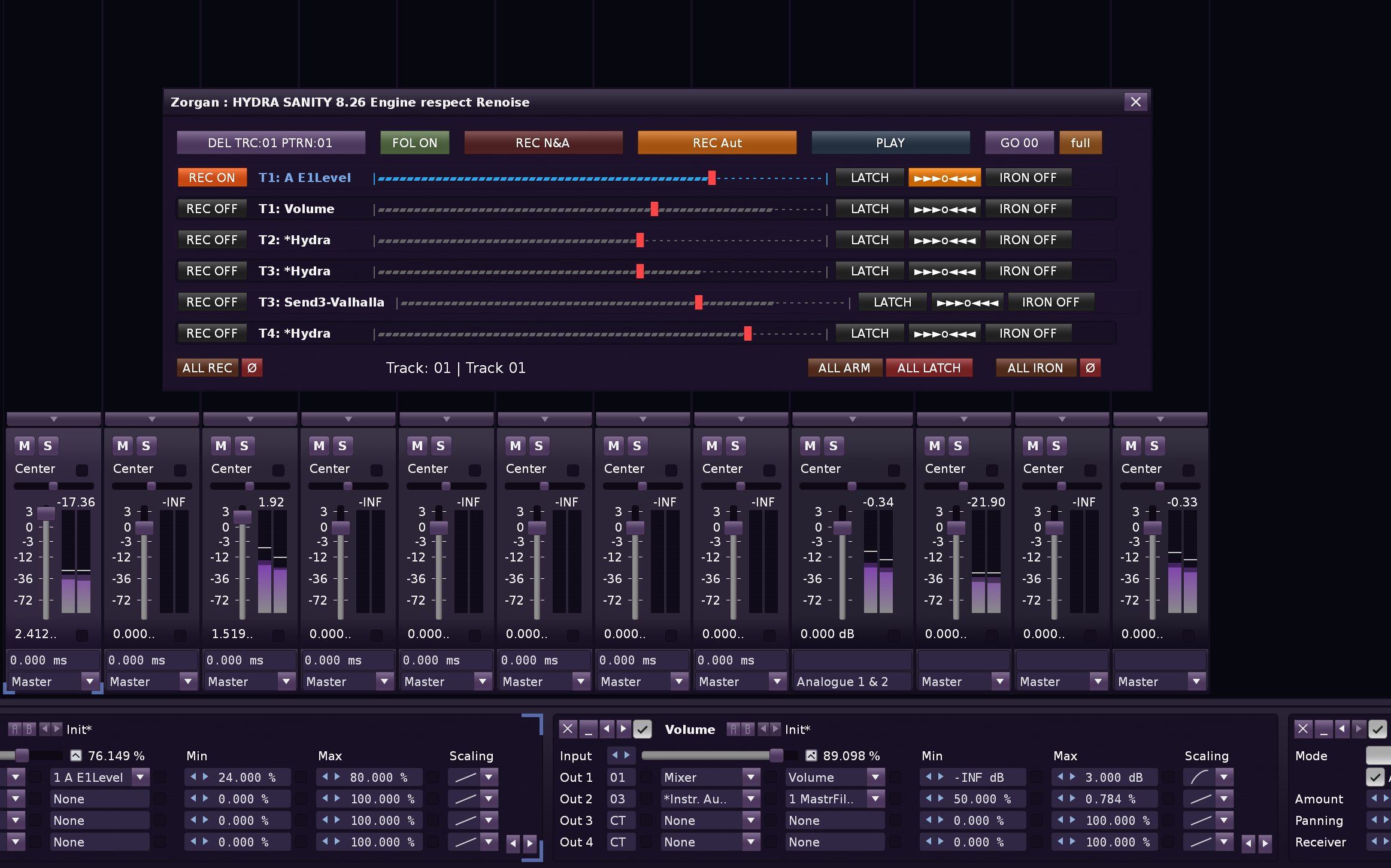
HYDRA SANITY v8.23 → v8.26 — Short Change Log
- solved fix if Track is Solo and I want another unmute.
- Fix goal: when you delete Hydra on the fly, HYDRA SANITY should not crash on the old Renoise object, but safely discard it from the runtime cache and restore the GUI according to the current state of the song during rescan.
Added a new SLIM GUI mode with persistent preference saving.
SLIM mode hides the upper control row and TOPOLOGY row for a more compact working view.
Added shortened SLIM labels for key transport controls.
Improved FOLLOW button synchronization:
HYDRA SANITY now reads the actual Renoise Follow Player state.
changing Follow directly in Renoise is reflected in the HYDRA GUI.
SLIM FOL ON / FOL OFF now shows proper active/off coloring.
Improved transport button synchronization with Renoise:
REC NOTE & Automation, REC Automation, and PLAY/PAUSE buttons now follow the real Renoise transport state.
REC ON/OFF and PLAY/PAUSE changes made directly in Renoise are reflected in HYDRA SANITY.
Added visual PAUSE feedback for transport buttons:
paused REC modes now pulse between selected orange and inactive button color.
PLAY/PAUSE safe listen also uses a dedicated pulse state when paused.
Moved HIDE / SHOW VOLUME METER into the main control area for faster access.
Added active track display in the lower GUI area:
Track: number | name
Improved TOPOLOGY layout by reducing loop button widths.
Added STOP / PAUSE graph preview:
when playback is stopped or paused, moving the Renoise pattern cursor now updates HYDRA SANITY’s volume meter from the current Hydra automation graph values.
preview is read-only and does not write or modify automation data.
Improved GUI rendering efficiency:
GUI refresh and drawing updates now run only while the GUI is open.


HYDRA SANITY + MCU_COM Panorama integration update
HYDRA SANITY and MCU_COM Panorama can now work together as one connected Renoise control system.
MCU_COM Panorama handles the Nektar Panorama T/P hardware layer:
- encoders, faders and buttons
- LCD display feedback
- button LED feedback
- MIDI Learn for custom INTERNAL presets
- dedicated SETUP CONTROLL TOOL mapping
- Panorama W.A. encoder automation publishing
HYDRA SANITY remains the automation engine:
- ARM / LATCH / STICKY / IRON recording behavior
- automation lane creation and graph focus
- REC PLAY Note & Automation
- REC PLAY Automation
- PLAY / Safe Listen mode
- Panorama automation rows from MCU_COM
The bridge allows Panorama encoders with W.A. enabled to appear in HYDRA SANITY as PANORAMA_E1–E8 rows. These rows can use the normal HYDRA workflow, including REC ON/OFF, ARM, LATCH, STICKY and IRON.
A new LCK button below each encoder W.A. button can keep the Panorama row locked in HYDRA SANITY. This prevents the row from being disconnected while still allowing REC ON/OFF to behave like a normal HYDRA row.
The new SETUP CONTROLL TOOL window in MCU_COM adds learnable control buttons for track, bank, zoom, browse/view and transport-style actions. Each button can be MIDI-learned directly, shows its assigned CC/Note and channel, and selected transport buttons can be routed to HYDRA SANITY through HS mode.
Current HS button routing:
- REC → HYDRA REC PLAY Note & Automation
- PLAY → HYDRA REC PLAY Automation
- STOP → HYDRA PLAY / Safe Listen
- REPEAT → HYDRA delete current track notes in pattern and return to row 00
This setup keeps the Panorama hardware control surface separated from Renoise MIDI Map, while HYDRA SANITY handles the automation safety, graph writing and recording logic.
Today I learned that in 1987 Matthew Broderick killed two people while driving on the wrong side of the road in Northern Ireland and was fined $175
1 Like
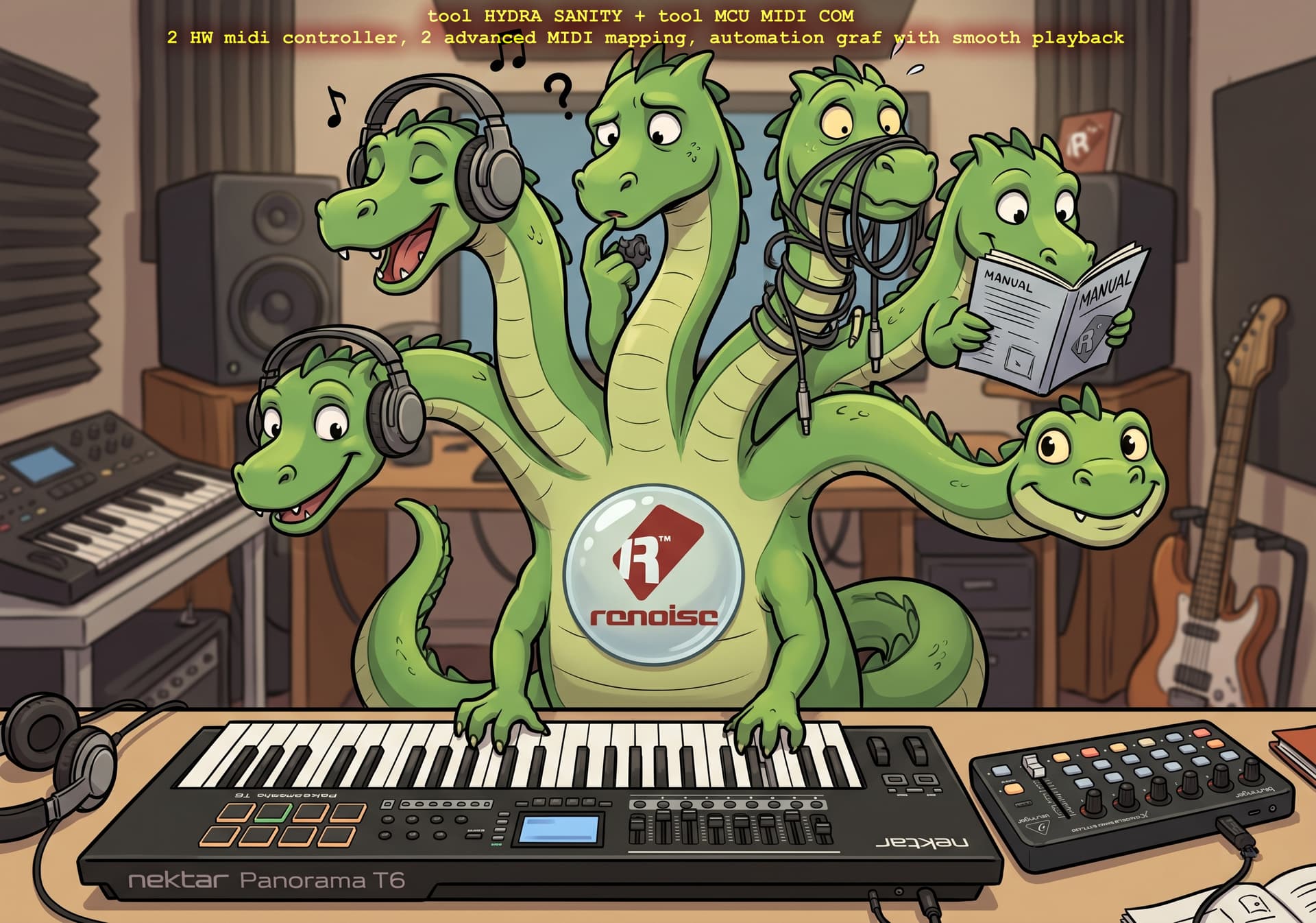
Change log v 8.30 - 8.31 Hydra Sanity
-
implementation OSC server for IPC event comunication with other Zorgan tools (MCU COM Panorama )
-
Panorama row support now REL ENC, REL DEC, ABS ENC and Linking to Graph
-
Fix for MCU_COM v0.64 & HYDRA SANITY v8.31
If the old server/client handle remains non-zero after reload, the start function returns “OK”, but the socket is not physically reopened. This corresponds exactly to: OSC looks on, but data is not flowing; since write fallback is off, linking to graph then has no alternative path -
Fix for HYDRA SANITY v8.31 / respect updated version MCU_COM v0.64
Callback is not wrapped in pcall() - with socket callback via Renoise C++ layer it is a risk -
full transfer IPC of all communication via OSC
-
Add button NO STOP - if the song reaches the last line, during looping, or playback … ARM STICK automatically switches to ARM ON, disconnects the graph redrawing and waits for a new MIDI ENC,DEC movement. The NO STOP button ensures that STICK redrawing remains active even when the song is repeated.
-
check duplicity if you send ENC from panorama to HYDRA SANITY (W.A. button LCK lock to HYDRA SANITY ) and create a duplicate row hydra panorama vs hydra sanity, HS will recognize it and hide the hydra row. Because Hydra Sanity always loads all hydra rows from the song, it is a clear solution. After disconnecting again, HS will call the hydra row back again.
This way you can set another MIDI device to the 3 that HS offers. In the MCU_COM tool as DEVICE 2 … on a secondary MIDI controller e.g. Panorama T4 T6 P Panorama has its MIDI port 2 for ENC, FAD and Buttons, so you can set MIDI device Panorama MIDI port 1 for note keys in Renoise. And everything will work. -
MIDI LEARN duplicate cleanup
Many hours work for development and debugging starts to bring low latency and low CPU load for both instruments running simultaneously. The ideal is to have a secondary Monitor … or just set all MIDI learn and use utilities in the background. it can do that. As long as you don’t stop the engine.
HYDRA SANITY v8.32 — Global Aftertouch / Smart HYDRA Topology Rescan
-
Added per-row AT / Aftertouch buttons for normal HYDRA rows and
PANORAMA_E1–E8rows. Any number of rows can receive Aftertouch at the same time; this is not a radio-button workflow. -
Added global AT input parsing for Channel Pressure and Poly Pressure, normalized to
0..1and routed through the existing HYDRA pending-input / automation-writer path. -
AT input is detected from Renoise MIDI Master input settings in
Config.xmlusingMasterInDeviceNameA/B, avoiding blind opening of all visible system MIDI ports. -
Added AT source priority in the pending MIDI mailbox. When AT and CC/PB/Panorama input arrive in the same writer window, AT wins and prevents lower-priority input from overwriting the pressure value.
-
Added song persistence and robust state recovery for per-row AT state, including GUI rebuild safety for FULL / SMALL / SETUP changes.
-
Expanded DIAG with AT status fields and a dedicated device-name log showing the real MIDI IN ports opened for AT reception.
-
Added smart HYDRA topology signature detection. HYDRA additions, removals and moves now refresh the GUI automatically, while unrelated non-HYDRA DSP changes no longer force unnecessary full rebuilds.
-
Preserved the single-writer architecture: AT does not add a new writer, timer, Learn path, OSC payload or parallel legacy input engine.
yea
HYDRA SANITY 8.32 - new AfterTouch support for HYDRA INPUT , update refresh GUI logical

I’ve been thinking a lot about how to quickly and reliably get aftertouch on my VST instruments. Sometimes Aftertouch is simply complicated and using the genius of Renoise Hydra for these purposes seemed pretty good to me. That’s why now each row has an AT button, it has priority over the MIDI ENC setting, but it also works with it. The AT button is saved.
AfterTouch is only written from MIDI device IN, which are mapped in Renoise DAW.
- improved detection of changes in Renoise in HYDRA DSP for Hydra Sanity GUI refresh
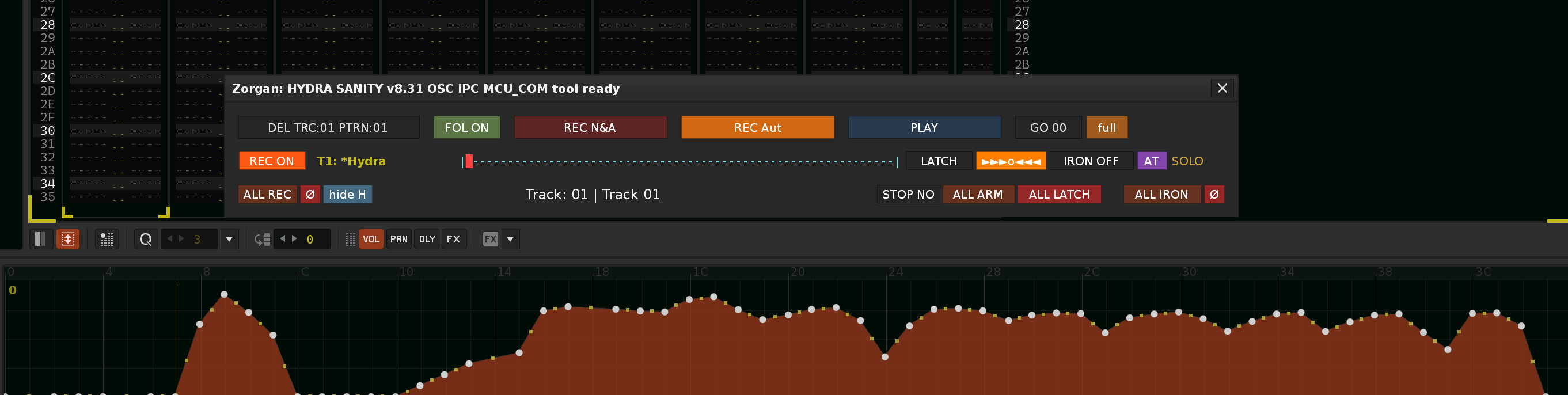
web page support here
Send me report, bug here
1 Like
HYDRA SANITY v8.33 — MIDI Feedback Slot/Channel Fix, and adding button R for Reset MIDI Learn
Fixed
-
Improved MIDI feedback routing for multi-device setups using MIDI OUT 1 / 2 / 3.
-
REC / LATCH / MUTE MIDI Learn now keeps the learned MIDI slot and physical MIDI channel visible in the GUI.
-
MCU LED feedback now uses the learned slot + learned physical channel when available.
-
Prevented MIDI OUT 2 / 3 LED feedback from being silently affected by slot channel remapping.
-
Added clearer GUI diagnostics for learned button mappings, for example:
REC 87 L D2 CH1
LATCH 84 L D2 CH1
MUTE 85 L D2 CH1
Improved
-
Added route visibility for button feedback mappings, making multi-X-Touch debugging much clearer.
-
Added tooltip information for learned MIDI routes, including input device, output device, and output role.
-
Preserved compatibility with older mappings by falling back to the previous routing behavior when no learned channel is stored.
Notes
-
Existing manually entered button CC values should be re-learned with the
Lbutton to store the correct MIDI slot and channel. -
Recommended MCU multi-device setup: separate each physical X-Touch by MIDI slot, not necessarily by MIDI channel. In most MCU setups every X-Touch still reports and receives feedback on CH1, so a correct multi-device mapping usually looks like D1 CH1, D2 CH1, D3 CH1. If your router intentionally transforms channels, HYDRA will store and use the learned channel exactly as received.
Each physical X-Touch should be separated by its MIDI slot and learned channel. HYDRA stores the real channel received during MIDI Learn and uses that same learned channel for LED feedback.
Examples of valid mappings:
D1 CH1
D2 CH1
D3 CH1or, when your router/controller setup uses separate channels:
D1 CH8
D2 CH9
D3 CH10The important rule is not that every controller must use CH1. The important rule is that each learned mapping shows the correct device slot and the correct MIDI channel used by your actual hardware or routing layer.
Don’t forget that for the same MIDI controllers, if you use e.g. X-touch mini, you can set the device ID with the x-touch editor… this will solve the identification for the MIDI device name.
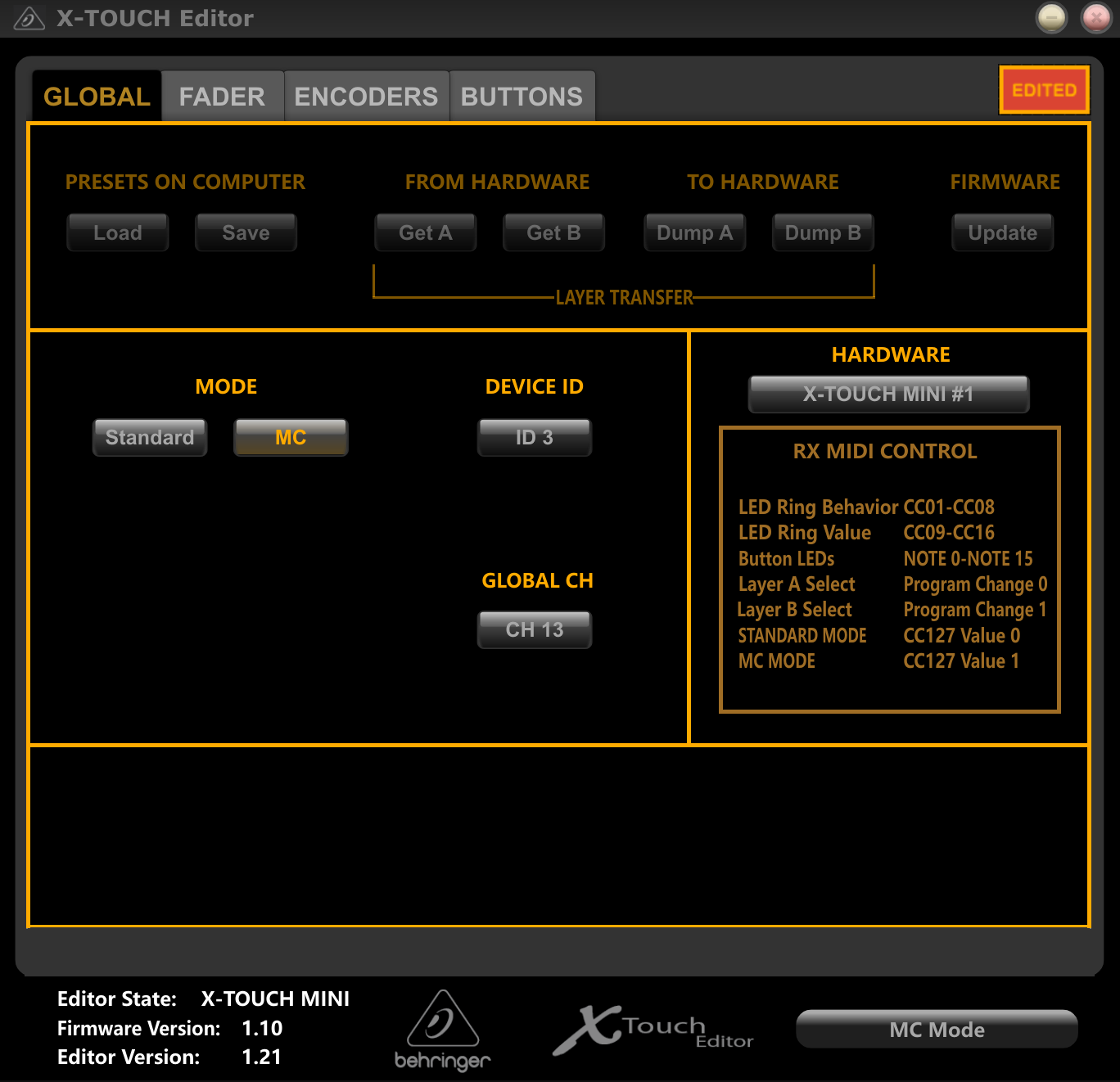
instead of arrows, shift MIDI CC# value … R button to reset null value = -1

Tested on 3 device X-TOUCH mini MIDI controller.
1 Like
HYDRA SANITY v8.34 — GUI Setup Cleanup & Renoise-Friendly Auto Graph Focus (auto switche to graph)
This update focuses on GUI readability and smoother coexistence with normal Renoise DAW navigation.
What changed:
- Reorganized the top GUI into clearer rows: Engine, MIDI Device Setup, MIDI Mode, Topology, Transport, and HYDRA rows.
- DIAG is now visible only in MODE: SETUP.
- RESET ALL CC was moved behind DIAG for a cleaner setup workflow.
- Added short MIDI setup hints directly into the device rows:
R = reset CC# value | L = MIDI LEARN
DEC = DECoder / ENC = ENCoder type
FB = MIDI feedback | FA = fader absolute - Removed the top-row NOTE OFF button and the volume meter hide/show button.
- SETUP mode HYDRA rows are now shorter and focused on mapping only; performance controls such as REC ON, LATCH, graph button, IRON, and SOLO/MUTE status are hidden there.
- Transport MIDI Learn labels now use compact bracket formatting.
- Unified MIDI Learn L/W button colors in HYDRA setup rows.
- Added Renoise-aware AUTO GRAPH behavior:
Manual selection in Renoise temporarily suspends AUTO GRAPH internally.
The next valid mapped MIDI / Aftertouch / Panorama input restores AUTO GRAPH automatically.
This lets the user freely inspect tracks, devices, and automation lanes in Renoise without HYDRA immediately stealing the graph focus again. - No new observable, no new preference, and no parallel focus system were added.
Result:
HYDRA SANITY v8.34 is cleaner to set up, easier to read in SETUP mode, and more respectful of normal Renoise DAW navigation while keeping fast controller-driven graph focus ready for live automation work.
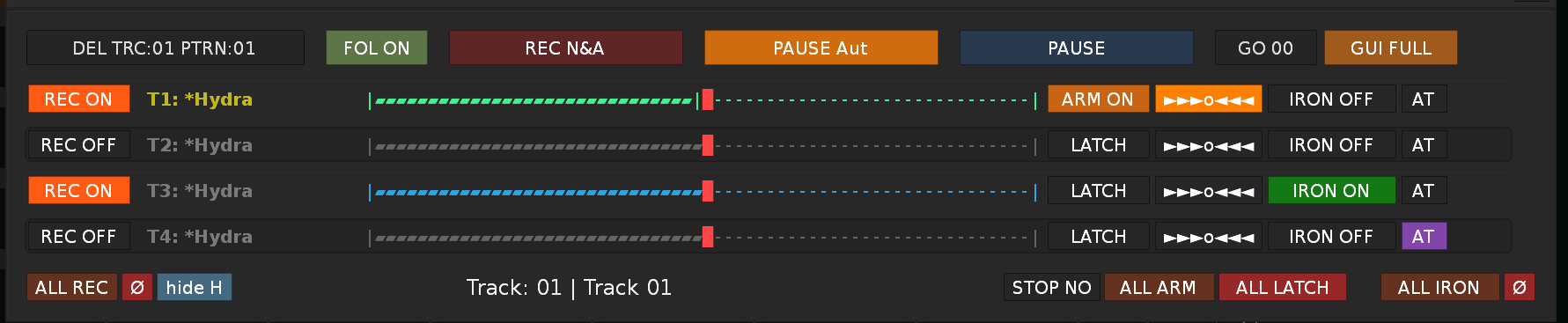
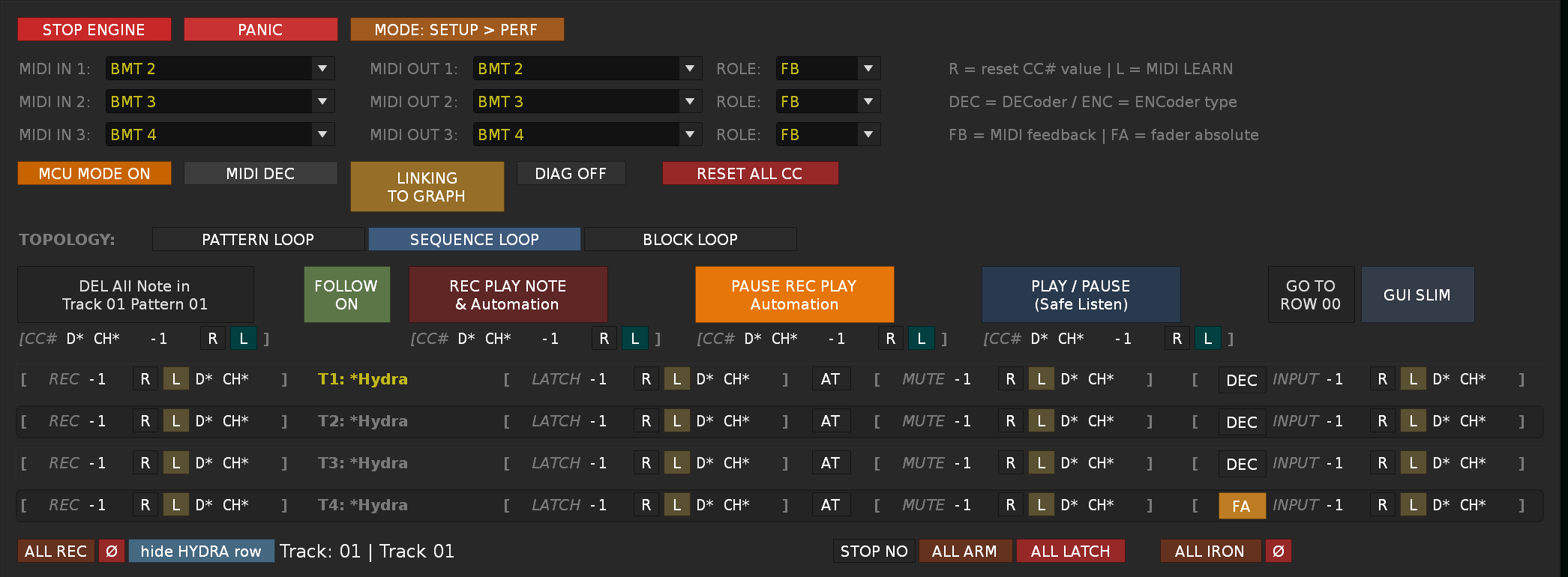
- clearer top GUI layout
- shortened SETUP HYDRA line
- unified MIDI learn blocks
- cleaner DIAG / RESET ALL CC logic
- corrected L button colors
- important fix: HYDRA will no longer aggressively take Renoise focus when manually working in the DAW
1 Like
Preparing new bigos update
-
Modular Architecture : 100% completed
00_header_globals.lua
01_preferences_theme_gui_shims.lua
02_arch_event_obs_arch.lua
03_queue_state_manager.lua
04_state_accessors_commit_transport.lua
05_idle_ipc_compat.lua
06_osc_panorama_bridge.lua
07_prefs_midi_routing.lua
08_writer_core_engine.lua
09_feedback_midi_aftertouch.lua
10_gui_idle_loop.lua
11_renoise_registration_boot.lua -
State Management : significantly better, but not final … 80% completed
-
Command bus : unifies inputs/dirt/feedback … 80% completed
-
Observer lifecycle : central registry + cleanup … 95% completed
-
OSC W.A./LOCK throttle safety : queue + coalescing + idle budget
-
Legacy cleaning : still needs to be cleaned … 80% completed
it is being worked on
HYDRA SANITY now reacts more naturally to manual actions inside Renoise DAW.
When the user manually selects an automation graph / automated parameter directly in Renoise, HYDRA SANITY can synchronize to that DAW-side selection and select the corresponding row in the tool.
This improves the two-way workflow between Renoise and HYDRA SANITY:
-
controller movement can focus the correct automation target,
-
manual Renoise graph selection can bring HYDRA SANITY to the matching row,
-
the tool is less dependent on being driven only from its own GUI or MIDI controller,
-
switching between Renoise and the tool feels more connected and predictable.
In practice, this makes HYDRA SANITY behave more like a live companion to Renoise automation editing, instead of a separate isolated control panel.
Before the final version is released, in-depth stability tests are underway and the overall work is already 90% complete…
Scripts/Tools/com.renoise.HydraSanity/
├── main.lua # Bootstrap loader
└── modules/
├── 00_header_globals.lua # Global variables and registries
├── 01_preferences_theme_gui_shims.lua # Preference and GUI helper functions
├── 02_arch_event_obs_arch.lua # Event dispatcher + Observer manager
├── 03_queue_state_manager.lua # Queue + State manager (S.* domains)
├── 04_state_accessors_commit_transport.lua # State accessory + COMMIT layer
├── 05_idle_ipc_compat.lua # Idle loops + IPC + Panorama state
├── 06_osc_panorama_bridge.lua # OSC receiver bridge (MCU_COM)
├── 07_prefs_midi_routing.lua # MIDI routing + device management
├── 08_writer_core_engine.lua # Automation writer + core engine
├── 09_feedback_midi_aftertouch.lua # MCU feedback + MIDI input + Aftertouch
├── 10_gui_idle_loop.lua # GUI builders + row callbacks + idle
└── 11_renoise_registration_boot.lua # Renoise registration + boot
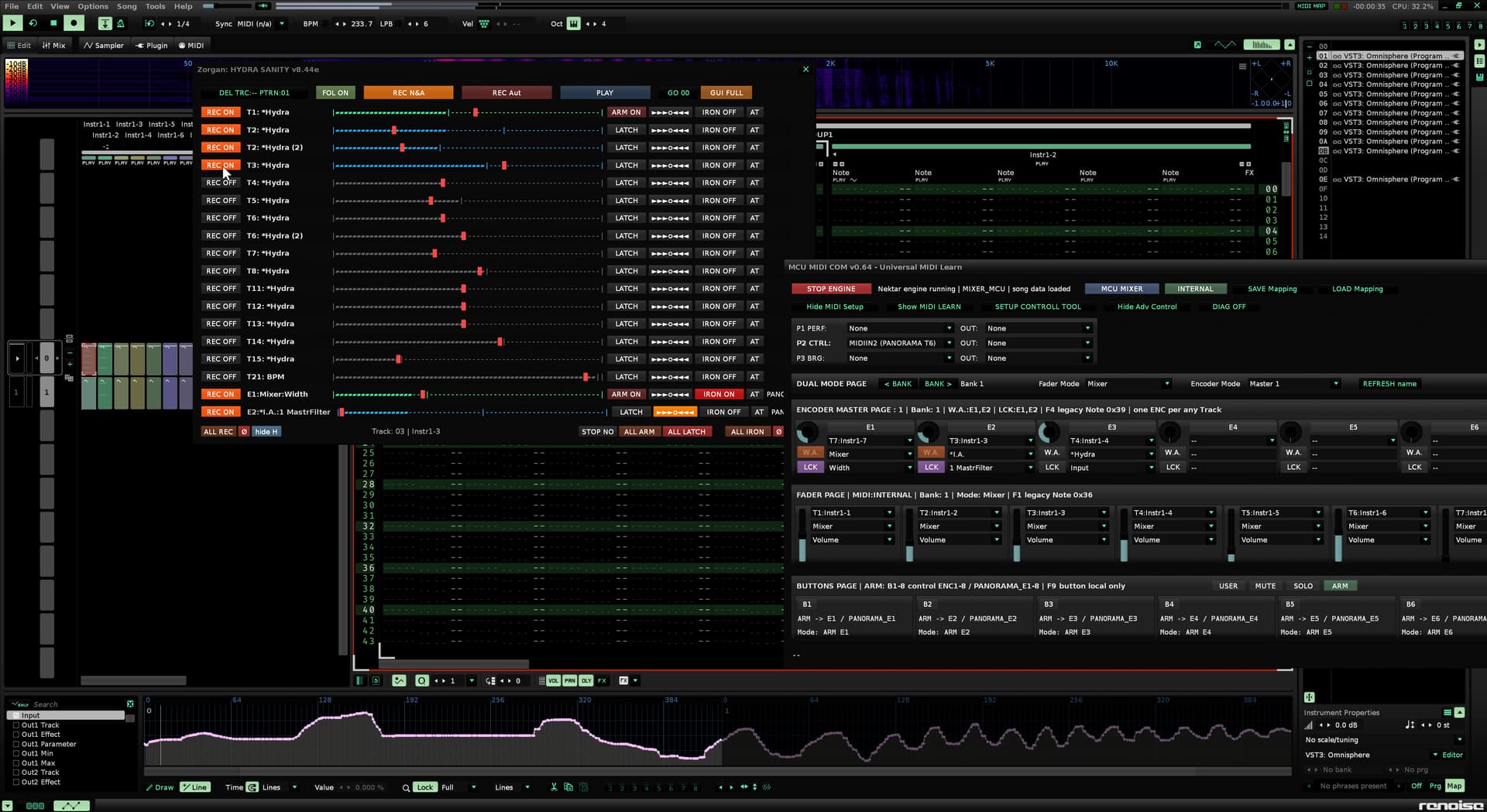
100 % ready
HYDRA SANITY is now significantly more readable in terms of modular files, divided according to their functions. A safer system for ARM/REC/STICKY workflow, supporting bulk processing from the bottom line ARM ALL, ARM OFF, ALL LATCH. The biggest benefit is the new ARM/REC gate mode, which correctly distinguishes lines activated into ARM without previous REC ON, including GUI rainbow, MIDI LED logic, PANORAMA support and safe shutdown. Thus, it can be operated well even with a MIDI controller with only 1 button on ENC/DEC in ARM ON wait for STICKY mode.
Stability has been improved again and the script has been compared to perfection, no duplicates, simplifying the readability of the code has contributed to the simpler further development of the Hydra Sanity tool.
Tooltip improvements for bulk buttons 
Add tooltips in build_hydra_bulk_row (10_gui_idle_loop.lua):
Button Suggested tooltip
ALL ARM “Set ARM ON for all HYDRA and Panorama rows. Rows without REC ON enter ARM/REC gate mode; first MIDI input starts STICKY write.”
ARM OFF “Cancel waiting ARM ON states on all HYDRA and Panorama rows. Active STICKY rows and REC ON states are not changed.”
ALL LATCH “Return all HYDRA and Panorama rows to normal LATCH state. Clears ARM intent, STICKY hold and ARM/REC gate flags.”
ALL IRON “Enable IRON mode for all HYDRA and Panorama rows.”
ALL IRON Ø already has a tooltip; keep as is or extend to “Disable IRON mode for all HYDRA and Panorama rows.”
Many hours of work, brought another level for Hydra Sanity … enjoy the tool that has become a good helper for me. Together with another tool MCU COM MIDI for Nektar Panorama T6, together with MIDI PADs to Controll Track, which clearly displays the assigned MIDI channel, instrument, and Send track assigned to each track.
Further work will include support for the Arturia MiniLab 3 hardware in the MCU COM tool. MCU MIDI COM Mapping tool for PANORAMA T and P serie, will eventually become a universal tool for supporting multiple HW supporting MCU mode.
1 Like
fully automatic detection of MIDI controller type … MIDI LEARN will find out what type of controller HW DEVICE uses …
Finally, the new Arturia MiniLab 3 hardware arrived and thanks to it I was able to finish this currently painful part of the HYDRA SANITY tool and upgrade to the new version 8.50 with the new MIDI LEARN logic.
Currently, MCU mode is automatically detected, and DEC relative 1 - 3, and ABS ENC …
no longer need to manually set MCU ON/OFF, nor Pitchband type FA, or absolute, relative … linking to graph also works automatically if it is turned on only for relative DEC
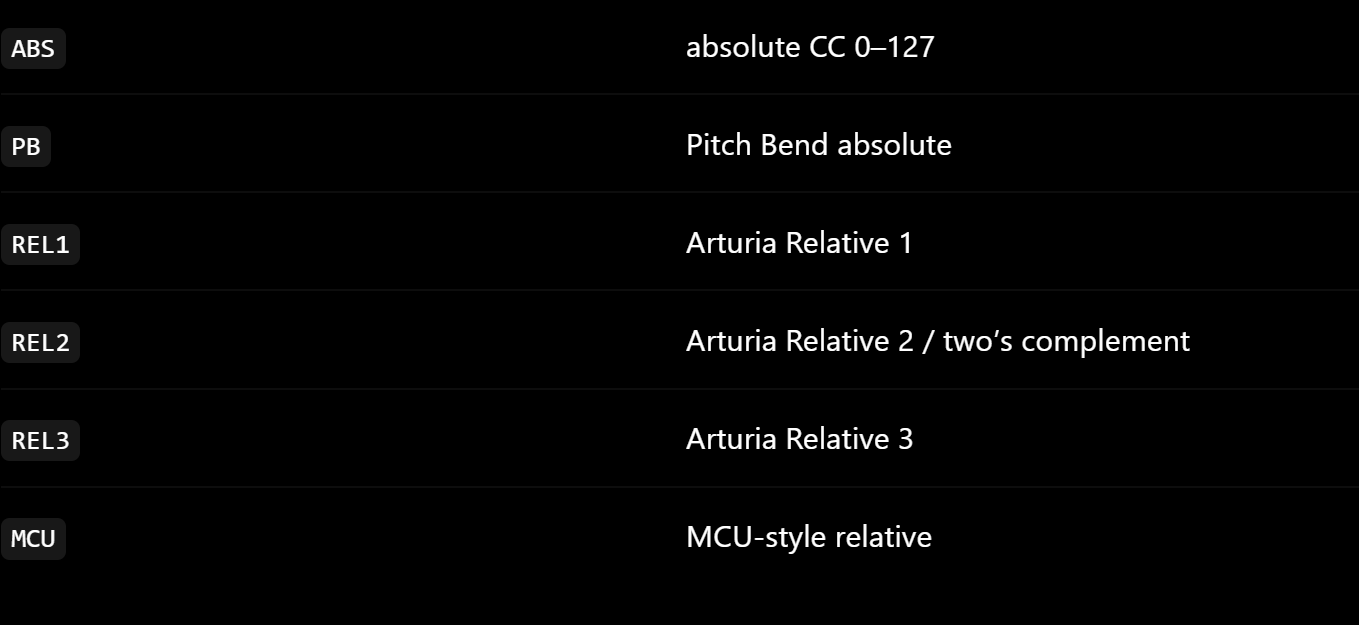


Arturia MiniLab 3 and other Arturia must behave like a regular MIDI controller in User mode, not like an MCU device, for the correct relative encoder. So it is okay for Renoise and H.S. to use the same MIDI input device slot.
H.S. MIDI Learn detection DEC REL 2 works for MiniLab 3.
No need for MCU mode.
No need for separate MCU port.
For Arturia the right way is User preset / User mode + relative encoder mode DEC REL 2.
This fits well with the new universal detection in H.S. 8.50 FINAL.
Arturia officially describes MIDI Control Center as a tool for creating User Maps, where you can set the type and value of MIDI messages for individual controllers. These maps are then stored in the device’s memories and recalled in User mode.
If you want pure encoder operation without having to keep the previous absolute position in LUA memory and deal with extreme points (0 and 127, where the absolute encoder hits the ceiling and stops sending delta), use Solution B (USER mode).
Hydra Sanity has such a robust architecture that it doesn’t need the hardware MCU mode from the keys at all - it can simulate it completely and much better inside the tracker via pure relative data.
But again, for example, for the Behringer x-touch, the MCU controll path is suitable for feedback control of the DEC LED ring.
Therefore, it is a good idea to activate the Behringer in MCU mode.
I would appreciate feedback from other Hardware, if you encounter any problems, let me know.
More information can be found on the web page here:
And here it is, another idea on how to add more performance control without having to touch Renoise DAW during live production.
This makes H.S. a more convenient live production cockpit because you don’t have to manually time playback. You set up the mode, play a note, and H.S. starts at the exact moment of the performance.
- what already works before, just a reminder …
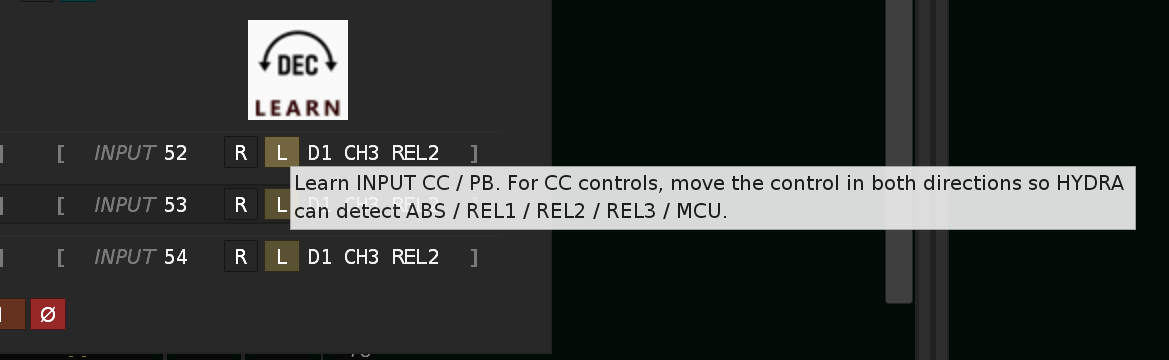
First I prepare instruments and assign them to the track, set instrument automation parameters, assign and tune I.A. and DSP effects to HYDRA DSP - HYDRA SANITY … I set the MIDI controller in GUI SETUP … for each HYDRA line … This will be saved to a specific song and will remain part of it. I remind you that the automatic detection of the ENC type to write MIDI LEARN requires moving the knob to both sides, or the fader. HYDRA SANITY will evaluate the type and write MIDI LEARN.
- I have everything set, we can switch to GUI SLIM … I prepare Button REC PLAY NOTE and Automation to PAUSE.
- I activate REC ON for the given HYDRA lines that I want to write, so I don’t have to worry about overwriting the automation graph that is ready. I move the ENC, or DEC, or FADER to the given one and Hydra Sanity automatically switches the given track vs instrument and at the same time shows us the automation graph … great … I start playing on the MIDI keyboard set in Renoise DAW and because I have PAUSE REC PLAY NOTE and AUTOMATION set … the recording of notes starts, at the same time I can write the automation graph.
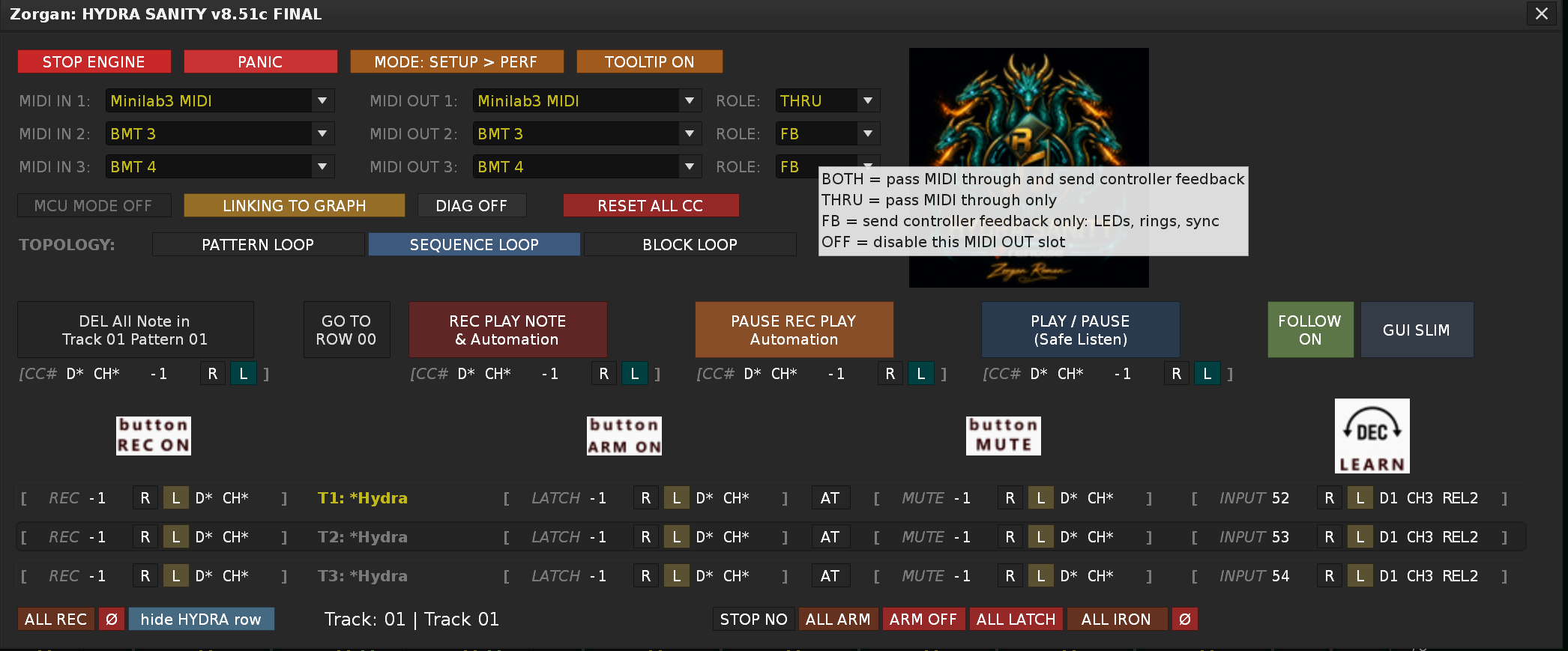
HYDRA SANITY v8.51 FINAL — short forum changelog
This update is focused on SETUP readability, transport safety and live note-recording workflow.
Changes:
-
Added pause-armed REC PLAY NOTE & Automation. If the mode is prepared while PAUSE is active, HYDRA waits for the first real MIDI Note On from the configured HYDRA MIDI input device and then starts note + automation recording automatically.
-
Fixed pause-safe mode switching. Switching between REC PLAY NOTE & Automation, REC PLAY Automation and PLAY / PAUSE (Safe Listen) now keeps the current PAUSE state instead of unexpectedly starting playback.
-
Added SETUP-only MIDI Learn help icons for REC, ARM/LATCH, MUTE and DEC/INPUT.
-
Added TOOLTIP ON/OFF in SETUP. The state is stored in preferences.xml.
-
Cleaned up tooltips, especially MIDI OUT ROLE: BOTH, THRU, FB and OFF are now explained clearly.
-
Replaced the old SETUP helper text with the HydraSanity logo and polished the setup header layout.
-
LINKING TO GRAPH is now a single-line button label.
-
Documented the Instrument-per-track workflow: with prepared track automation and HYDRA DSP, moving a mapped control can bring the matching track/instrument context into focus, so the user can continue recording notes and automation without manually switching in Renoise.
No new Renoise observables, no new runtime timer, no new OSC route, and no change to the stable v8.50 MIDI Learn classifier.
….
The next plan will be for DUAL SETTINGS for MIDI devices and MIDI LEARN … for those who use 2 types of HW devices for their production … e.g. for a portable version of the HW device and for a fixed studio version of the HW device … TRAVEL RIG / STUDIO RIG
and now testing v 8.52
web for instruction :