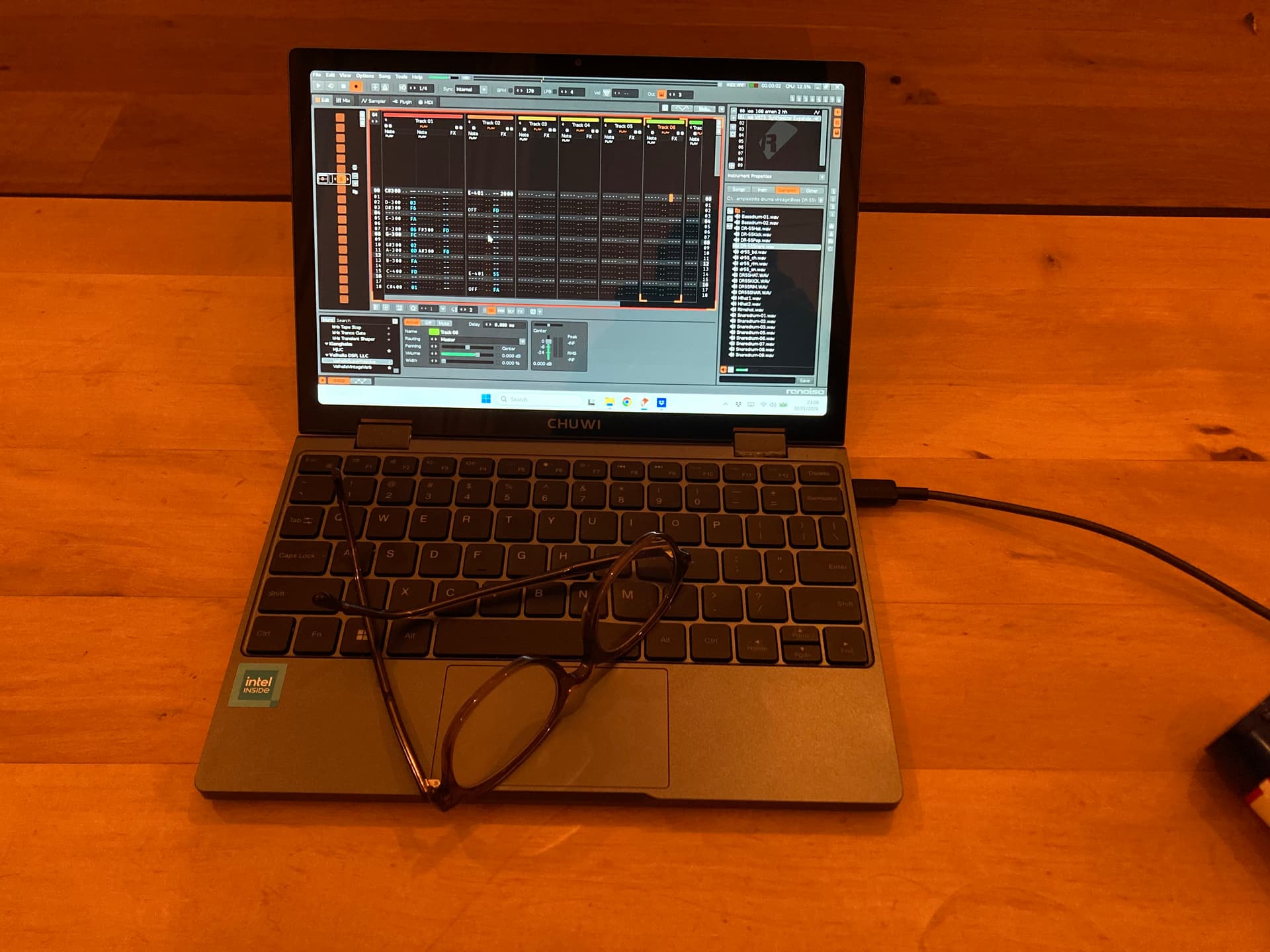
A 10 inch mini laptop (see glasses for scale) with a weak CPU but 16GB RAM and 512GB storage.
All for €310. Screen is fantastic, trackpad is surprisingly good (and I say this as a Mac user) and the keyboard is quite decent.
It does run a bit hot (less so once Windows was done installing @#€! updates) and of course there’s no telling yet how long it’ll last but for now I think it’s a much better portable tracking option than a $350 picotracker, a Polyend or an M8. The battery supposedly is fairly durable.
If the glasses don’t give you an idea how big it is: it’s about the size of an iPad Air. Weighs twice as much, though, and is around twice as thick, too, because, well, it has a keyboard.
Using Windows 11 it runs hot. Clearly all those background processes are too much for the little thing. It might be ok but the only computers I use regularly are MacBooks and those never get hot.
Also, the design is a bit dumb: the air intakes are at the bottom and you will block these if you use it on your lap (Chuwi says don’t do that but that of course is silly). So you really don’t want it to get too warm.
Other than this it runs Renoise pretty well, including some VSTs like Valhalla reverb and Cherry Audio Expander. Simple stuff, mostly.
However … it turns out I really, really don’t like Windows, so, also given the heat issues, I’ve now installed Linux on it (Xubuntu, though I also tried a regular live Ubuntu and it, too, was fine). If you set your audio output to a specific ALSA channel it runs fine - and much cooler than on Windows. Of course you won’t get to have tons of VSTs but given that I’m using this as a Polyend / Dirtywave replacement (at less than half the cost, remember!) that isn’t a problem.
Linux, of course, is not for everyone. I had to disable UEFI secure boot to install it in the first place and there’s an issue with the screen (it’s apparently a portrait screen bolted on in landscape orientation) that required twenty minutes or so of googling and doing command line stuff.
So, likely not for you unless you feel comfortable editing kernel boot parameters in Vim. But if you are: a pretty cool portable tracker!
Cool little setup! And a great reminder you don’t need a mega-powered machine to run Renoise.
I’d say it’s more of a Polyend alternative than a Dirtywave M8 alternative, though. “Portable” and “pocket” are distinct size categories.
The M8, or a smartphone tracker like Sunvox, or any of the many handheld console trackers, are for taking with you in situations where you’d never bring a laptop.
I had a used Polyend Tracker for a little while and it didn’t click with me, because it felt too much like a laptop kind of portable. The M8 got its hooks in me, though. Pocket size FTW!
True. This will not fit into your pocket and is likely a bit big for use on the bus. However, I do find it’s much more firmly in the “use it anywhere where you can sit down” category than, say, a 14” laptop. This is about half as big. Battery lasts a long time too. Not an entire day like an MBP but half a day easily.
On the plugin front: I’ve got Valhalla VintageVerb running without any problem, as well as FreeClip, the free Kilohearts plugins and TAL’s stuff. Decimort unfortunately is out, as are most other Windows only VSTs that requires clicking on the interface to activate them. Luckily the Kilohearts bit reducer plugin is enough for a quick 32kHz/12bit fix. For synths I’ve got Vital, which is a bit crash prone but can, of course, be sampled. The excellent MJUC compressor unfortunately crashes Renoise on startup but other than that this is, for me, a complete no compromise tracking solution - and the size of a book.
i remember wasting bitcoin on the first GPD Win and installing Renoise with it. Didn’t use it much. I got a pinebook pro with the ARM linux version of renoise
Pinebook is 14”, i see. For me that’s a bit big (my laptop is 14”). Those GPD things are much smaller, I believe? Like 5 - 7” or so? They’re also crazy expensive for what they are.
This thing, like the netbooks of old, is 10” which is still usable. The keyboard, too. It could, and likely will, in the future, replace a tablet for me.
 but other than that this is, for me, a complete no compromise tracking solution - and the size of a book.