Okay so Apple just had to be Apple and destroy perfectly fine icons for applications with Tahoe:

If anyone else is annoyed by that, here’s how to fix the icon quick and dirty way:
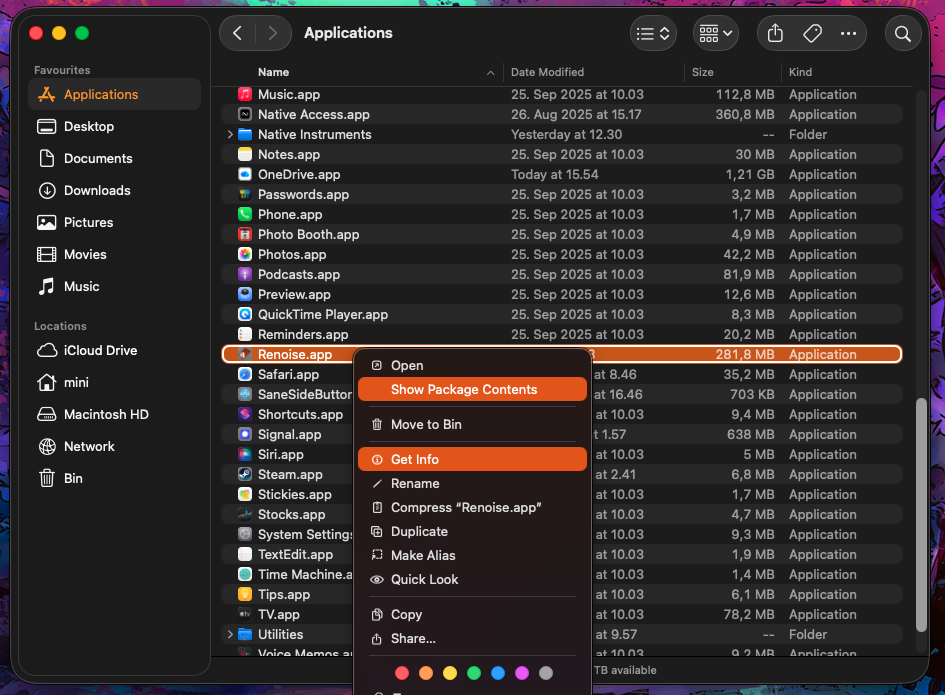
- Right click on Renoise.app
- Click “Get Info”
- Click “Show Package Contents”
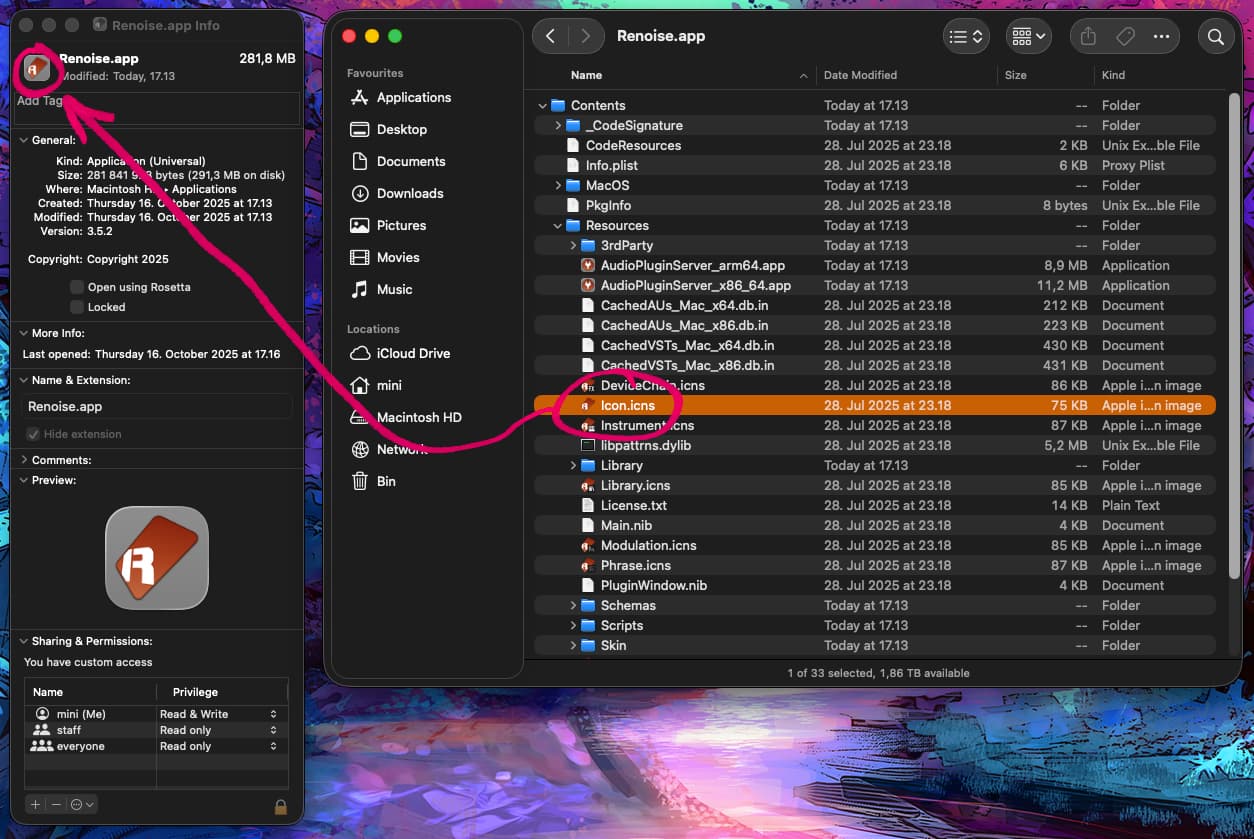
- Navigate to “Renoise.app/Contents/Resources”
- Drag “Icon.icns” to top left corner of “Get Info” -window.

And vóla. Peace on earth.