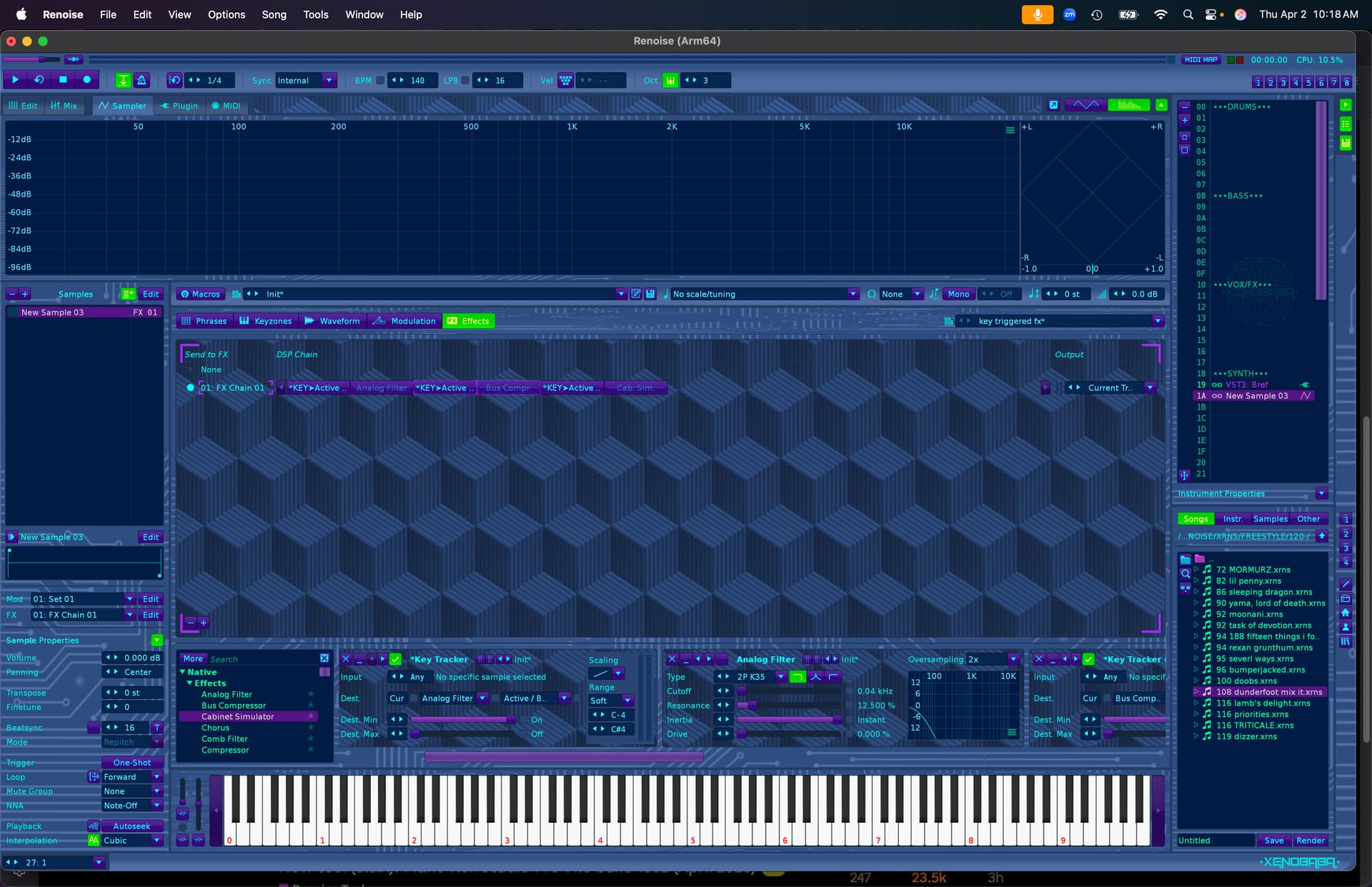
Press a key in Renoise and have individual FX in a group bus turn on/off instantly — no automation, just a key trigger
I spent forever last night trying to find some way for this to work and in the end the best option was to just punch in and out fx using the command column
Basically I want to have a massive dsp chain on a group bus and use a dummy track to punch the effects in and out using notes and offs
So
C-4 in dummy track turns on distortion
C#-4 in dummy track turns on flanger
And so on, exactly like Scenes with midi control in Dblue glitch 2 only without the simultaneous fx and with my own effects.
I did eventually find a way to do this using a key trigger,dummy track and hydra but it ended up being easier just using commands to turn the fx on and off.
Anybody out there have any suggestions?Would this be possible in a tool?
Yes it can be done fairly easily in a doofer or splitter (or an instrument fx section or a track fx section, although it would be a bit messier there), although it might be a little work to set it up.
key tracker set to target effect active/bypass, mode set to “soft”, invert the destination min & max (if you want “on” to be the lower note), select your trigger notes (i.e. c-4, c#4) which will be your on and off switches (note offs not available as a control trigger, so you’ll have to use separate notes for on and off for each effect). Then just lather, rinse, and repeat for each effect you want to trigger. I would combine it all in a doofer for ease of use and to conserve visual real estate, but you could definitely build this a chain anywhere fx are allowed. I’ll post up an example shortly
although I suppose the tricky part would be using this on a group bus, as they don’t allow for note events to be recorded… hmm, I’ll have to think on that
Yeah since there are only fx command lanes available on group tracks, I think you’d have to use commands or automation to do it. There might be another way, but it’s beyond me at the moment.