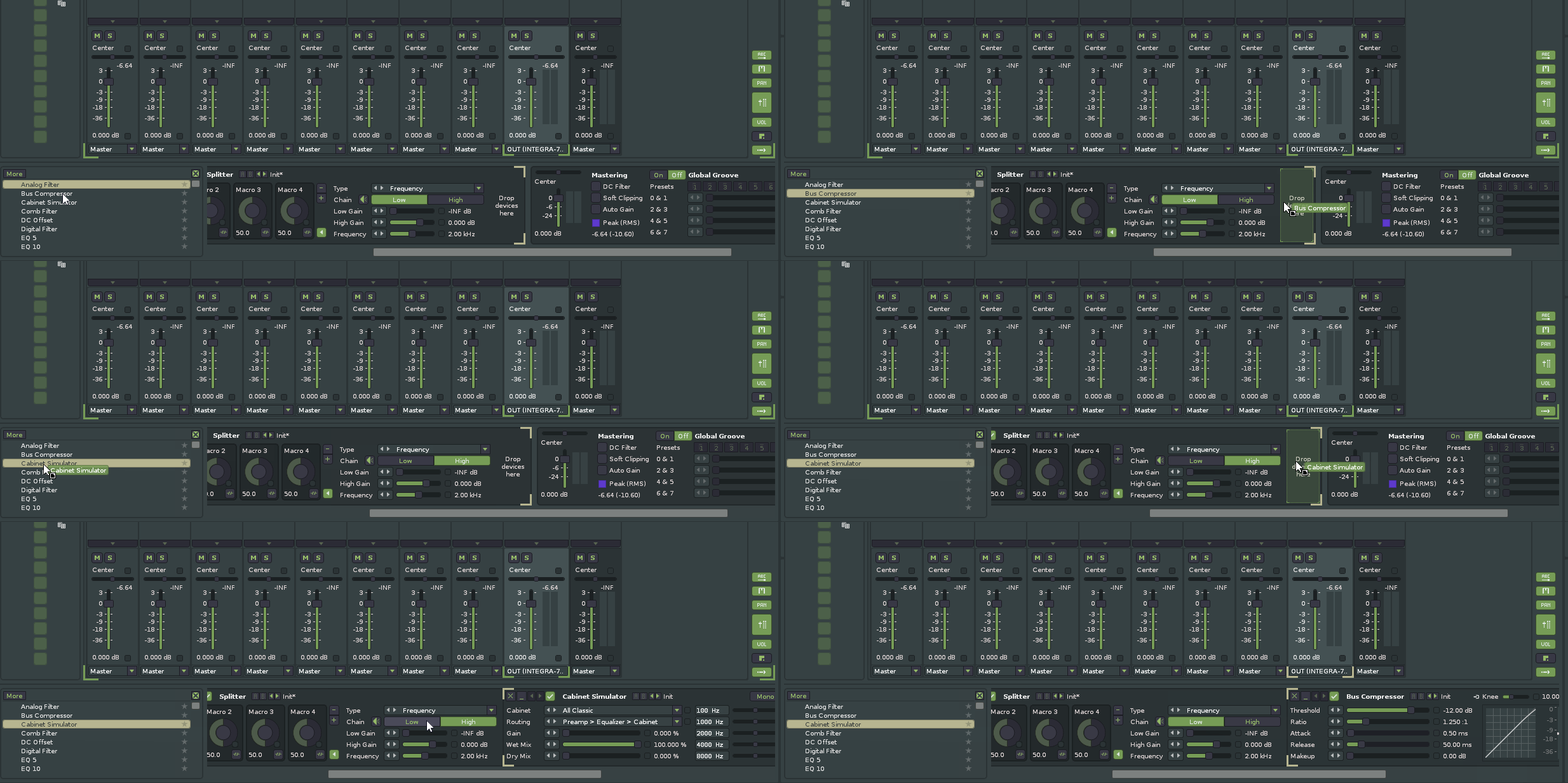
I’ve encountered a bug with two or more splitters in frequency mode. They alter sound even without any DSP effects in any of the splitters. The specific issue seems that the volume on the frequency split is dropping. And, it’s not only bugging when there are no DSP effects added to the splitters, but also when they are added. This bug currently prevents me from mixing and mastering in Renoise
I’m currently using Renoise v3.5.3 (Built: Oct 12 2025). But I think it was also there in 3.5.2.
Please take the following steps to reproduce:
Open Renoise
Load Demosong: Daed - Bears
Solo track “Distorted Drums”
Goto pattern pos 7 (holding pattern 6) and click the loop-box of that pattern
Select the master track
Insert a Splitter as the last DSP effect
Set type to: Frequency
Set the Frequency to: 2kHz
Add a new Splitter where it says: Drop devices here
Also set the type of that Splitter to: Frequency
Set the frequency to: 4kHz
Now play the pattern in a loop
During play, enable/disable the first splitter to hear the difference in sound
To also see the difference, open the Spectrum pane and look for the difference at 2K while enabling/disabling the first splitter.
Hope this walkthrough is clear for everyone.
Anyway, this bug prevents me from, for example, creating a single master-bus reverb that I can configure per frequency block. Currently I can only fix this by adding additional EQ’s to recover the signal that was lost. Quite awkward.
9: Add a new Splitter where it says: drop devices here ( so you want a spliiter within a splitter )
But which frequency have you selected for the master splitter , did you drop it into the low or high band ?
Summary , both the low-high band have a “ drop devices here ‘ window
Sure there is difference because the crossover filters are probably Linkwitz Riley filters
Nesting these give that kind of effect , nestin load of them gives that poopular disperser effect .
Afaik , the splitter is not suited for mastering
As a workaround add “Gainer” to the first Splitter inside “High“ after the second Splitter (but not inside of it) and set both Left and Right to inverted.
Or better use the free/open source crossover plugin from here (which features different slopes and up to 8 bands):
The workaround that I effectively use now is kind of what @InspectahTech is suggesting. Right before every NESTED splitter I add a Gainer component with Left and Right set to Invert.
This schema tries to explain it:
Splitter 1
Low: anything/nothing
High: Gainer + Splitter 2
Low: anything/nothing
High: Gainer + Splitter 3
Low: …
High: …
Hope this helps anyone until this bug can be resolved.
Actually, I’m now looking at it with Signalizer (an oscilloscope plugin)…
Even a completely empty Splitter put on Frequency mode changes the sound a lot!
To reproduce it, simply play a repeating sound (I used a kick), add a Splitter, set it to Frequency mode, look at your oscilloscope and then change the Frequency on the Splitter. You’ll see that the sound changes immensely. It drops volume significantly right after that Frequency. So much, that in many cases it renders this mode unusable.
I’ve tried to EQ it back. It helps, but I can’t get it back to normal. As far as I can see, @gentleclockdivider is right. Splitters can’t be used for mastering purpose. Perhaps not for anything at all
Don’t get me wrong. I love the Splitter. Do magic with it all the time. Only the Frequency mode in the current state doesn’t seem usable. Most of the Splitter’s presets work-around it by using Parallel mode and filter with EQ. So, if you’re really stuck, perhaps try that strategy.