Just saw this and download it.Works on Linux too with a built in Tracker.Just go to his website and make a free account and the Linux version is available .
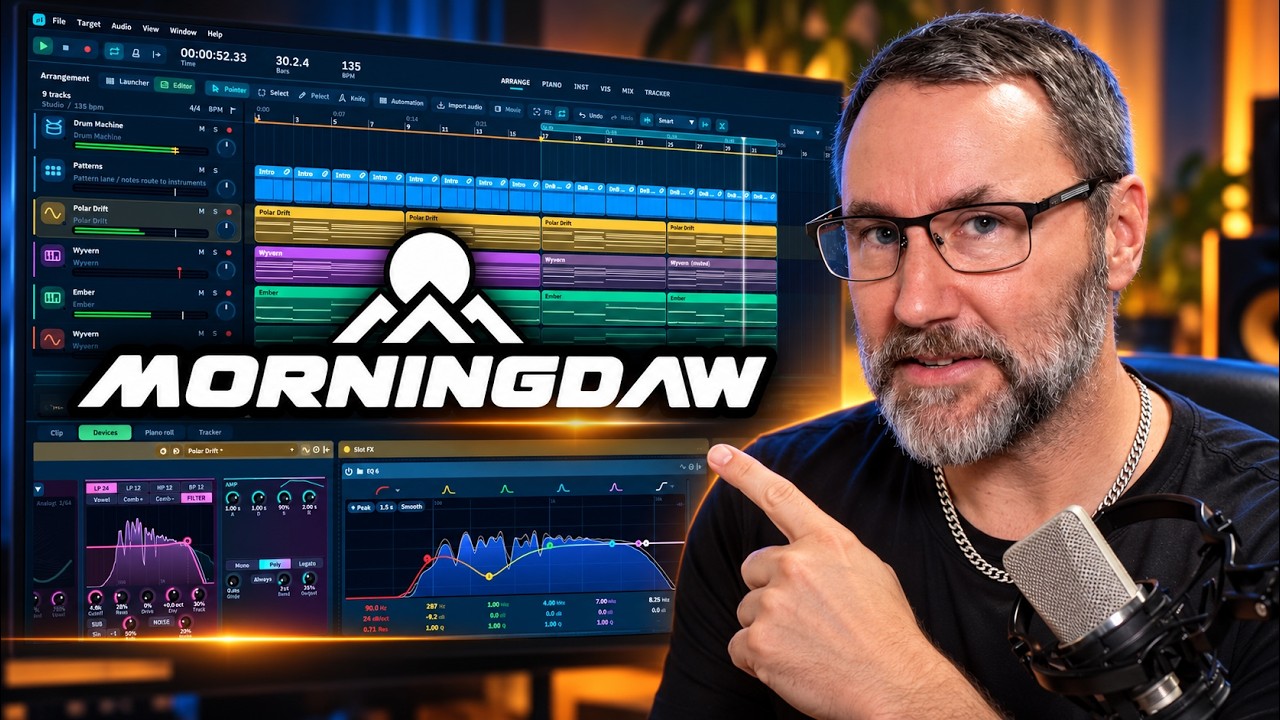
Just saw this and download it.Works on Linux too with a built in Tracker.Just go to his website and make a free account and the Linux version is available .
Interesting, but account force. No free trial avaiable for download!
Programming enhanced by Claude (and AI pals) in 2026. Insane.
If you sort the YouTube channel in reverse chronological order you can go back ~20 years to see they’ve (Mattias and his brother Nicklas) been at it for a while, A few lazy Google searches for their names finds their Swedish metal bands too.
So… sup @Elrinth ? If this is you, congrats and good luck.
yeah, everybody making their own tracker at the moment, it is getting out of hand  . Saw this Renoise clone on facebook today:
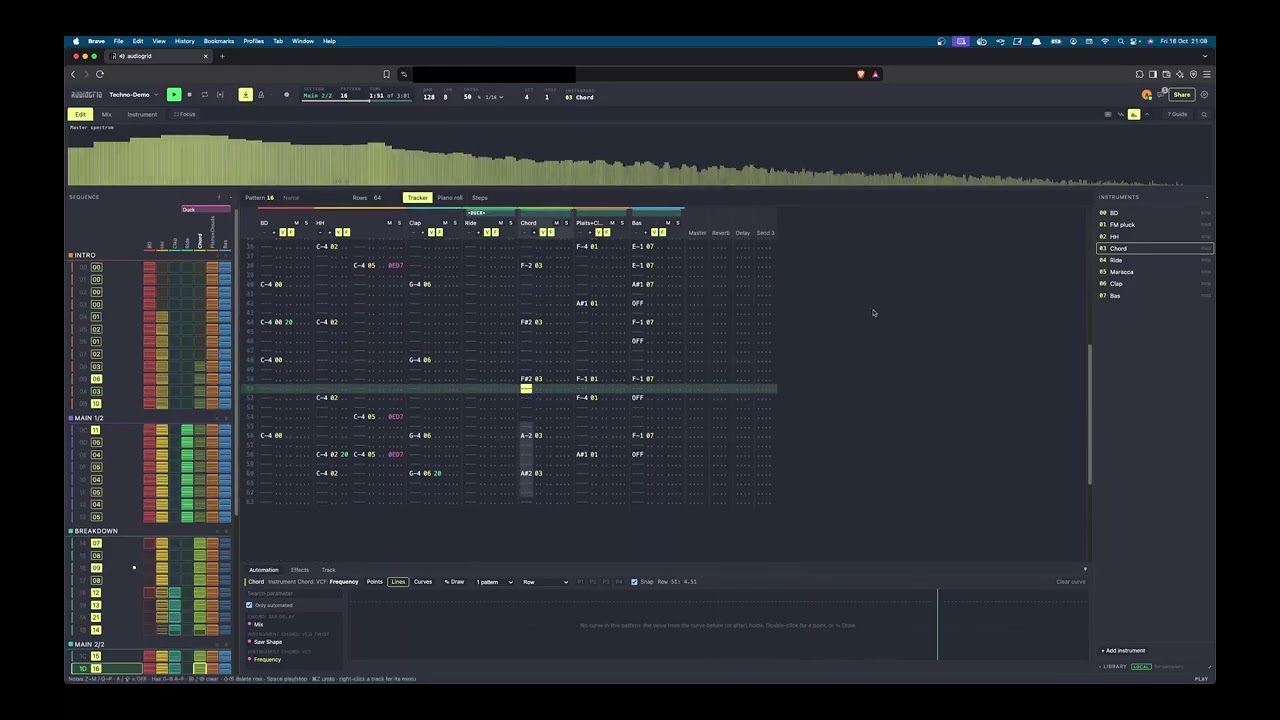
terrible do not download or register!
pointless
Wow! Amazing how easy it looks nad has flow… Still HC Renoiser but would be great to have that kind of arranger
I’ve been hesitant to install Morning DAW because when I looked at it two weeks ago I was getting a Windows “warning! we don’t know what this binary is” blue screen.
I know I could have just ignored it, but I didn’t want to be hassled, so I aborted, looked at the video and said to myself: neat-o.
Today I went back and they have an installer. In fact, it looks like they are are releasing a version every other day? Insane LLM enhanced release schedule. It also supports Claude working in the DAW for you. Definitely not shy about hinting that this thing is AI enhanced.
For VST2, they recommend GitHub - Elrinth/YeOldeVST: Load old VST 1.x/2.x plugins (32-bit and 64-bit) in any DAW that supports CLAP or VST3, with a fail-safe plugin scanner. · GitHub which…they wrote themselves? Is there more than one @Elrinth on the internet? I’ll keep pinging that account until they reply, heh.
The tracker works because they don’t let you put more than one instrument per track, so it maps to the other views in a coherent way. It even shows recorded tracks. In any case, no matter how overwhelming it looks I can go to the tracker view and understand what’s going on, which I guess is the reverse for most everyone else who isn’t a tracker, but good for me!
It’s snappy as fark on my computer.
I think this will be my new DAW. It’s less of a UX mess than Cubase, which I paid for!
For sure it’s cuck coded but obviously by people with dev backgrounds, with a pirate like fearlessness of putting all the best ideas in one place, faster than anyone can react.
Not sure what the end game is here. Promote the education channel? Sell sample packs? They’re retried this is their hobby and they are just going for it?
If you don’t want to install it you can load also portable version and try/run that.
I have to say that I like Morningdaw also very much.
Only feature requests that I currently have with this software are a wider list of mappable keys and option to adjust tracker-mode line density (similar way than LPB-setting in Renoise).
What I read from manual “Clip Snap Grid” setting at the top of the Arrangement view should change LPB, but changing the “Clip Snap Grid” setting does not change grid density in the Arrangement view or the row density in the Tracker view. Maybe this is just bug at the moment. Please tell me if you have hint or workaround to this!
I love the circular menu concept. I’m sure we’ll start seeing it everywhere before long. Beyond that, this DAW is bringing everything “together”. When I saw that it also has a video visualizer in development for audio synchronization, one of the most complex features to implement in a DAW, it’s hard to ask for much more. If this is how the project starts, there’s no telling how far it might go. From what I can see,setting aside a few bugs (which is to be expected during development), it runs very quickly and everything feels quite fluid. I haven’t tested it extensively, but it feels modern and fresh.
We’ve seen companies that sell high-priced software products borrow ideas from other developers; that happens everywhere. It’s difficult to be truly original, and it seems clear that to be groundbreaking, a DAW needs to be practical and house almost everything under one roof (video synchronization, sheet music, a tracker, visualizers, etc.).
As a point of comparison, I’ve always wished that Renoise had a video synchronization feature to help align audio compositions. I believe there’s a plugin that comes close, but having it built-in would be incredibly useful for content creators. Given how much easier it has become to generate video, a tracker-based DAW with integrated video synchronization is something that’s currently underserved in the market.
Regarding the business model, as they mention on YouTube, they plan to sell their plugins in the meantime, using that revenue to fund the development of the DAW. For seasoned developers who really know their craft, building something like this must be deeply rewarding. “Let’s create the DAW of our dreams!”
I recall mentioning in a thread how to go about developing projects, much like this one, in fact,and touching upon just how complex it is to create a DAW. We’re seeing a lot of development activity everywhere, and in all likelihood, a great many of these projects will end up left unfinished. That doesn’t seem to be the case here.
It’s crazy how fast paced they release updates to the software. I guess AI helps there a lot. There has been update once a day ever since I started using this DAW.
At this rate, the software is also evolving rapidly.
I found that they accept feature requests under Tech Support.
Login, go you your profile, at the bottom there’s a Get Help → Tech Support form.
Chose “Suggest a feature” and write it there.
Yeah. I’ve already sent those wishes of mine as a feature requests and sent also couple of bug reports!
Watch out guys,this thing is buggy as hell and every new version is getting worse.I have multiple crashes and today it decided to delete all my projects.I am on Fedora 44 dont know what is happening on the windows side but the developers have no idea what makes a good DAW work,they just add things without having the core functions work as they are supposed to.I had problems in all the versions since the beggining so at least save your projects outside the default folder if saving works at all !! Be very very careful,i have tried multiple vibe coded DAWS and plugins and they all face similar problems.