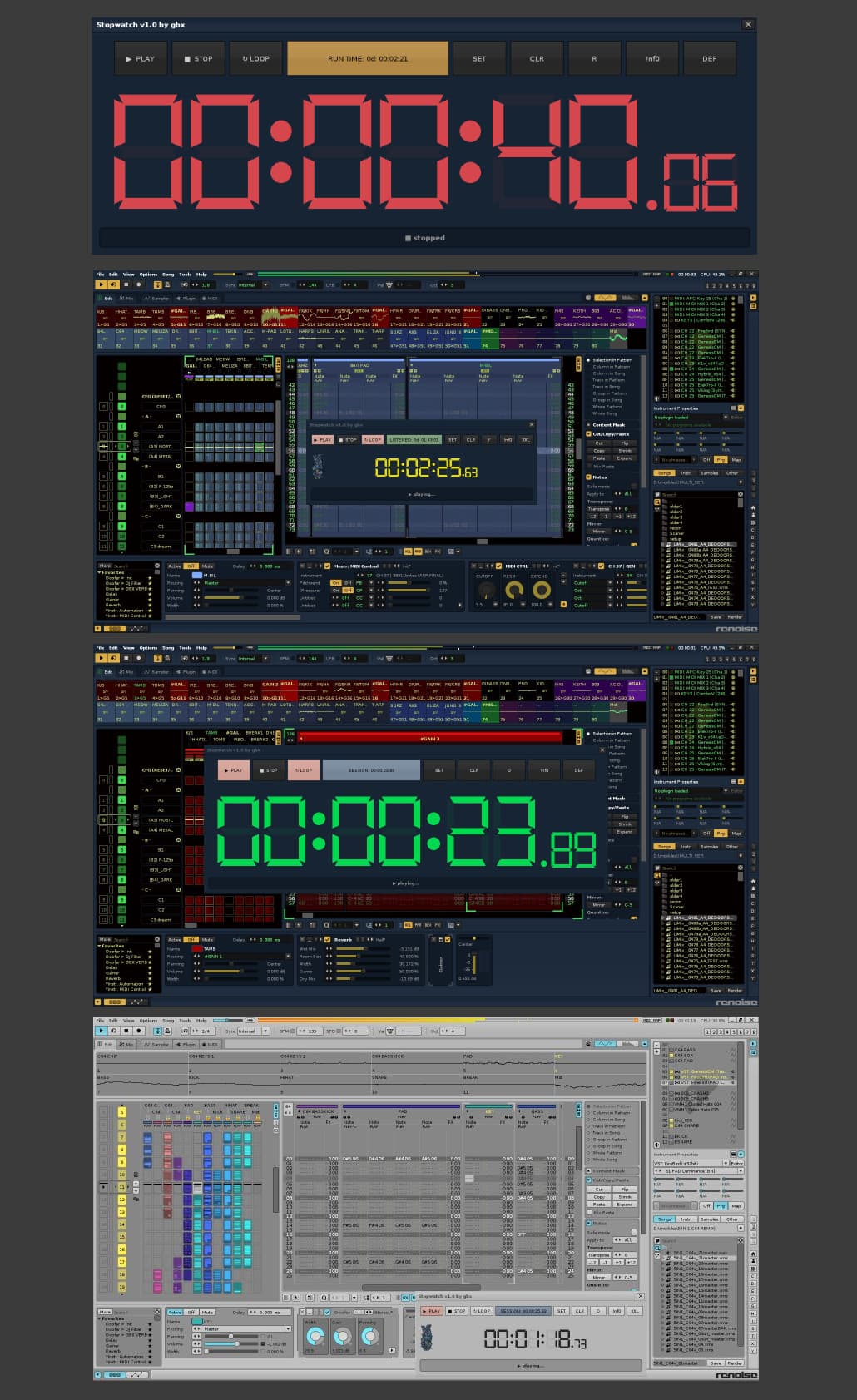
Hello.
The tool was created due to a specific way of using Renoise for playing live sets.
- Play/Pause: stops the song and resumes playback from the position where it was stopped.
- Stop: stops the song and sets playpos to 00
- Loop: pattern loop on/off
- Clock button (three modes):
- Current session clock. after starting Renoise it always shows 00:00:00.00 (HH:MM:SS:MS) (SESSIONS).
- Clock showing the sum of all previous sessions (total playback time DD:HH:MM:SS) (LISTENED).
- Clock showing total Renoise runtime (from start to exit, DD:HH:MM:SS) (RUN TIME).
- SET button: Resets the digital stopwatch, but current session time is still counted.
- CLR button: (intentionally not assigned to keybindings or MIDI).
- When current session clock is active, double click in <1s resets the clock (SESSIONS).
- When all sessions clock is active, triple click in <1s resets the clock (LISTENED).
- When Renoise runtime clock is active, triple click in <1s resets the clock (RUN TIME).
- “G,R,B…” button: color switch for the digital display.
- !nf0 button - my website written in 2022 without using AI (:
- “XXL” button - switches to large display mode (180px), “DEF” switches to default display mode (48px).
- Every important button has a tooltip.
- Button states (including the whole configuration) are saved when exiting Renoise.
- Tool visibility state (shown/hidden) is also saved when exiting Renoise.
- Session data is stored in the same directory where the tool is installed (preferences.xml).
Keybindings / MIDI mappings:
Stopwatch 1 Play/Pause
Stopwatch 2 Stop
Stopwatch 3 Loop toggle
Stopwatch 4 Clock mode
Stopwatch 5 SET (reset session)
Stopwatch 6 Digit color
Stopwatch 7 Toggle size
Stopwatch 8 Show/Hide
Tested on:
Renoise 3.4.4 (win7)
Renoise 3.5.4 (win10)
Stopwatch 1.0 by gbx - full free version.
Found bugs and suggestions report here. cheers!
StopwatchV1.0.xrnx (116.6 KB)
