New Tool: (3.4) Sononymph with Paketti Improvements (Renoise<->Sononym integration)

Hi. @danoise gave me permission to update the Sononymph tool, since I started tweaking and improving the abandoned alpha version.

one of the most major changes for this is that if you run “Search in Sononym” with Sononym not open, it’ll open for you. Just like you’d expect it to. Same with the Midi Mapping for “Transfer from Sononym” (see below)

So, here it is.

com.renoise.Sononymph_V1.1_fix1.xrnx (336.6 KB)

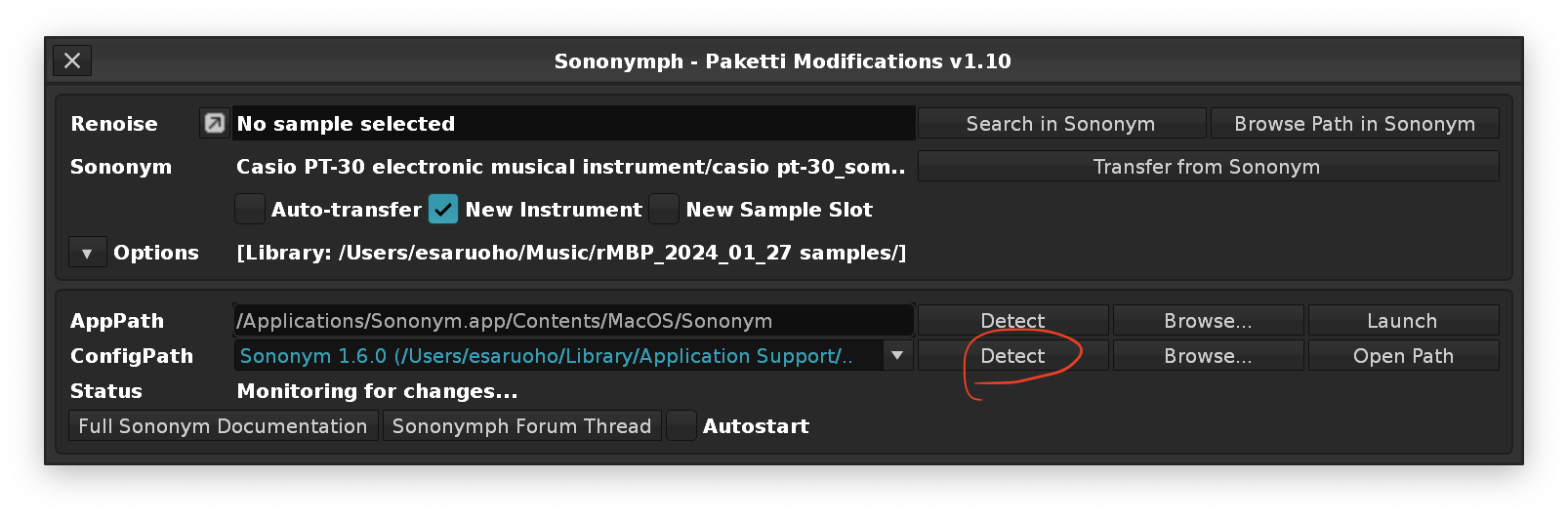
This has a lot of improvements, such as it has a way of auto-detecting + detecting macOS, Windows and Linux paths to Sononym, and also is no longer hardwired to a non-functional query.json link - and lets you pick based on the version you’re running.

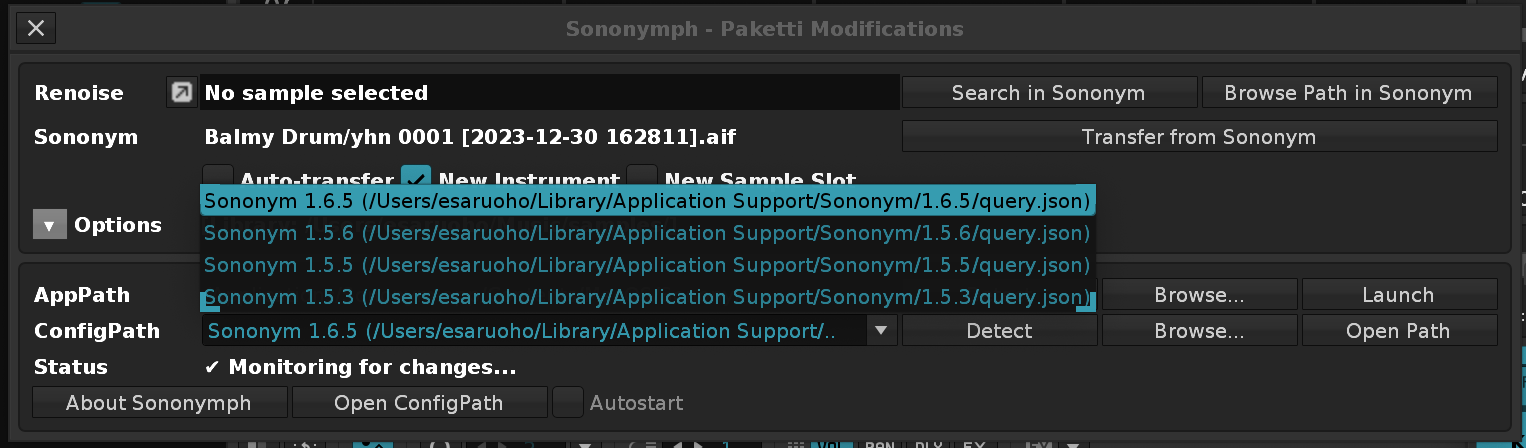
So usecase: If you were using Sononym 1.5.5 and Sononymph was connected to that, and then you moved to 1.5.6 - you can click on Detect to get a dropdown menu to select the desired version from:
and there’s also midimappings + keybindings for direct import from Sononym selection - so, you could set up a Midi Controller Button in Midi Mappings, and select a sample in Sononym, press the button, hey presto, it’s in your Renoise song.

I’ve also added “Create New Instrument” “Load to new Sample Slot” - so it no longer overwrites the selected sample/instrument, but instead creates a new one.

I’ve also tweaked the layout and design a bit.
i’ve also added the missing cLib feature which was to detect files in Linux.
The next step would be to remove vLib library altogether, strip it down and push it into Paketti.
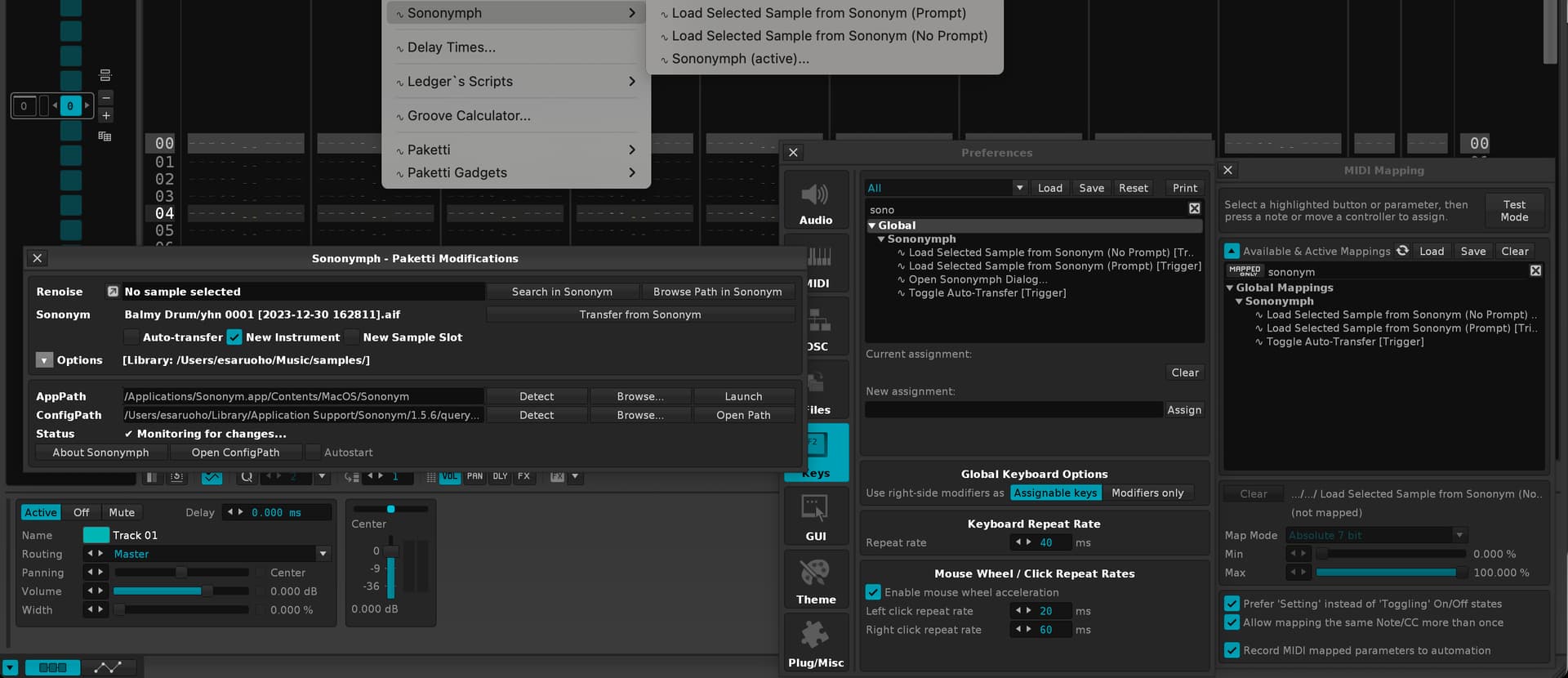
While I’ve been reading the previous thread ( New Tool (3.1) Sononym Integration (PREVIEW) ) - and appreciate the ideas thrown by @Jonas for instance, the query.json is limited to a single sample. If query.json eventually contains multiple samples selected in Sononym, I can then modify it to “randomly load from selection in Sononym”.

Any ideas, feedback, questions, bug reports appreciated, thanks!

Sorry it’s taken so long to do a “proper release”.

EDIT: so on my todo-list are three things

  1. remove vLib use but retain the dialog as fully identical :white_check_mark:
  2. remove xLib use but retain the whole app as fully functional. :white_check_mark:
  3. make a PR of it to Sononymph v1.10 by esaruoho · Pull Request #171 · renoise/tools · GitHub :white_check_mark:
  4. get PR merged
  5. Slam Sononymph to Paketti and be done with it

ok, vLib has been removed. the end result was pretty similar - the dropdown arrow on the Options looks different, otherwise it seems quite alright.

xLib has been removed, too.

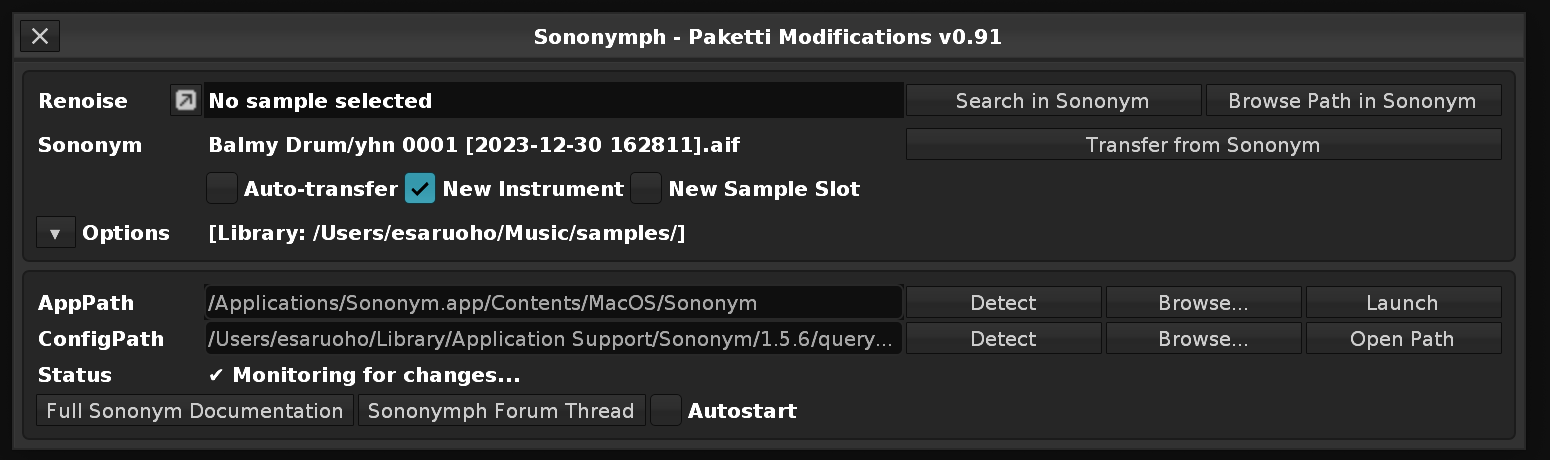
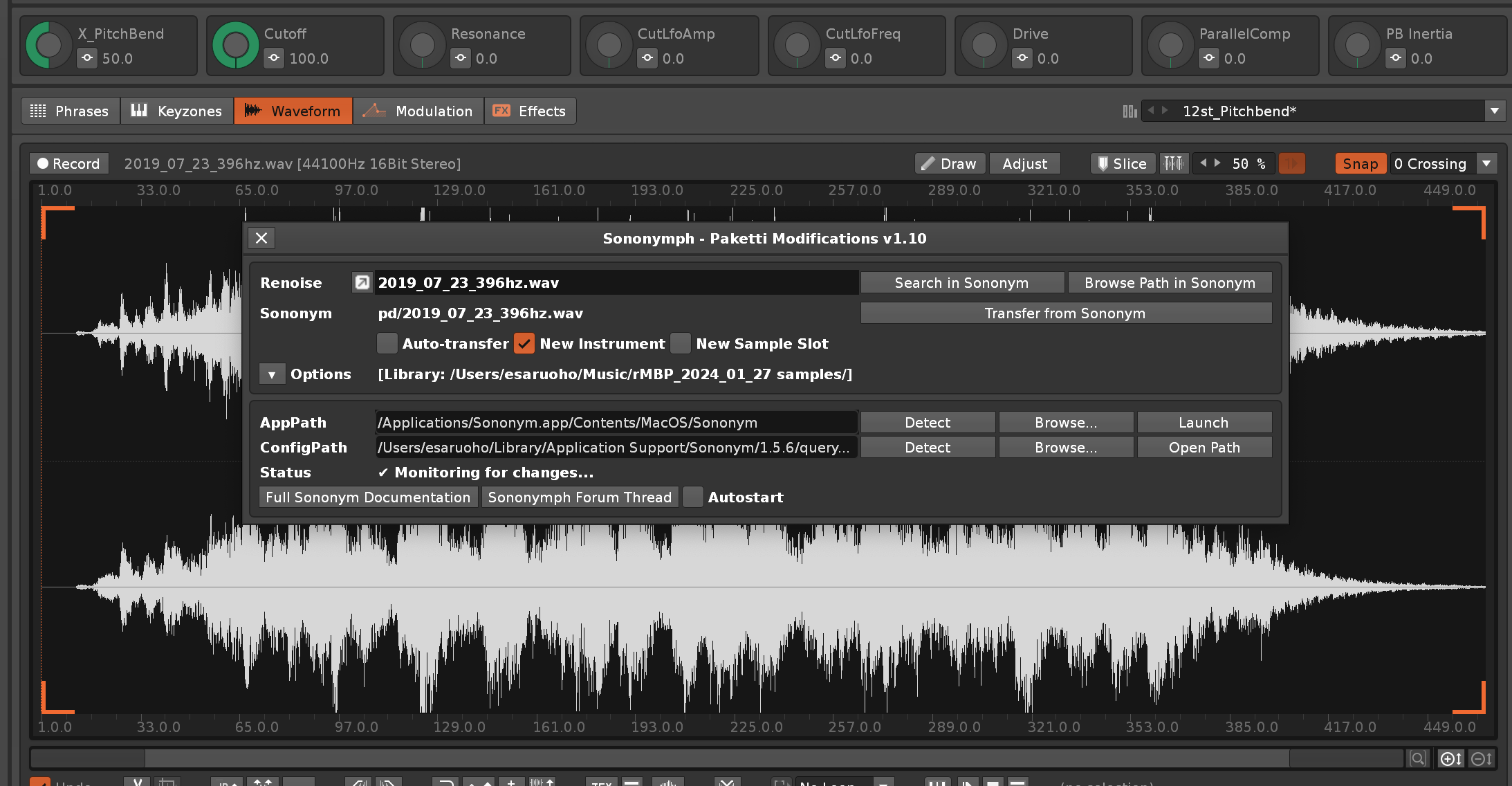
also, i’m seeing that most of “About Sononymph” is fully outdated (I’ve fixed Sononymph to start up Sononym if it’s not already started, for instance), so I’ve removed the dialog altogether and put the buttons into where “About Sononymph” was.
9 Likes

ok, made a PR and addressed the feedback from @ylmrx

while waiting for the PR to land - i fixed the “Search in Sononym” bug where if Sononym was launched by the tool, the tool became unresponsive. it was an easy case of adding an ampersand ( & ) to the execute commands. now it works exactly like it should. neat.

i’m a few steps away from turning this into a Paketti citizen.

ok, i’ve integrated this fully into Paketti, even with the paketti default instrument with pre-set macro knobs.

2 Likes

genius improvement @esaruoho

1 Like

@Xylem the newest and best version of this is directly in Paketti so pls use that :slight_smile:

1 Like

@Mumdad the best version of this is on Releases · esaruoho/paketti · GitHub , btw

1 Like

now that Sononym 1.6.0 is out, remember, after installing it, to hit “Detect” in the Sononymph dialog. It’ll detect the newest version and auto-select it.

1 Like

I don’t know much about the Renoise but can you tell please if this tool could work with Redux VST?

1 Like

redux cannot run xrnx tools. only renoise can run it, unfortunately.

1 Like

been a while since I’ve run sononymph, wanted to check it out again seeing there is a new sononym out, but am not having succes with your tool. Probably something on my end, but after I have setup the app path manually and detected the configpath, status still says “invalid paths”. When I press detect in configpath I get;

"‘C:\Users\pluge\AppData\Roaming\Renoise\V3.5.4\Scripts\Tools\com.renoise.Sononymph.xrnx\main.lua’ failed in one of its notifiers.

Please contact the author (danoise & esaruoho) for assistance…

.\Sononymph/App.lua:1521: attempt to concatenate local ‘directory_path’ (a nil value)
stack traceback:
.\Sononymph/App.lua:1521: in function ‘OpenConfigPath’
.\Sononymph/AppUI.lua:453: in function <.\Sononymph/AppUI.lua:452>"

Did anything change on sononym’s end and I have to do more to get it working or is this tool out of date?

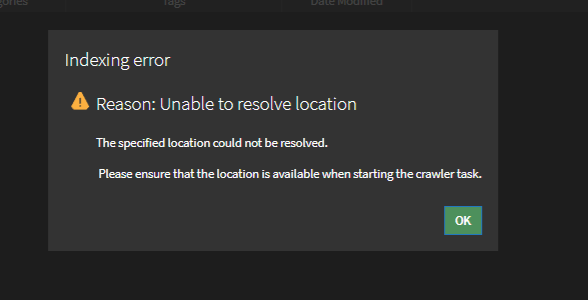
edit; so this error was with the address the tool auto inserts. I copied in the correct address manually and now it does say ‘monitoring for changes’ in the tool window, though trying to search for a renoise instrument sample in Sononym results in;

Edit; trying to similarity search a renoise instrument into sononym also always seem to open a new instance of sononym, even though you already have one running.

Transferring from Sononym to Renoise does work.

thanks, looking at this!

1 Like

@Jonas i can confirm that taktik rolled in my PR with the fixes. but paketti sononymph tweaks have also been fixed. have a look?

1 Like

Thanks for getting back to me, l’ll let you know this weekend when I have time!

1 Like

I installed the 1.1 fix from your first post but am still not getting results.

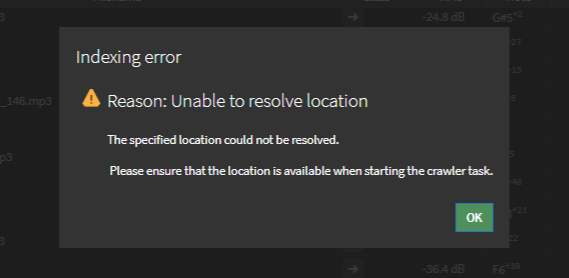
I think I’ve read I need to open sononym first before running the sononymph tool, but once I attempt to search a sample from Renoise in Sononym, it automatically starts up a new instance of Sononym and I see;

In the cmd line window I see stuff happening when I browse in Sononym, but no actual search for a sample begins. The paths are set and seem to be remembered.

Renoise hangs until I close the cmd window and you’ll get the familiar ‘script is taking to long, not responding’ message. Transferring from sononym to Renoise does work though.

Perhaps it has something to do with running Renoise in administrator mode? Err just tried turning it and I get the same issues.

When getting the ‘script is taking to long’ message and choosing to termintate the script, I get; "‘C:\Users\pluge\AppData\Roaming\Renoise\V3.5.4\Scripts\Tools\com.renoise.Sononymph.xrnx\main.lua’ failed in one of its notifiers.

Please contact the author (danoise & esaruoho) for assistance…

.\Sononymph/AppUI.lua:187: Script execution terminated by user.
stack traceback:
.\Sononymph/App.lua:753: in function ‘do_search’
.\Sononymph/AppUI.lua:187: in function <.\Sononymph/AppUI.lua:186>"

hmm. this is very strange.

so, one of the first things i improved with the sononymph/paketti integration / tweaks was that it was able to open up sononymph on it’s own, without falling into a “oh no some app i opened is open, can’t do nothing until user closes the app, tool becoming unresponsive” type thing.

so, i’m gonna see about installing a VM Windows and seeing what exactly is going on, cos it works without issues on macOS