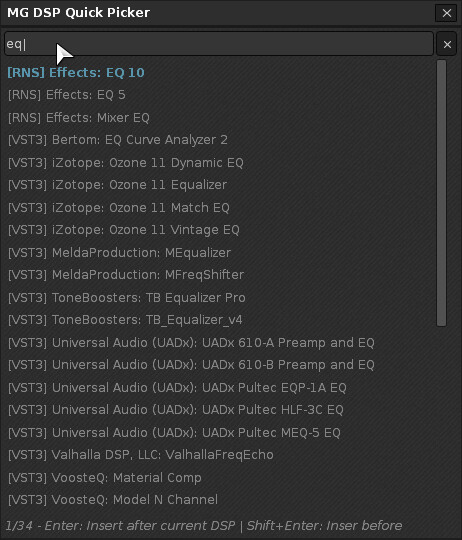
A new tool to quickly search and insert DSP effects into a chain. Enter/double click inserts selected DSP after the currently focused one, Shift+Enter/Double click inserts it before. Shift+Backspace clears search query. Up/down arrows navigate through the lst. Esc closes the dialog.
DISCLAIMER: The tool is made using Claude AI. Feel free to edit and reupload the script if you find any bugs (which is very very likely). Always make a backup copy of your song before testing.
Thanks @hotelsinus . Typing “RNS”, “VST” etc filters results. For example typing “rns eq” shows only native EQ’s. I wanted to keep the UI and size of the “flyout” as compact as possible while showing enough results.
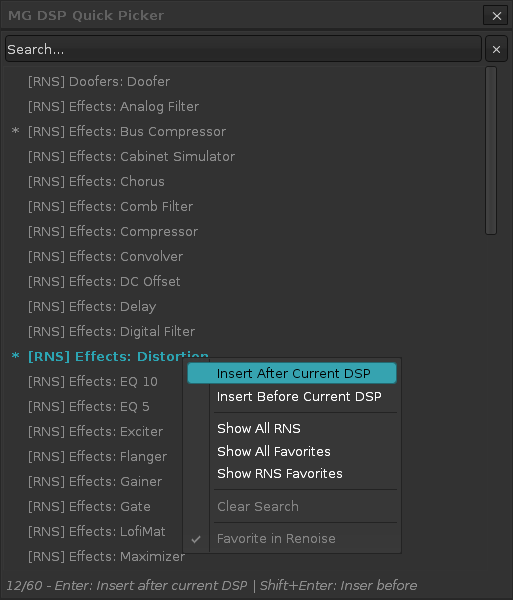
Added asterisk marker for Favorites plugins. Also Favorites are prioritized in the results and typing “Favorites” or “VST3 favorites” shows only the appropriate results.
Added right click menu to result items with various options