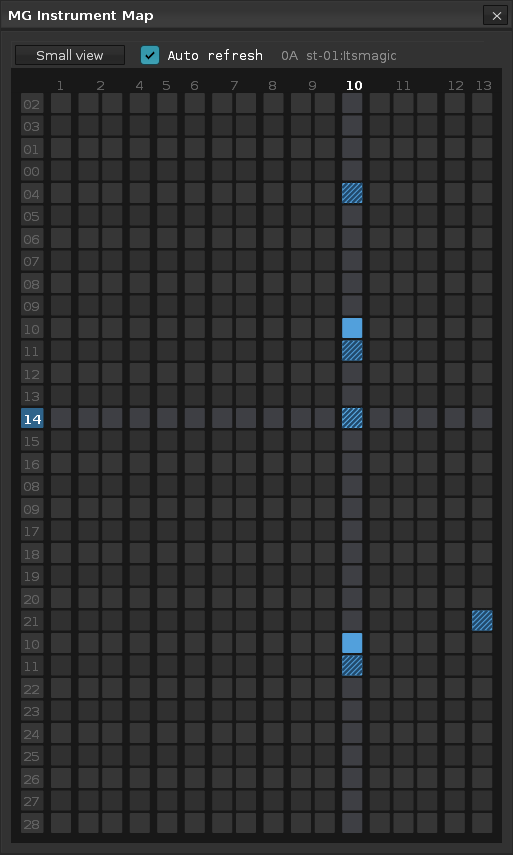
Interactive map of the song to quickly locate patterns and tracks containing notes from current instrument.
This one was created mostly for old mod files, where multiple instruments were usually present in the same track. It comes in two modes, normal and small view. A striped cell means this column contains notes from the current instrument and others. Clicking a cell jumps straight to the specific pattern and column (and “highlights” it by marking it with a selection in order to spot it easily).
DISCLAIMER: The tool is made using Claude AI. Feel free to edit and reupload the script if you find any bugs (which is very very likely). Always make a backup copy of your song before testing.
Besides locating and displaying, could you make an option to automatically consolidate different instruments to their unique tracks? This would be a life saver here pimping old wip .mods.
I made such a tool a few months ago, but didn’t work exactly how I wanted it that’s why I resorted to Instrument Map and other workarounds - like the Picky Clipboard tool I uploaded back in June. You can try it yourself though. Use the built-in “Delete Unused Tracks” command after running the tool, and then use the Instrument Map to verify results. When multiple notes of the same instrument exist in the same row, instead of collecting them in multiple columns in the same (new) track, it creates multiple tracks for the same instrument.
New improved version: Multiple notes in the same row now are consolidated to multiple columns instead of new tracks, and the Delete Unused Tracks command is executed automatically after the tool finishes collecting-consolidating.