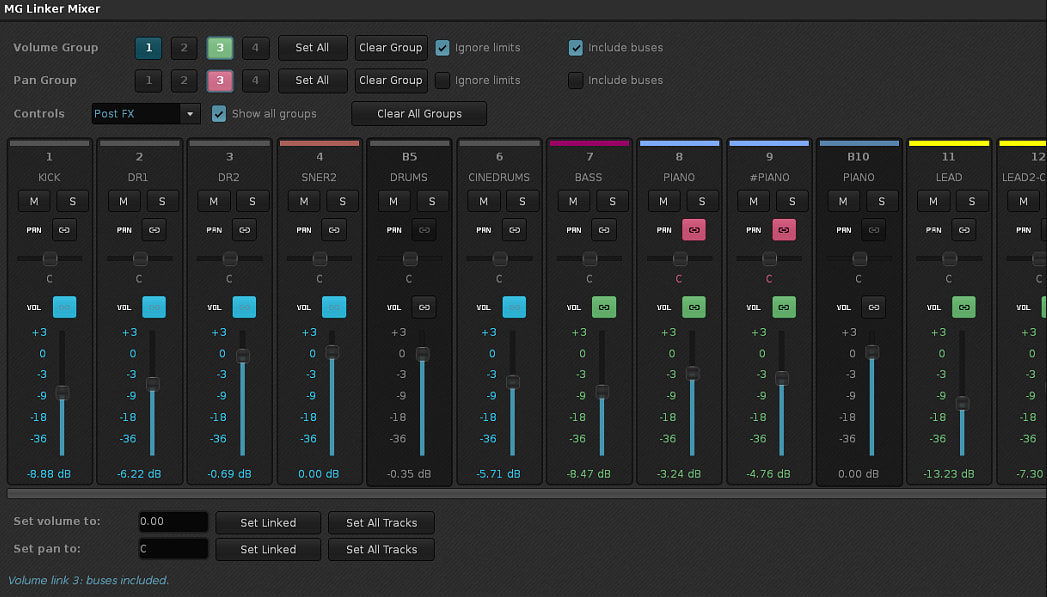
I often need to adjust multiple tracks’ volume at once, like in other DAW’s so I built this tool that isn’t meant to replace the regular built-in mixer, but besides a mixing add-on it also can be used as a performance tool with the ability to create volume and pan groups and also solo/mute said groups - supports MIDI Mapping.
(Due to API limitations, if you want to assign a MIDI mapping to volume or pan, you’ll have to click on the VOL and PAN labels and not on their faders)
DISCLAIMER: The tool is made using Claude AI. Feel free to edit and reupload the script if you find any bugs (which is very very likely). Always make a backup copy of your song before testing.
Would be cool if it preserved the relative position of each volume knob you are controlling instead of having them all go to a predetermined amount and loose the respective volume position. Also a reset button that can reset each adjusted volume back to their initial value would also be helpful.
Would be cool if it preserved the relative position of each volume knob you are controlling instead of having them all go to a predetermined amount and loose the respective volume position.
That’s the way it works if the “ignore limits” checkbox is left unchecked - which is the default behavior. Keep in mind that the dB scale is logarithmic.
Also a reset button that can reset each adjusted volume back to their initial value would also be helpful.
“Initial values” you mean the ones when each track had when the tool is launched? Undo works by the way and you can use the “Set Linked” or “Set All Tracks” functions to “reset” to default values.
By default, the mixer changes volumes and panning relative to each other (which I would guess this should be the intuitive behavior). If you want all the levels to reach max, then you have to check the “Ignore limits” option. This way you can keep going until the track with the lower volume maxes out. But then, when you lower everything, they all going to be the same volume - which I don’t think is very useful. It doesn’t make much sense to max out everything, regardless of their initial values, and then expect to return to their initial values when you decrease them. But, as I said before, you could simply undo any changes in order to go back to their initial values.
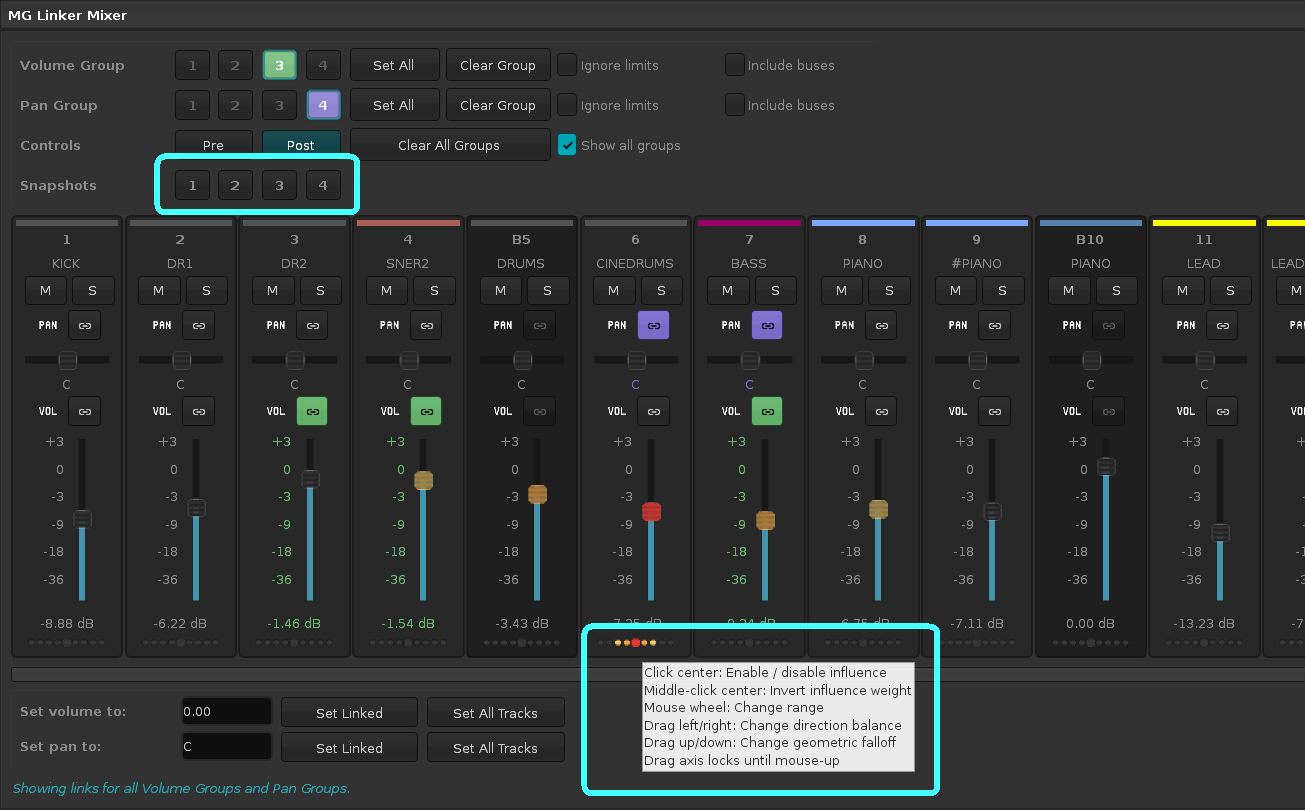
UPDATE: Perhaps I should add a “snapshot” function, to be able to save (temporarily) up to 4 slots of configs - groups, volumes and pannings.
DISCLAIMER: The tool is made using Claude AI. Feel free to edit and reupload the script if you find any bugs (which is very very likely). Always make a backup copy of your song before testing.