New Tool (3.5 - AI): Simple Browser (sample browser w/ file search, keyjazz & much more)

Simple Browser 1.4.5

com.phaos.SimpleBrowser-1.4.5.xrnx (98.1 KB)
[UPDATED to 1.4.5 @ 14/11/26, 5:45am PST]

A keyboard-driven sample browser with instant preview, file search (aka Find), and keyjazz.
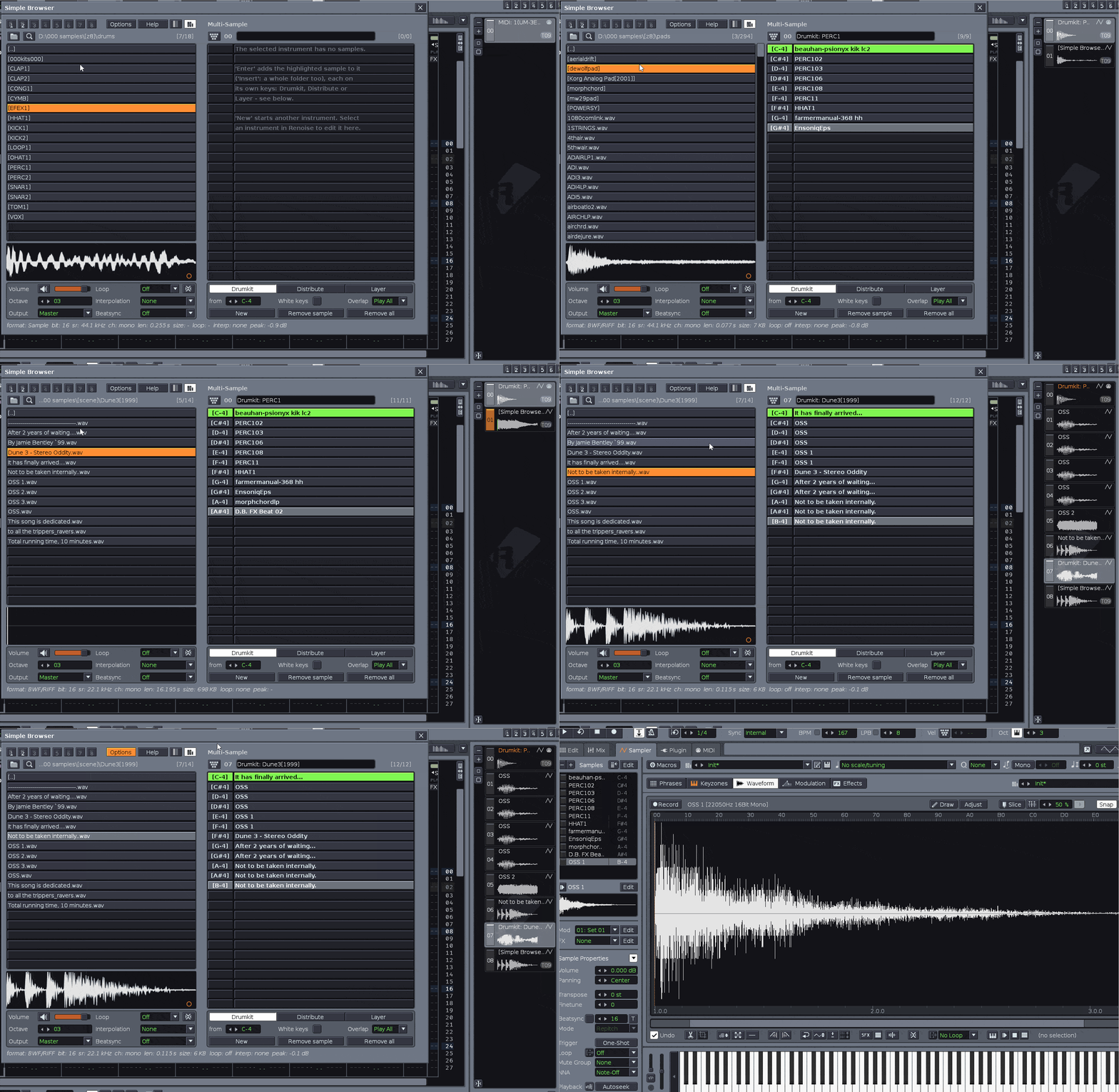
simplebrowser

My primary impetus for this tool was the (annoying) short timing delay between sample previews in Renoise’s own browser. This made it feel sluggish to me. And to be able to search across a root & subfolders for an audio file! Now you can, among many other things.

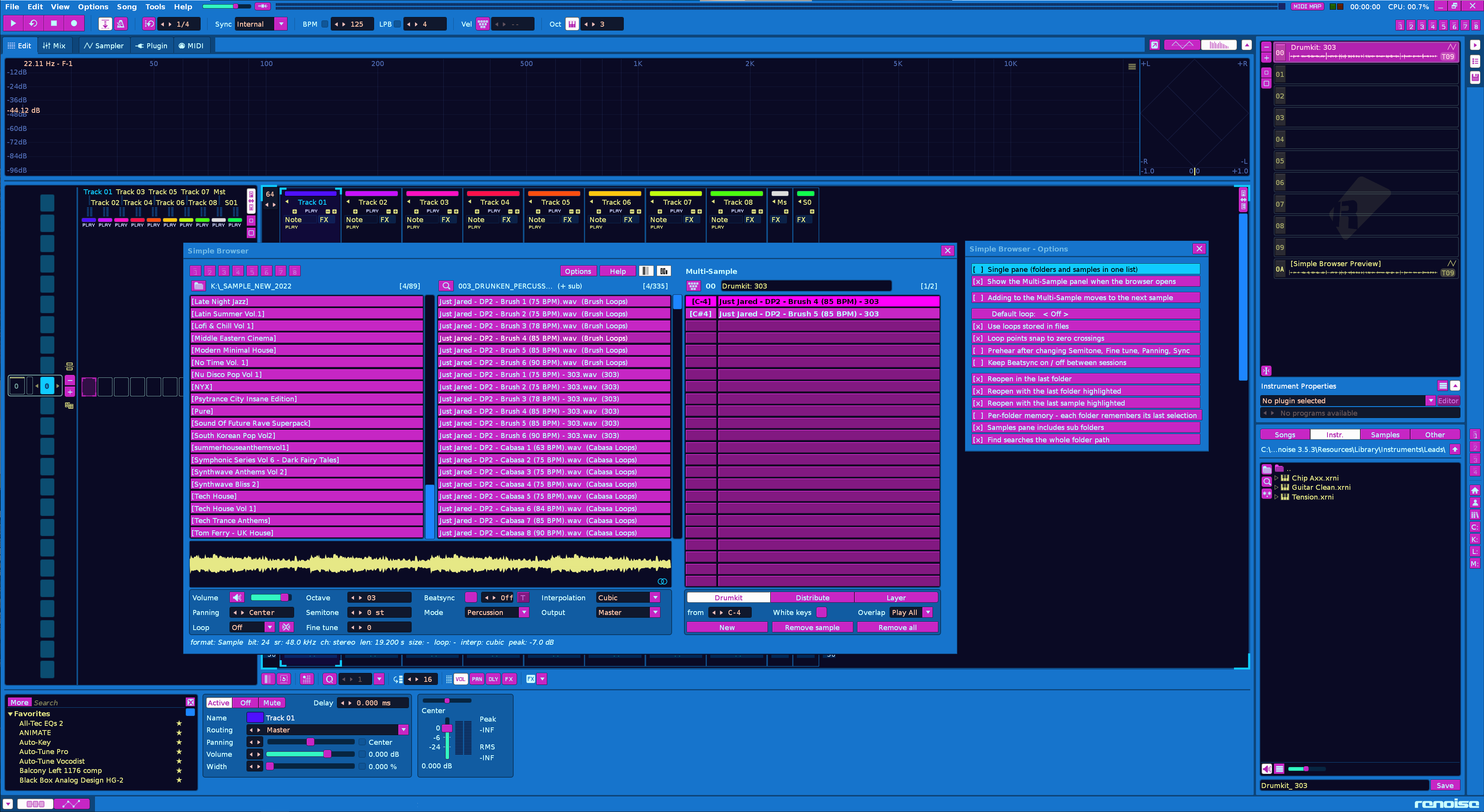
Please excuse the crummy .gif presentation I made. It’s probably too frenetic to see what is going on, but I just wanted to demonstrate how quick it can move. It is in single pane mode there, with multi-sample open. I populate a multi-sample instrument and then load in some single sample ones. I also close the tool and show the samples populating the multi.

Key features:

  • Keyjazz: piano keys play the Multi-Sample instrument from any pane. It’s off by default; turn it on with the keyboard icon or the Multi-Sample - Toggle Keyjazz binding.
  • Build single instruments or multi-sample kits without ever leaving the tool.
  • Subfolder scan and browse: the Samples pane shows every sample in the highlighted folder and its subfolders (scanned in the background), so you can audition a whole library instantly without opening folders one by one. Great for nested sample CDs and messy folders.
  • Set a root folder, and add more libraries to your Folder Paths list to jump between them.
  • Find: searches file and folder names under the root (or only the current folder, see Options). Hidden items are skipped.
    • AND is the default: kick 909 (both words)
    • OR: kick or snare (also kick | snare)
    • Exclude: -loop (also: not loop)
    • Exact phrase: “tr 909”
    • Wildcards: kick*.wav (* is any text, ? is any one character)
  • Auto preview: the highlighted sample plays immediately, with no delay like in the native Renoise browser. Can be turned off.
  • Per-sample loop mode (Off / Forward / Reverse / PingPong), interpolation, Beatsync (Repitch / Percussion / Texture), prehear on Master or the selected track, and live prehear volume. All are adjustable without leaving the browser, and they carry into the instrument you build.
  • Waveform editing: click to play from a point, drag to select, then trim, cut, loop the selection, snap to zero crossings or crossfade the loop. The file on disk never changes. Edits happen on a copy, and “Back to the File” undoes them.
  • Caps Lock switches to controls mode, where every button, setting and menu can be driven from the keyboard (arrow keys to move, Enter to press, Esc to cancel). Press it again to go back to browsing.
  • Folder bookmarks (1-8) that work the same way as Renoise’s Global view presets: click to go there, right-click to save the current folder.
  • Undo/redo: Ctrl+Z / Y covers settings, loops, sample edits, Multi-Sample changes and loads.
  • Hover tooltips show your current key binding (or “noKey”), and “Show in Explorer / Finder / File Manager” follows your OS.

The panes:

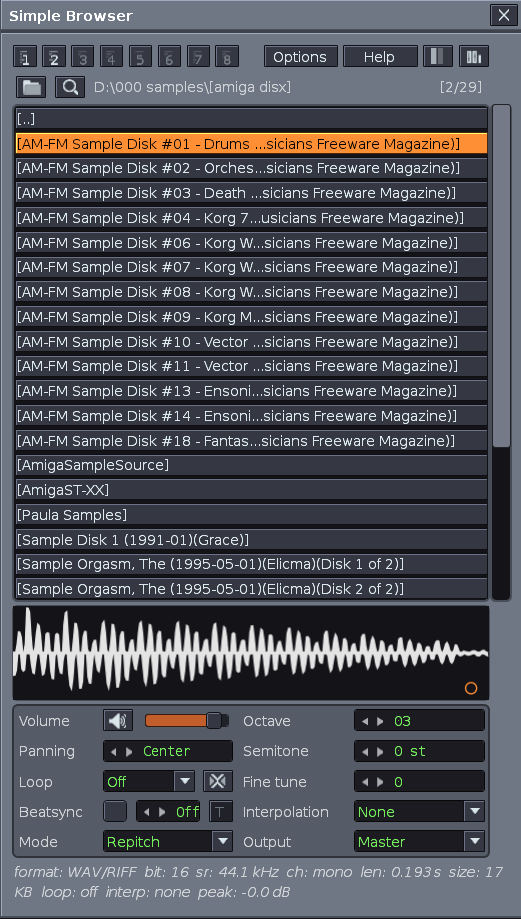
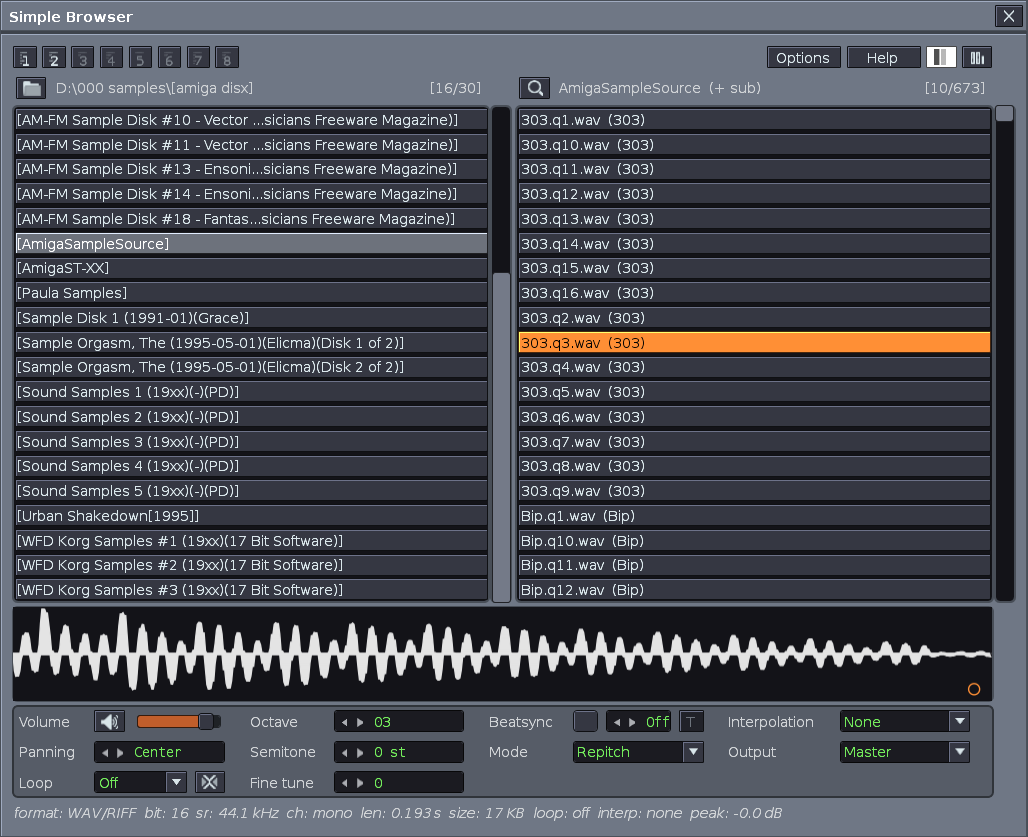
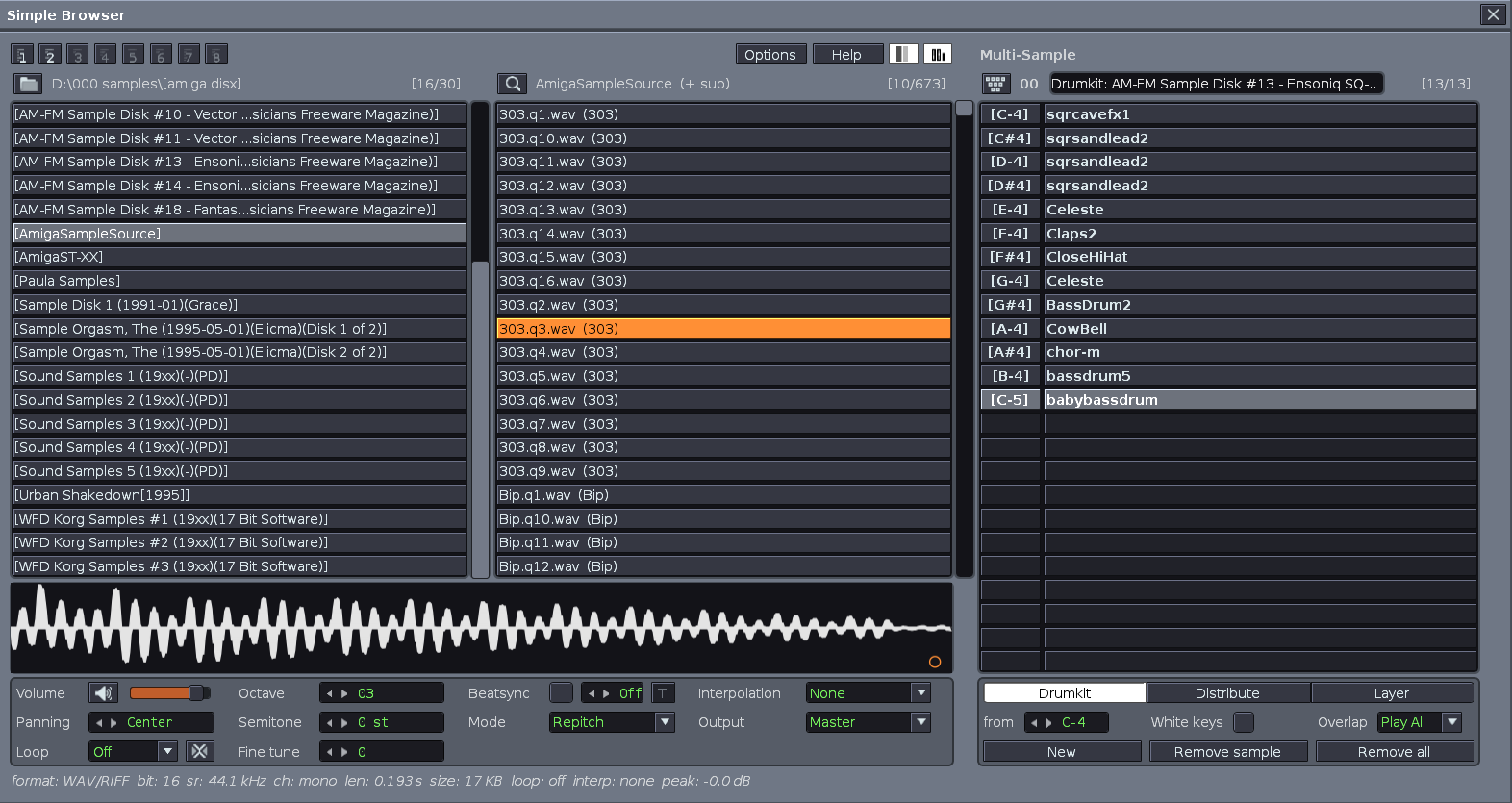
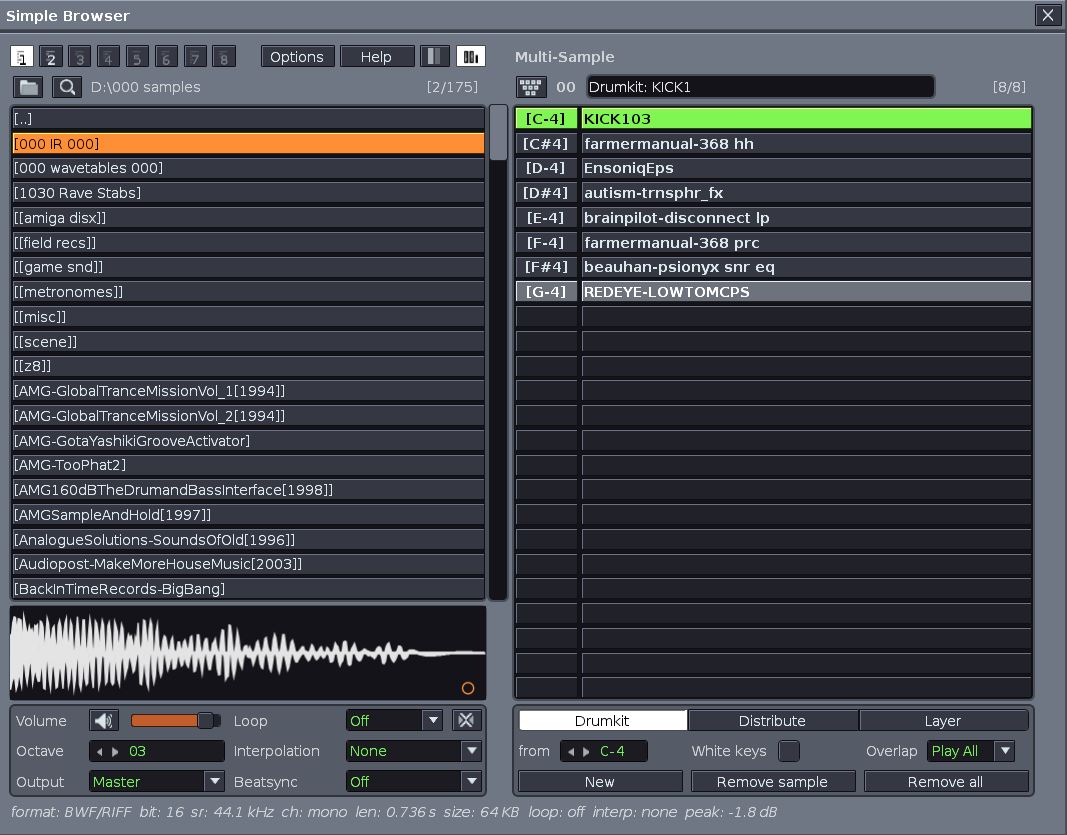
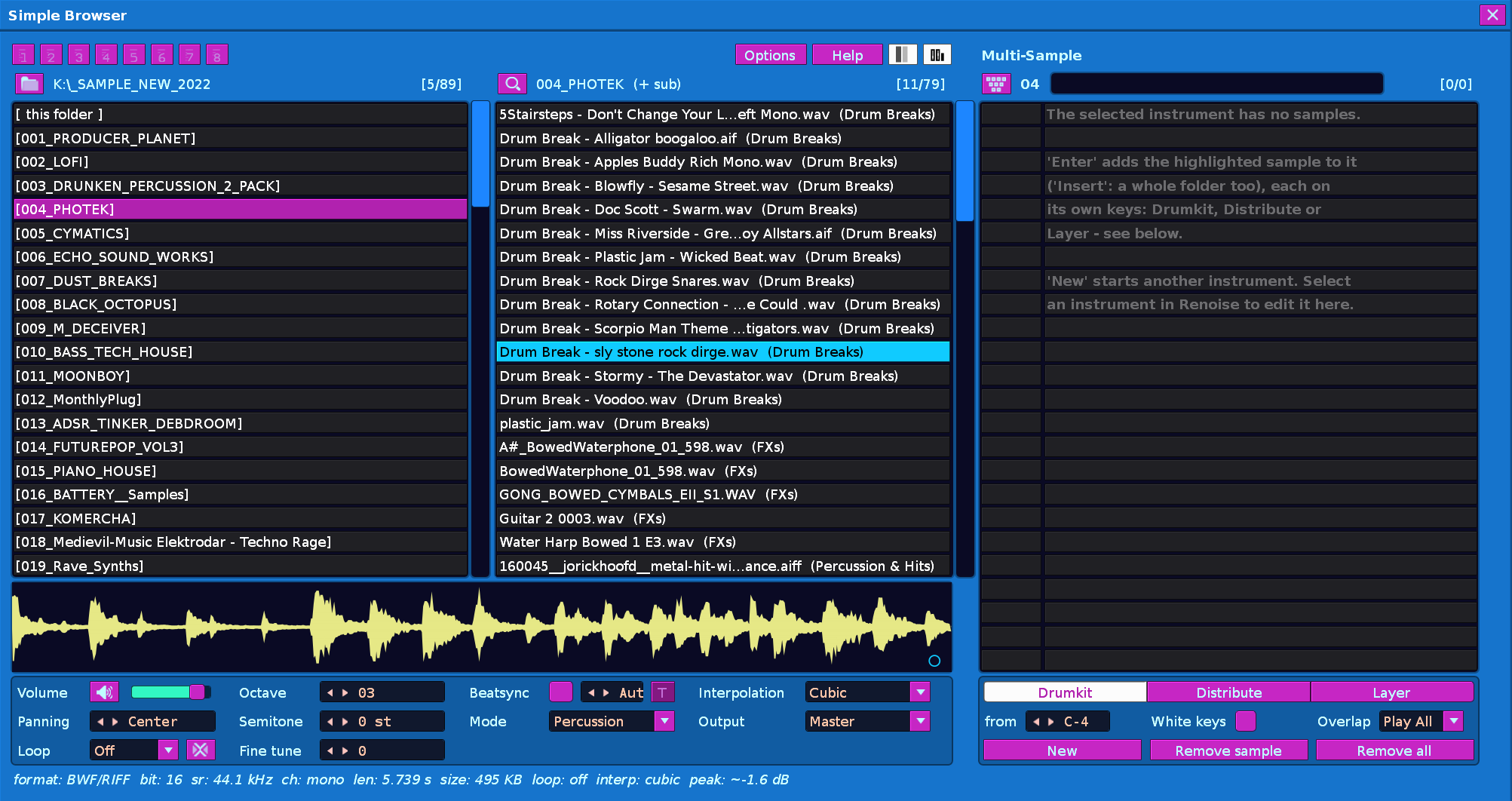
Simple Browser can show one pane, two panes, or three panes (with Multi-Sample). Save your preference in Options.

Loading:

  • Enter loads the sample as a new instrument.
  • Shift+Enter replaces the selected sample slot in Renoise’s instrument pane (also bindable as “Replace Selected Sample”).
  • Double-click loads.
  • Loading with a note written at the cursor is a binding and a right-click option.

Help:

A full Help window, opened with the Help button, the Show Help binding or Tools > Simple Browser > Help. It’s scrollable, Esc closes it, and Ctrl/Cmd-C opens its text to copy. Sections include Quick Start, Top, Right: Multi-Sample, Bottom: Waveform and Sample Controls, Left: Folders and Samples, Browsing Keys, Controls Mode, Find, Undo, Options, and a complete Key Bindings list.


If you like this, let me know. If you have suggestions or questions, let me know. If you DO NOT LIKE THIS tool, I’m also interested to hear why. But I hope you find it useful!

Ciao for now,
Phaos

10 Likes

@esaruoho has also just developed a Keyjazz-capable browser for Paketti, so if you are already invested in the Paketti ecosystem (and you should be!), check that one out, too.

1 Like

First fix is in and the .xrnx in the first post has been updated:

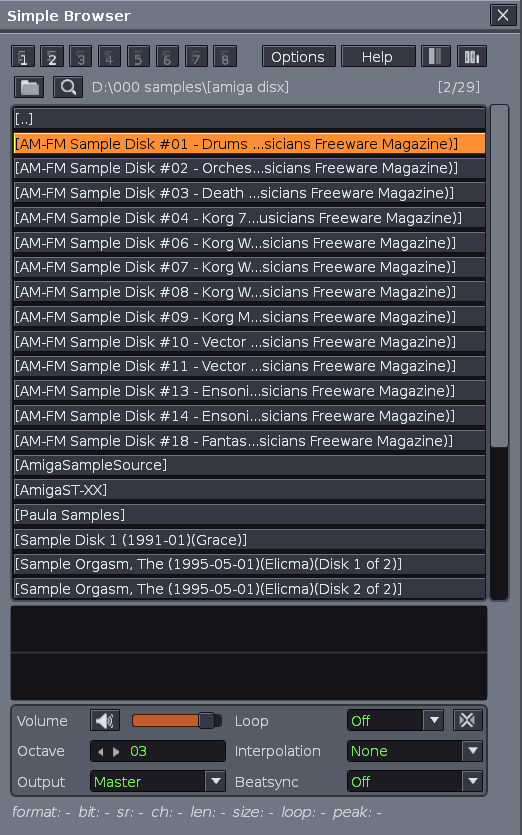
  • folder listings were needlessly cut off

Before:

After:

5 Likes

UPDATED to v1.3.0 @ 06/10/26, 00:6 PST
latest .xrnx available in the first post.

Change log:
SIMPLE BROWSER 1.3.0

  • Semitone, Fine tune, Panning controls — Edit each per sample (-120…+120 semitones, -127…+127 fine tune, 50L…50R panning). Persisted with the file.
  • Beatsync redesigned — Matches Renoise: checkbox, length in lines (1–512), Mode popup (Repitch/Percussion/Texture). T button calculates pitch from tempo to match your loop to the song.
  • Sample panel grid: one-pane now 2×5 (Volume, Panning, Loop, Beatsync, Mode / Octave, Semitone, Fine tune, Interpolation, Output); two-pane 4×3 saving two rows to keep the Multi-Sample list in view.
  • New key bindings: Semitone Up/Down, Fine Tune Up/Down, Panning Left/Right, Sync Length Up/Down, Beatsync - Set Pitch to Tempo.
  • Audition option — Hear changes as you edit (Options menu, off by default; toggle with prehear binding).
  • Navigation: Caps Lock and Tab follow all controls. Right arrow no longer moves into empty Multi-Sample.
  • Help: Version number in title.
  • Fixed: Multi-Sample keyjazz now respects panel visibility; focus leaves empty list when last sample removed.
3 Likes

Hell yeah

1 Like

UPDATED to v1.4.0 @ 09/10/26, 22:18 PST
latest .xrnx available in the first post.

Many thanx 2 @myega for the valuable feedback and ideas!

Previously, when loading a sample then replacing it with a new one, the instrument would retain the previous sample’s name. Now, pressing Shift+Enter will replace the sample AND the name.

Change log:
Simple Browser 1.4.0

New

  • Replace renames the instrument.
    Shift+Enter (and the “Replace Selected Sample” key binding) now renames the instrument after the new sample, but only if its name was automatic:

    • An unnamed instrument gets the new sample’s name.
    • An instrument named after the sample you replaced is renamed too.
    • Distribute: kick +3 becomes Distribute: snare +3, and the same goes for Layer: names.
    • Names you chose yourself, and Drumkit: names, are left alone.
    • Undo and redo cover the rename.
  • Reopen with the last folder highlighted.
    The browser opens with the folder you last highlighted still highlighted.

  • Reopen with the last sample highlighted.
    The browser opens on the sample you last highlighted, scrolled to where it was, with the same pane in focus. It doesn’t play the sample until you move.

  • Per-folder memory.
    Each folder remembers its own last highlighted sub-folder and sample while Renoise is open. It’s off by default.

All three are under Options and Tools > Simple Browser > Options. The first two are on by default.

Changes

  • The option “Prehear again after changing Semitone, Fine tune, Panning, Sync” is now “Prehear after changing Semitone, Fine tune, Panning, Sync”, so it fits in the Options window.
  • Help explains the new rename behaviour under Shift-Enter.

Fixes

  • When a sub-folder had the same name as the folder it’s in (e.g. Kicks\Kicks), the browser could highlight the [ this folder ] row instead of the sub-folder.

Notes

  • Your settings, bookmarks and folder paths carry over from 1.3.
  • If you named an instrument exactly like its sample, Replace treats that as an automatic name and renames it. Ctrl+Z puts the name back.
2 Likes

Hey @Phaos nice tool!

Just a technical question, does the tool uses the native audio engine? Does it temporarily load each previewed sample into Renoise?

Thanks.

1 Like

i love it, tks

1 Like

It uses the native audio engine, yes (the API doesn’t allow for an outside player, not that I would want one in this instance).

The way it works is, each previewed file is loaded into a temporary instrument at the bottom of the instrument list. Technically, when you switch through samples in the browser, you are deleting the previous one in that temp instrument, and repopulating with a different sample. This executes super fast, doesn’t cause any latency (that I could notice). In fact, I find it to be a much quicker experience than the native browser due to the playback delay that the native one imposes (no offense & only love to the devs!)

[UPDATED to v1.4.1 @ 11/10/26, 11:42 PST]
latest .xrnx available in the first post.

Change log (1.4.0 → 1.4.1)

  • New option: “Keep Beatsync on / off between sessions”. It’s in the Options window, in Tools > Simple Browser > Options, and in the Help options list. It is off by default.

  • When the option is off, Beatsync is turned off:

    • when Renoise starts or the tool reloads;
    • when you close the browser window. This doesn’t add an undo step.
  • The Beatsync mode is remembered, so Beatsync comes back in Repitch, Percussion or Texture as before when you turn it on.

  • The “Toggle Beatsync” key binding still works while the browser is closed, and opening the browser doesn’t undo it.

  • When the option is on, Beatsync keeps its state, as it did before.

2 Likes

want to donate you for this project! this is awesome man!
Thank you for your hard work!

1 Like

Hi @Phaos

Is there any chance or option to choose a different background color in your browser? It seems like it inherits the background color from the folder colors, and with my current color theme, it makes the browser very hard to read and use. Let me know if there’s a way to change this!

1 Like

Hey, this was a great idea! Thank you for the suggestion.
Latest .xrnx is updated in the main post.
[UPDATED to v1.4.2 @ 24/10/26, 3:26pm PST]

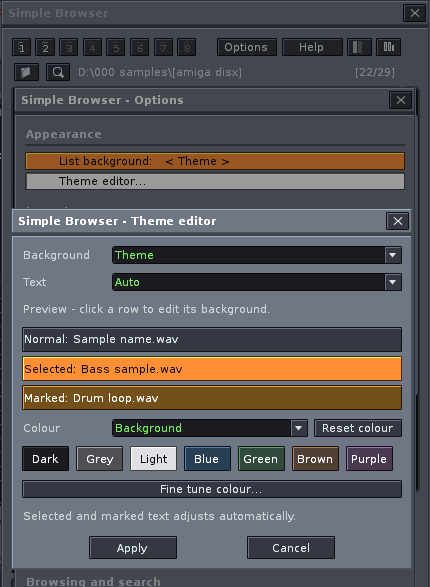
I’ve added a theme editor (includes changing font, background, and list colors separately; theme presets (light, dark, grey, etc) + custom theme saving.

Change log (1.4.1 → 1.4.2)

  • Theme editor: background presets, text colours and editable Selected / Marked colours in one window, with live preview, swatches and optional sliders.

  • Saved themes: save, replace and delete named setups. The last selected theme is remembered.

  • Options: grouped sections, dividing lines and shorter labels. Fixed preset cycling in both directions; the editor keeps Options open.

  • Default loop: starts Off unless “Remember default loop” is enabled. Added a visible reminder when active.

  • Sample safety: failed backups stop removal; failed replacements restore the original. Failed edited exports stop loading.

  • Undo / redo: better protection against external sample changes and failed restores/imports.

  • Waveforms: fixed stale displays; approximate peak readings are labelled.

  • Find: Unicode input, character-safe Backspace and improved ? wildcard matching.

  • Sync length: zero reads Auto for files and Off for Multi-Sample rows.

  • Browsing / imports: faster folder sorting and clearer partial-failure messages.

1 Like

Whoops! @bigfake I updated the main .xrnx but I made a mistake in it. Please, wait, a quick fix for the customize panel sliders is coming in hot…

I will update this shortly with the revision.

@bigfake et al,
Latest .xrnx is updated in the main post!
[UPDATED to v1.4.3 @ 24/10/26, 3:38pm PST]

Changes since 1.4.2

  • Renamed “Fine tune colour” to “Custom colour”.

  • Fixed clipped sliders: colour controls now use a separate view within the same editor window.

  • Close or Escape returns to the theme editor, retaining colour changes.

Thank you @Phaos now it looks flawless <3

2 Likes

Okay, one more for today:

Latest .xrnx is updated in the main post!
[UPDATED to v1.4.4 @ 24/10/26, 4:04pm PST]

Change log (1.4.3 → 1.4.4)

  • Layout options: independently show or hide the waveform and bottom controls. Both choices are remembered.
  • Compact browsing: hidden sections collapse without gaps; file details stay visible and Multi-Sample stays aligned.
  • Controls: keyboard shortcuts still work with panels hidden. Playback, selections, edits and undo history are retained.
1 Like

I think its not working for me. (Load into instrument) is not loading anything. I dont know why should i select a folder to open it in general…
I hope that renoise can add an Indexer in future release so we can seach any sample just inside the global browser like in all other daws…

Thanks for letting me know. Yes, something was broken in the last build. Working on it now. Fix incoming…

Hotfix here & updated in post: com.phaos.SimpleBrowser-1.4.4-hotfix1.xrnx (97.3 KB)
[UPDATED to 1.4.4 hotfix 1 @ 25/10/26, 8:45pm PST]

Please try that one.

Change log for this hotfix:

  • Fixed loading into instruments and Multis.
  • Fixed Renoise object-comparison crashes.
  • Made preview instrument handling safer.
  • Fixed empty Multi slot waveform issues.
  • Fixed Multi overlap mode after Undo/Redo.
  • Cleaned up a few instrument-state and load-reporting edge cases.
  • Ran a general compatibility pass.
2 Likes