Sononym is on sale as I type this. I bought it.
It found 20,917 samples on my computer. But that’s not enough! I’m old! Most of my samples are buried inside ancient tracker files that I either made myself or downloaded from who-knows-where. Thousands more samples of questionable quality and dubious origin! Until now, I had no pleasant way to go spelunking for them.
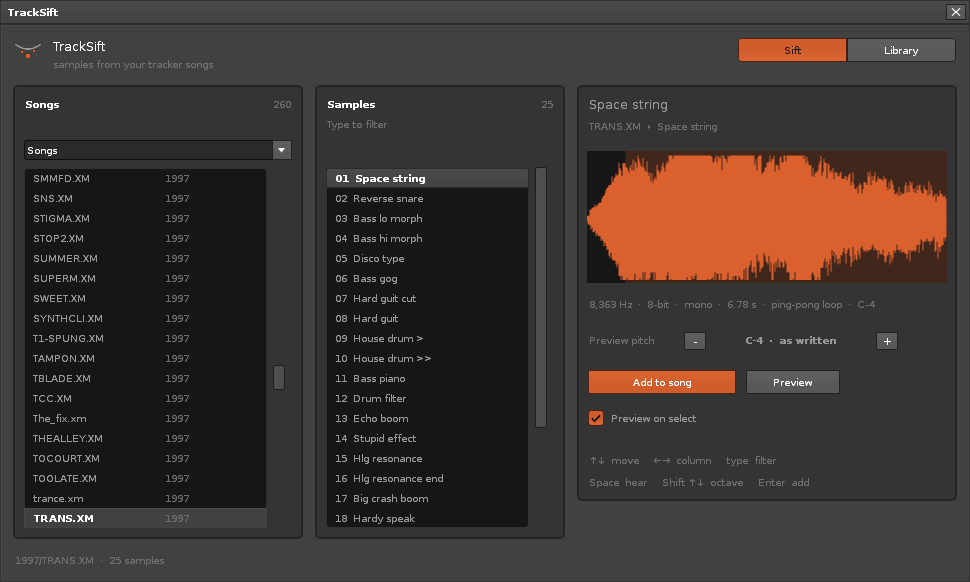
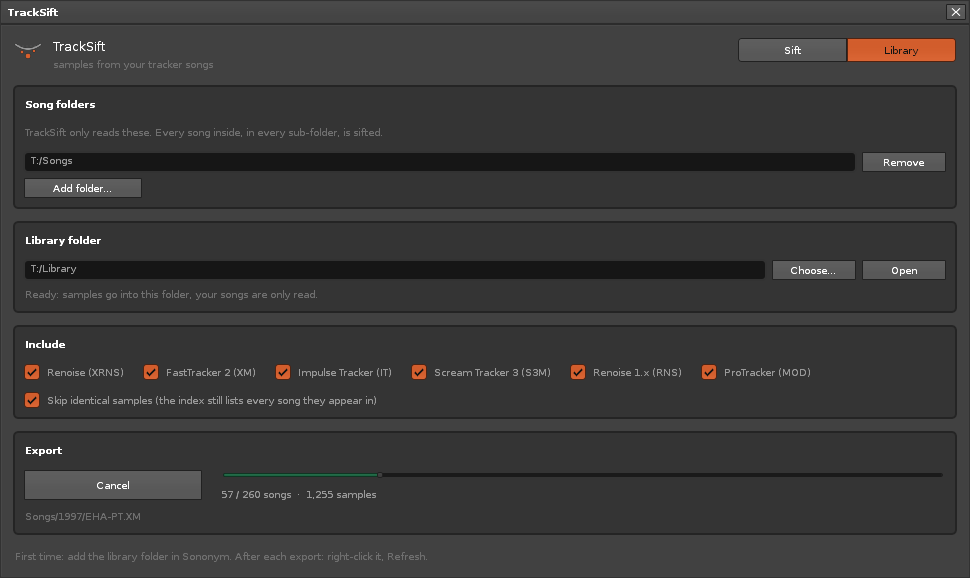
Introducing TrackSift, a Renoise tool that sifts the samples out of old songs.
It reads Renoise XRNS, old Renoise 1.x RNS, FastTracker XM, Impulse Tracker IT, Scream Tracker S3M and ProTracker MOD.
Sift: look inside any song without opening it
- Pick a folder, a song, then a sample. You get its waveform, rate, length, loop and base note.
- Hear it on a clean preview track, so your song’s effects don’t colour the sound.
- Old modules often played samples an octave or two above how they were stored. Shift+↑/↓ shifts the preview so you hear what the composer intended.
- Add to song drops it into a new instrument with its name, loop, base note, volume and panning.
- Keyboard all the way: arrows to move, type to filter, Space to hear, Enter to add.
Library: export everything for Sononym (or any DAW)
- Point it at your song folders and an empty library folder, then hit Export samples.
- XRNS samples are copied as they are (FLAC, OGG or WAV). Tracker samples become 16-bit WAVs at their real pitch, with the song and sample names tagged inside (Sononym can search them), plus loop points and root note for samplers.
- Identical samples (hello, the same 909 kick in 40 songs) are written only once, and a CSV index tells you where every sample came from.
- Later exports only read songs that changed. Add the folder to Sononym once, then right-click it and choose Refresh after each export.
Your songs are safe. They are only ever opened read-only, and TrackSift refuses to write anywhere except its library folder.
RNS has no public spec, so the reader was reverse-engineered from my own old songs and checked against Renoise’s own importer. If you have RNS songs that don’t come out right, please send them my way.
Download it from the GitHub releases page. I’ll let this one simmer for a few days before adding it to the official tools page.
