So cool! Nice improvement ! Love it ! It’s now way more convenient to use !
Thanx a lot for this wonderful tool !
1 Like
Hello mate! 
First thanks for all your work that you invest in your great tool, which me personally give new inspiration to create some music with renoise. I dont use that historize function in your tool because i dont understand the exact function till now. As far i can investigate it seems to be there to doing random range FX Values to a Note selection or complete Notecolumn (or Note-Track?). But in my testing yesterday i get aware some strange behaviour. Always when i startet it from Pianoroll window, then there are Values showing at least for Vol and Pan which are on the Notes showing in histogram when it has opened. But if i set the cursor in a Notecolum which definitely has Vol and or Pan FX values and open it by contextmenu, the histogram is empty! I dont know if that is something right functionality or it’s maybe a inittialisation bug. But that is what i noticed during playing with the tool yesterday.keep going on!
happy tracking
1 Like
It is important to be cautious when clicking within the column in the tracker. Occasionally, this action results sometimes in a selection that is only one line tall. If the histogram is then opened with no notes within that selection, it will display nothing. I noticed this behavior during my tests, but I decided to leave it as it is for now.
Generally, if there is no specific selection, the entire track, including all note columns, is considered. However, if only a particular note column needs to be edited, that column should be selected specifically. As far as i know, there is a keyboard shortcut for this.
1 Like
Ok mate, thanks for your more detailed explanations.
1 Like
i don’t know why this doesn’t become part of the program , the people holding onto renoise as what it is are holding it back , if it has this expanded and proper audio recording it would be one size fits all
4 Likes
I created a fix for the histogram version because there were situations where it doesn’t recognized the correct notes in the correct track or pattern. It can now be downloaded here: https://github.com/ryrun/com.dufte.SimplePianoroll.xrnx/raw/refs/heads/master/out/com.duftetools.SimplePianoroll.xrnx
2 Likes
Thank you, selections now work too
1 Like
I had your newest update opened in a track, for a short period while playing back audio, closed the gui window and loaded up a new song. I did some internetting, leaving the song untouched for at least 10 minutes and while switching back to renoise got;
"‘\Scripts\Tools\com.duftetools.SimplePianoroll.xrnx\main.lua’ failed in one of its notifiers.
The notifier will be disabled to prevent further errors.
Please contact the author (dufte (toimp)) for assistance…
std::logic_error: ‘invalid note_column index ‘1’. no note_column’s are available.’
stack traceback:
[C]: in function ‘note_column’
main.lua:5224: in function main.lua:5216"
1 Like
Thank you for your reporting. I hope I can reproduce the issue.
Hey there all, sorry if this question has been asked and answered already. Can’t seem to find this in the manual. But is there a way to zoom in and out of the grid? I tend to work at a high LBP so the default grid is too zoomed in for me to work with SPR effectively.
Loving the tool so far thank you so much for developing it. Just need to be able to zoom in and out easily and it would be perfect.
Hi, unfortunately, this is not possible at the moment. However, it could be something that might come in future updates. I’ll add it to my to-do list.
1 Like
Okay! Super kudos for everything you’ve done already, this is so impressive, but grid zoom +/- is a super wishlist feature for me  . The way this works on piano roll studio is very smooth, so I know its possible.
when right mouse clicking a send channel and selecting ‘edit with simple pianoroll’, I get;
"‘\Scripts\Tools\com.duftetools.SimplePianoroll.xrnx\main.lua’ failed in one of its notifiers.
The notifier will be disabled to prevent further errors.
Please contact the author (dufte (toimp)) for assistance…
main.lua:5035: attempt to index upvalue ‘stepSlider’ (a nil value)
stack traceback:
main.lua:5035: in function main.lua:5027"
because obviously there are no notes inside a send channel . Weirdly after correctly using it on a track with note events, now trying a send channel again wont give this error message?
Does this error always occur? In other words, is it reproducible? Otherwise, check if it also happens in the latest test build. If so, I might consider releasing this test build properly as a minor version.
You can download the test build here:
1 Like
Can’t reproduce it with the test build, will check some more tonight.
1 Like
Kool
com.duftetools.SimplePianoroll V5.0 (for Renoise 3.5)
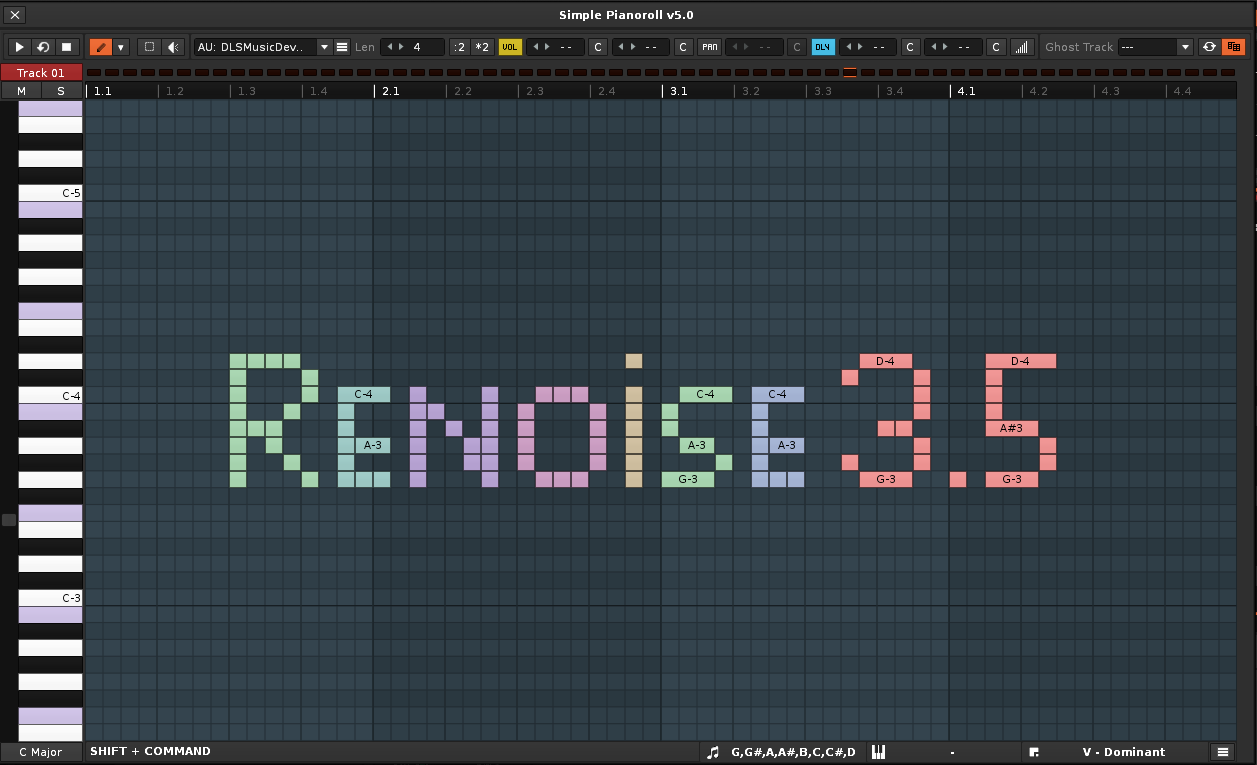
Just uploaded a new version of the piano roll tool for the new Renoise API 6.2. I’ve been working on it on the side for a while now. The main goal was to switch parts of it over to the new Canvas system, so the piano roll looks a bit different and should be abit faster, now. I also wanted to make use of the new mouse features, which is why version 5.0 handles a bit differently than the previous ones.
Since I now have access to more mouse buttons and can change the cursor depending on the situation, the “Pen mode” is now the default. With the left mouse button, you can draw new notes in empty areas, drag existing ones by hovering over them, and scale them if you’re near the right edge. Right-click brings up the eraser, so you can delete notes easily, and middle-click launches the preview mode. The only thing that still needs a key is selection, you’ll need to hold down Ctrl-Key for that.
As a little experiment, I also tried recreating FL’s lasso tool. It’s disabled by default.
Overall these changes brings the piano roll a bit closer to FL-style handling.
Another change, the API now allows instruments to be triggered directly, so there’s no need to run the OSC server anymore. Also, mouse warping isn’t really a thing, because we don’t need to use the XYpad trick anymore.
The histogram isn’t using the new Canvas yet, but I plan to update that too.
There’ll probably still be a few bugs here and there. If 5.0 doesn’t work for you, the last 4.x version is still available on the tools page, and should works just like before with Renoise 3.5.
I’ll keep working on the tool step by step, still got a huge to-do list. Hope you like it!
24 Likes
So good! 
1 Like
Amazing, I’m glad to see the jank required by the old API is no more!
1 Like
fantastic work as ever toimp!
1 Like