It was in a project with send tracks, I think I moved the cursor into the send channel, then pressed the midi keyboard key and the notice popped up. Will try tonight with the test build, cheers.
com.duftetools.SimplePianoroll V5.3 (for Renoise 3.5)
Just pushed v5.3 to the tool page. This version comes with a brand new tool panel. Some functions were already available as keyboard shortcuts (some I even forgot about myself  ), but now they’re just one click away.
On top of that, I’ve added a bunch of new little features to make working in the piano roll even easier.
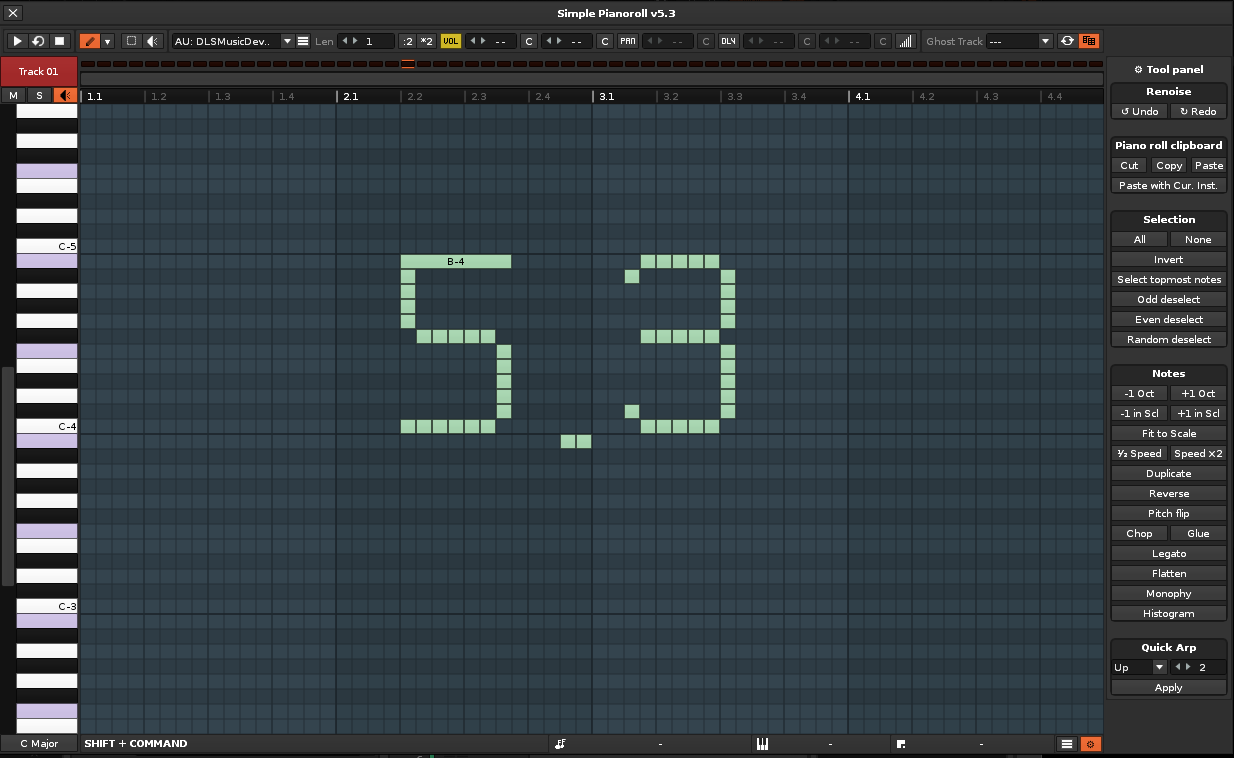
I also made a new YouTube video to showcase the piano roll and some of its new features, since the last one I uploaded was from version 3.9:
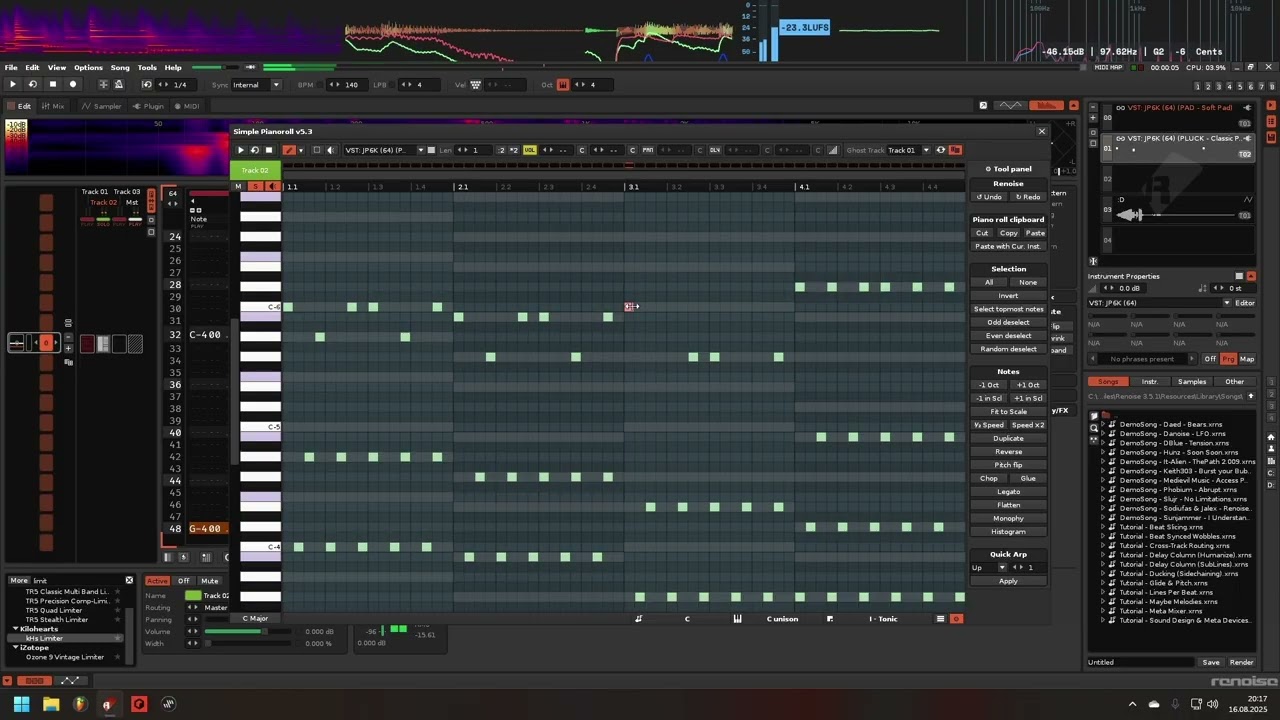
New Features
-
New Tool Panel with quick-access buttons for selection, note manipulation, and more
-
Quick Arp: instantly create arpeggios from selected chords
-
Fit to Scale button for fast scale adjustments
-
Legato Note Tool for quick note length adjustments
-
Note Glue functionality
-
Paste with Current Instrument option
-
Pitch Flip, Reverse Notes, and Odd/Even Note Deselect tools
-
Monophonic Reduction and Topmost Note Selection
-
Ctrl + Scroll zoom on the piano roll grid
Improvements
- Refined lasso selection and loop detection
Bug Fixes
- Some smaller fixes here and there
16 Likes
Amazing stuff toimp!
Trying out now, did run into a bug when playing with the new ‘Quick Arp’ button. Just Apply Arp on standard settings to Track 1 here:
Piano Roll Arp Bug - Copy.xrns (3.4 KB)
EDIT: It seems to be something to do with the note-offs in the track, I deleted them then stopped getting the warning.
Please contact the author (dufte (toimp)) for assistance...

main.lua:3167: attempt to index a nil value
stack traceback:
  main.lua:3167: in function 'quickArp'
  main.lua:6539: in function 'executeToolAction'
  main.lua:11346: in function <main.lua:11345>
1 Like
Wow, this looks very useful, will try to use it (aka not forgetting about it  ). This from a proven piano roll hater. You just convinced the last 1%. Thanks for this tool!
3 Likes
Looks like Quick Arp couldn’t handle gaps  I hadn’t tested that case, but it’s fixed now. I’ve uploaded a test version in case you want to try it again.
3 Likes
Quick Arp set to 2 seems to be fixed for that song example, but applying 4 or 5 are not, aswell as some other higher nums.
Please contact the author (dufte (toimp)) for assistance...

main.lua:3228: attempt to index a nil value
stack traceback:
  main.lua:3228: in function 'quickArp'
  main.lua:6561: in function 'executeToolAction'
  main.lua:11368: in function <main.lua:11367>
2 Likes
Alright, should be fine now, I hope. Just made another test build. Thx for the bug report.
2 Likes
seems to have done the trick, no errors now!
2 Likes
Reporting what appears to me to be a bug.
Whenever I use my mouse to move a note up, down, left or right the global “follow players position in the pattern while playing” function is disabled.
It’s not really a bug, more like a feature. It’s happened to me a few times when moving notes, I wasn’t finished yet, and suddenly the active pattern switched. I think this could happen even more often when you zoom in a lot, since it auto-scrolls at the bottom, which can be pretty confusing. Back then I actually added a feature request from another user here on the forum: when you close the piano roll, it should restore the last active state of “follow player’s position in the pattern while playing.” Meaning, if you had it enabled, then you open the piano roll, move notes (which disables it), and then close it again, the option should go back to the previous state.
Ah, I see, okay I’ve got that button mapped now so I can just turn it on or off again when I want to. 
I could also add an option so the piano roll never affects “follow player.” It wouldn’t be much work to add, if you think it’d be useful.
That would be a cool option.
I’ve made the option visible that pauses player follow while editing notes.
It’s enabled by default, but now you can basically switch it off.
Not sure if it’s useful for you, since it can lead to some confusing situations as mentioned.
Just download the latest test build.
com.duftetools.SimplePianoroll V5.4
I’ve just pushed v5.4 to the tool page, mainly a bugfixing release, but with some small improvements too.
Improvements
-
Timeline marker visibility improved when zooming out
-
Increased maximum horizontal zoom for the grid (up to 4x)
-
Tool panel icon updated (replaced gear emoji with folder icon)
Bug Fixes
-
Fixed current instrument selection when pasting notes
-
Fix clamp note offset when centering piano roll view
-
Fixed legato note scaling when no next note exists
-
Fixed arpeggiation when using last played note properties
-
Fixed handling of empty notes in arpeggiator
-
Added option to pause player follow while editing
8 Likes
Hi dufte!
Some remarks from me to 5.4 Release.
- When i click with Mouse on the Pianoroll keys they are highlighted in black instead of the defined Highlighting color setting up in Roll config. Think it may be a bug because of the ergonimic downgrade. In Version 5.1 which i use to equal, the behaviour was still as expected. (using Highlight Color)
- The outblend of the 1.1 beat in scale is downgrade the ergonomic for me personally. I like the Highlight as in old 5.1 version more. It may according to choosen theme. I loadup 2 screenshots for you. As you see in 5.4 the 1.1 beat are completely invisible, except when it are in a active playrange selection. 5.1 version doing it better.
- The playrange selection in the Rollwindow with STRG-key is still clunky and unusable slow! The moving playrange selection with Shift-key works much better.
happy tracking 
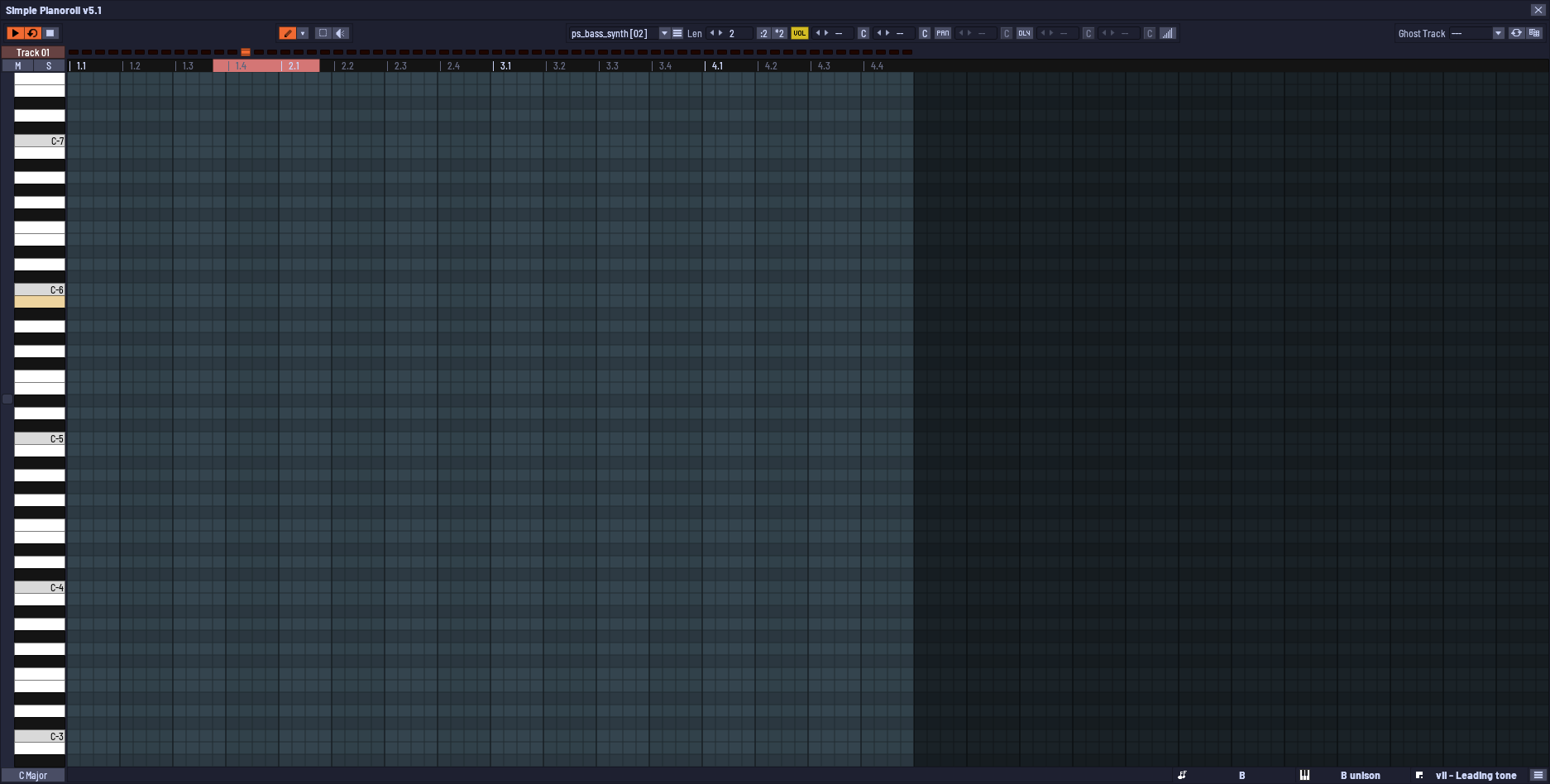
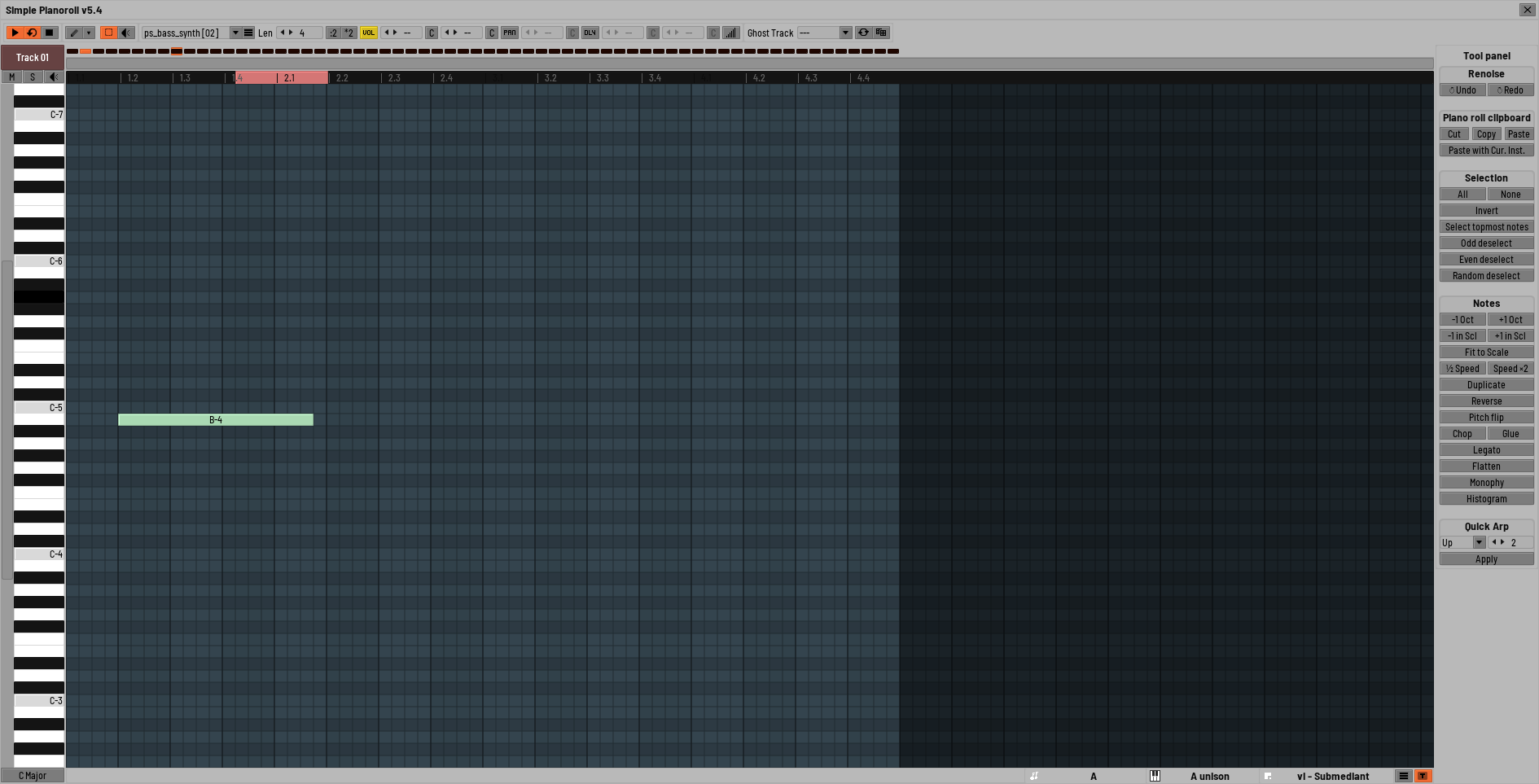
1 Like
About point 1, it looks like that’s coming from your theme. In your comparison between 5.1 and 5.4 you’re actually using different themes. My guess is you’ve set the button highlight color to black in your theme. In the piano roll tool I’m not using the secondary button color yet, so it just falls back to the theme colors. I can fix that though. Same with the “1.1” bug in the timeline. Looks like the text color for the “Bold” style is set to black? Since I’m only switching between text styles there, the theme colors kick in as well. I can fix that too. About the timeline looping thing: I don’t like it anymore either, I want to rework that.
2 Likes
…to point 1. and 2.
I crosschecked it again and you are right. Its because of the themefile. Sorry for this missinfo from my side.
Yes both of this values are still black in my theme…
#selected Button Back = #000000
#Strong Body Font = #0c0c0c
to point 3.
Good to hear that mate. I’m looking forward to it.
happy tracking
1 Like
Finally got around to try the new version for Renoise 3.5. Pretty cool! Thanks a lot for the tool, I can see how this will be useful to me for sure. One thing I cannot figure out is how to delete a note with the mouse though (I know I can use the delete key, but it would be nice to also have an option to delete with the mouse). And I also don’t understand what “Show optional editing tools in context menus” in the setting does (which context menus, where?). And finally, there are some shortcuts related to simple piano roll that I am not sure what they do (about showing analyzers), since they do nothing once I assign a shortcut to them and run it.
1 Like
right mouse click