Hey, yeah, that’s intentional. In Renoise, you can also use typical tracker effects in the volume and panning columns. So it was “practical” to make those available directly in the piano roll too.
I’d just like to say this is amazing work. It really should come packaged with Renoise. I like that it feels very snappy and simple, and actually hope it doesn’t get bogged down with too many feature requests.
Agreed! I’m 100 times quicker to hack in melody ideas with that, because i not need to handle the Note OFF shit manually for the Note lenghts. Thx for this and great work @toimp
Annual request to add entering notes across different patterns at once, like how you can add automation across patterns. Like Zoom out past the max zoom per pattern to reveal the next pattern and punch notes across both, or more.
@RiDylan It’s definitely on my todo list. At the moment, I don’t have much time for development, so I’m focusing mainly on fixing smaller bugs and handling less complex tasks. Bigger features like this one take a bit more time. Thanks for your patience
This version took a bit longer. I kept jumping from one bug to the next, and while fixing one thing I repeatedly stumbled into new problems somewhere else. Hopefully the current state is now a lot more stable again.
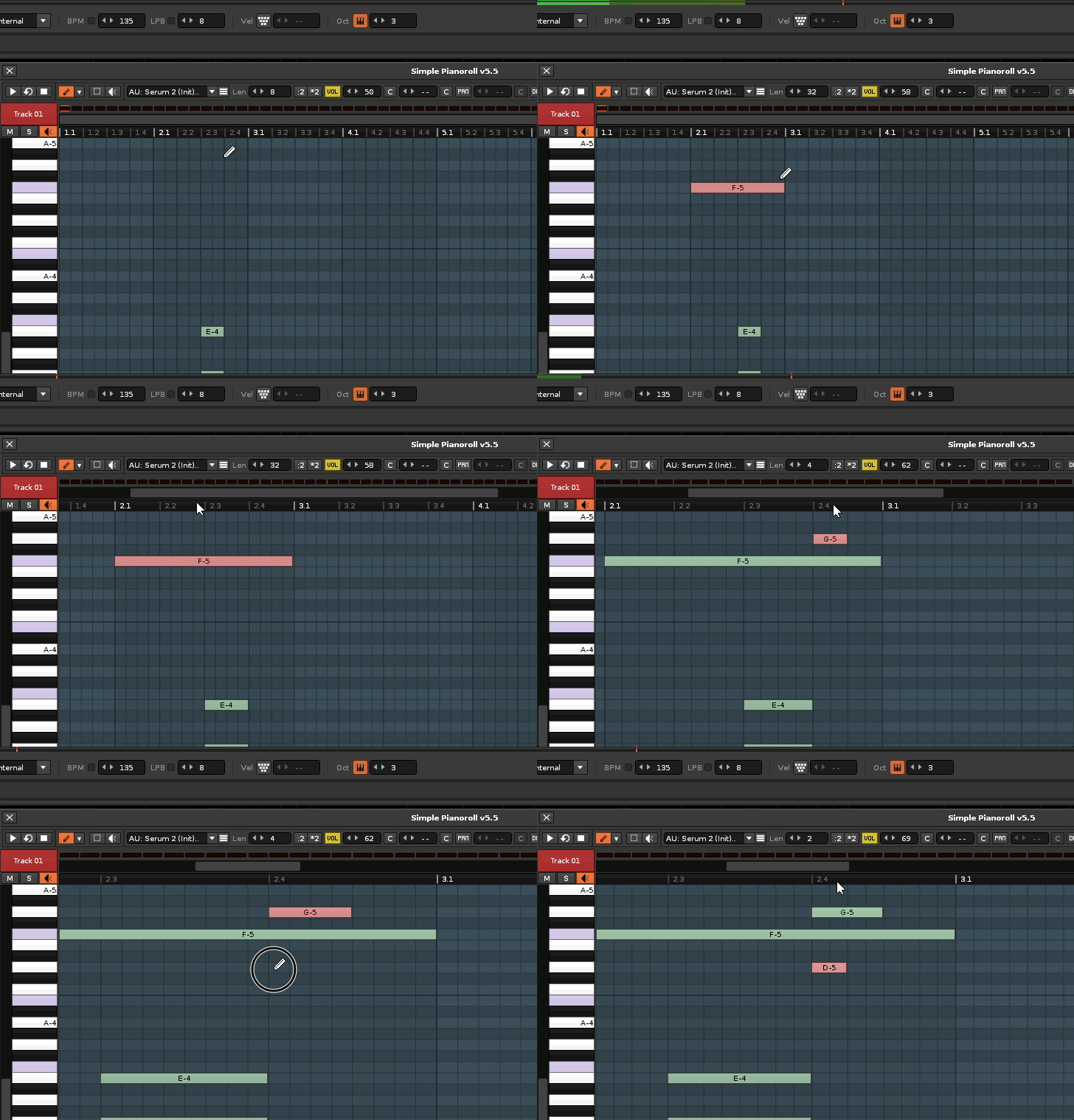
A good part of the work went into improving the zoom behavior, especially to make editing in larger patterns and with higher LPB values feel better and more reliable.
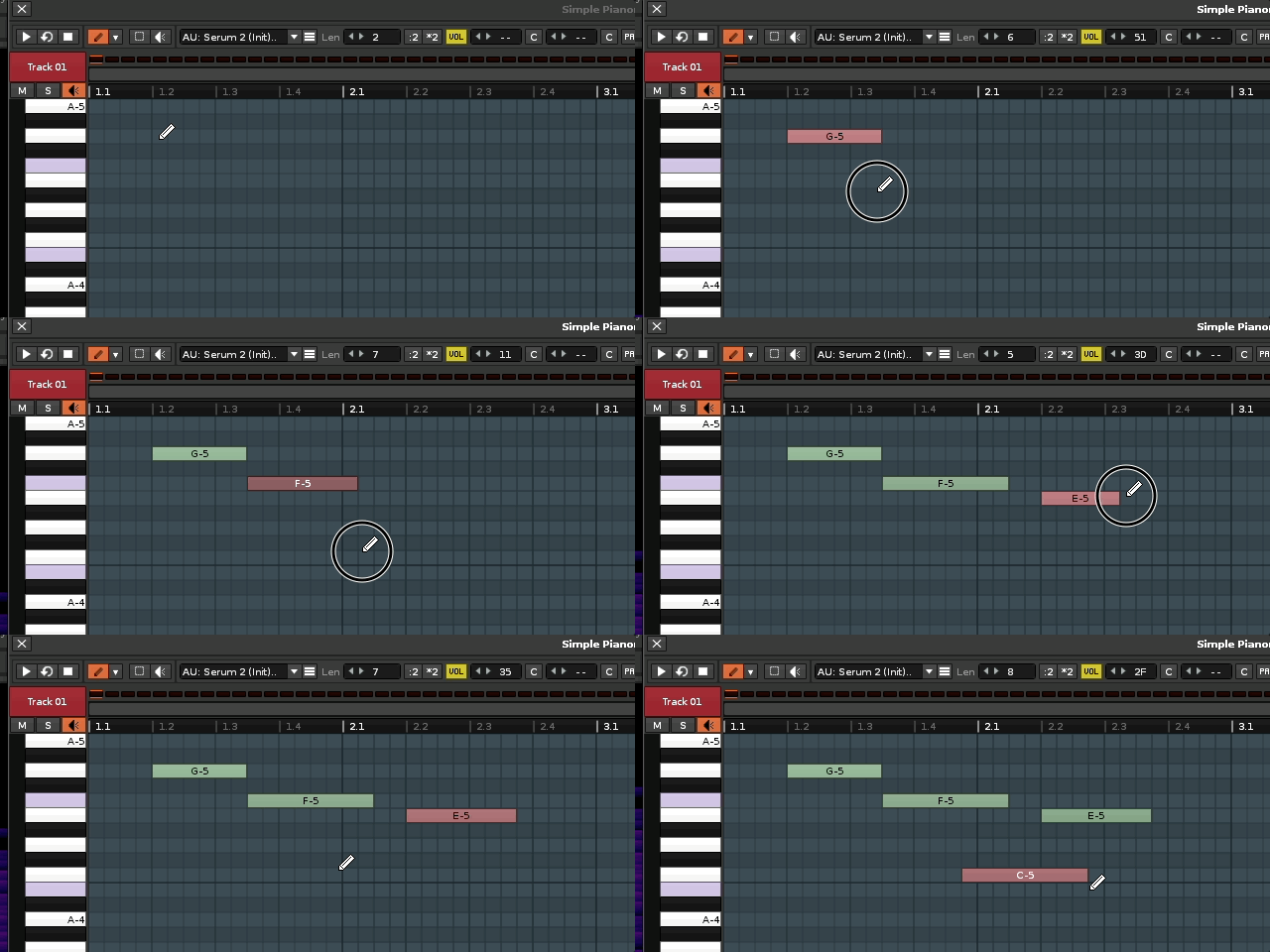
I also changed the mouse-based note preview behavior. From this version on, when notes are previewed with the mouse, they will keep playing until the mouse button is released. I hope this won’t cause any issues, but it became necessary for the mouse-movement based velocity editing, and honestly I also wanted the note preview to last a bit longer sometimes while drawing notes.
I also uploaded v5.4 on GitHub as a release in case anyone wants to go back. From now on I’ll try to publish every release version there as well. On top of that, the whole project is now under the MIT License, so anyone can use it however they want.
Note editing at different zoom levels:
Change velocity via mouse:
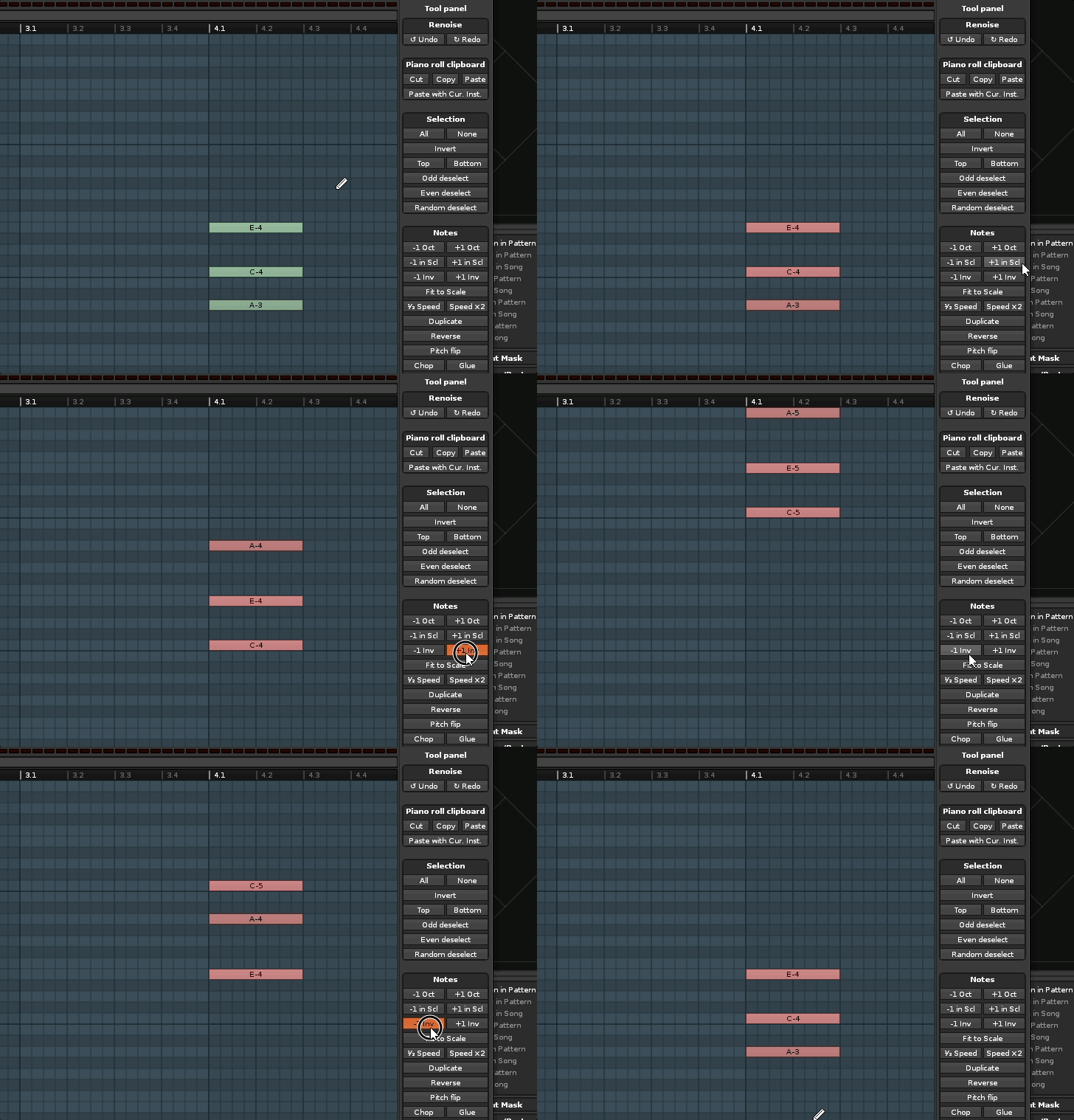
Transpose chords via inversions up or down:
Improvements
Added random arpeggiator mode
Added chord inversion actions to the tool panel
Added an option to set velocity while drawing notes
Added mouse-held preview for selected notes until mouse release
Added an option to disable edit position cursor follow for note selection
Improved playback cursor and playing note highlighting
Improved grid alignment for drawing, moving, resizing, and navigation
Lowered the minimum horizontal zoom for finer editing
Reworked the preferences dialog layout and pen settings organization
Added MIT license and updated build / packaging workflow
Bug Fixes
Fixed playback note colors and reduced flicker while drawing
Fixed duplicate and inconsistent note preview retriggering during velocity edits
Fixed incorrect preview velocity when the volume column is empty or uses FX commands
Fixed incorrect notes in Pattern Matrix copy/cut caused by wrong Piano Roll state
Fixed mixed note selection handling for end velocity FX commands
Fixed missing chord detection when edit position follow is disabled
Fixed pattern mismatch when editing values with the mouse
Fixed wrong note position when zoomed and scrolled
Fixed vertical scrolling direction via cursor keys
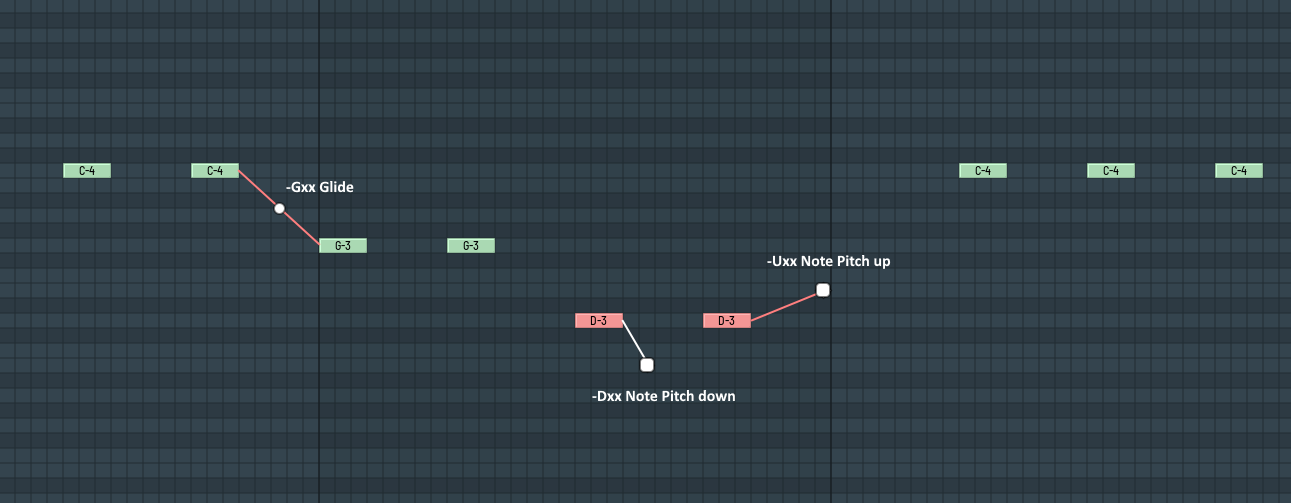
Special thx from me to you mate! The MIT Licence is a good idea. I still have the quite hope of a native integration of that masterpiece into Renoise DAW. Keep going on with your great project. And simple ask me if you need help with something, ideas, testing, operating schemes, UX workflows and so on. I would be glad when i can help you. Btw. Your new note velocity input mode, would be possible a good method to add linear tonal glitch between following single notes. You have both notes tonal information and the distance between them. This would be cool for the Note Pitch Glide Parameter -Gxx, maybe too usable for the Note Pitch Slide Up / Slide Down Parameters -Uxx / -Dxx. This could be a efficient method for addhock input of glitched Notegroups and Noteslides in the roll. Visual representation could be a simple linear line with a grip point beetween 2 with -Gxx param glided notes, or a line up / line down for the -Uxx / -Dxx with Point A of the line is end of Note and Point B is the empty gridpoint in the roll for target Note and distance. Just a quick idea. Maybe something like this…