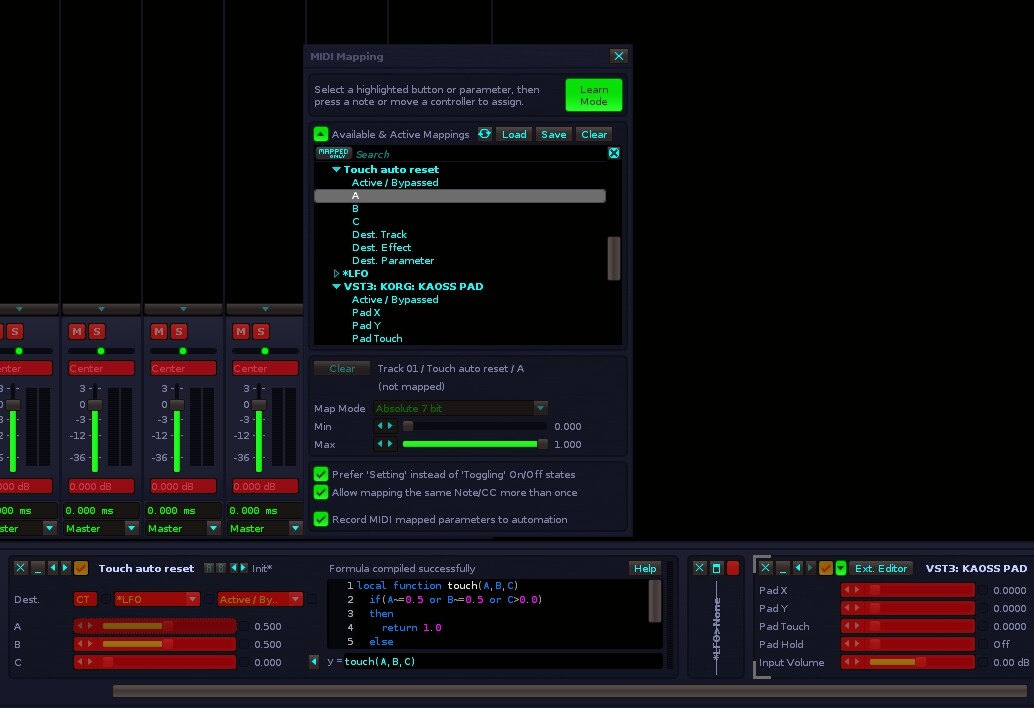
There are some plugins that have XY values + a Touch parameter. Korg Kaoss Pad being one of the best examples. XY Pad seems visually shows that its receiving touch data (click and hold) but it would be amazing if that could also be assigned to a parameter on an additional Setup button. For Kaoss Pad that would be basically to turn the fx on and off, but seems like this could be used in any number of creative ways for any plugin.
Yes, im aware of doofers, but maybe I misunderstand what you mean. As far as I know we don’t even need doofers to Automating the individual parameter. XY Pads (hardware and sims) often include touch, ON (touch/click and hold) OFF (release).
XY Pad already works great for tracking both X and Y at the same time, but touch has to be done separate as far as I know. So Id have to re-enact the performance as best as I could. (or are you saying you can make this work so Renoise ALSO tracks touch at the same time so it is written to a 3rd column during recording automation performance live? But either way, Renoise’s XY Pad already visually shows a reaction to touch. Adding a 3rd Setup button for this would make the tool “complete”. A very nice quality of life upgrade.
If you look at the gif on the original post I show that Renoise does receive the Touch values (lower left) for the Touch parameter, but only when clicking directly in the GUI. Also, when I record automation in Ableton Live it does record the touch parameter too.
im a complete dummy when it comes to this. midi map doesn’t want to map those. (im probably doing it wrong)
Midi Map seems like its waiting for hardware controller movement. When i click on a plugin parameter it just switches to trying to map that one to something instead
But also, jumping back to center might not be good for a lot of the effect on Kaoss pad as sometimes you want the decay of the effect that keeps going after you release. moving back to center would change the parameters. (X/Y are sometimes set to delay & reverb times, or any effects)
This is why they should just add Touch to XY Pad. But i do want to see how this sweet thing works you setup.
Oh sweet! i see what you mean with mapping now. Not “Midi map”. I had a brain fart and didn’t realize i should expand X & Y outputs. i got it working. So it would still only automate X and Y but the touch parameter would be realtime on/off. Thats a smart solution. (sorry for my slow understanding)