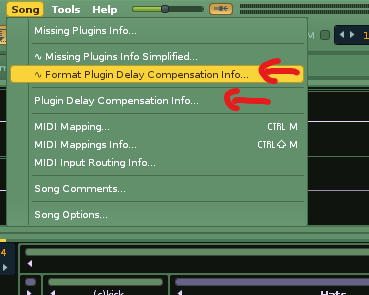
New Tool (3.1): Missing Plugins Info Simplified

Adds an alternative entry to the Song menu for listing missing song plugins.

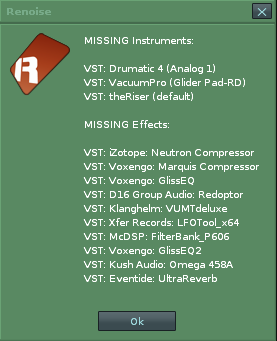
It lists FX plugins only once with no track info listed either, for easier visual scanning.


Known issue: Will list any user added text dividers in the instrument list as the tool has to check for text with no plug or sample slots present to ‘guess’ that it is a missing plug.


Download:

Tools Site

"Song Menu : Missing Plugins Info Simplified…

Missing%20FX

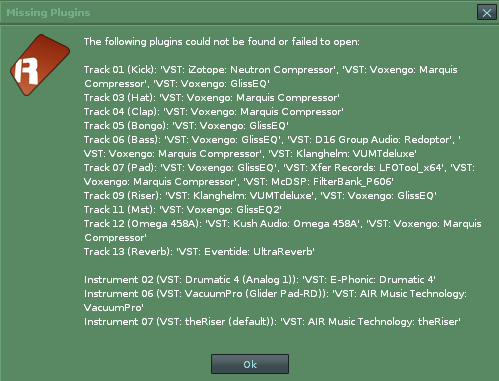
vs. the renoise native dialog:

renoise%20native%20mis%20plugs%20list

My Other Scripts:

Tools Site

v1.1
-Missing Instruments should be found better now

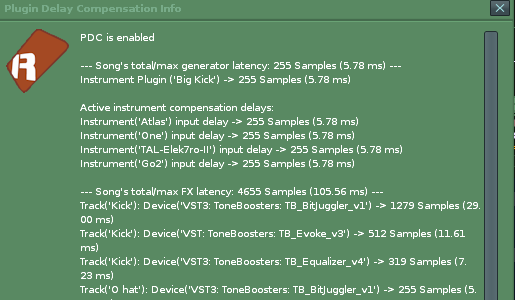
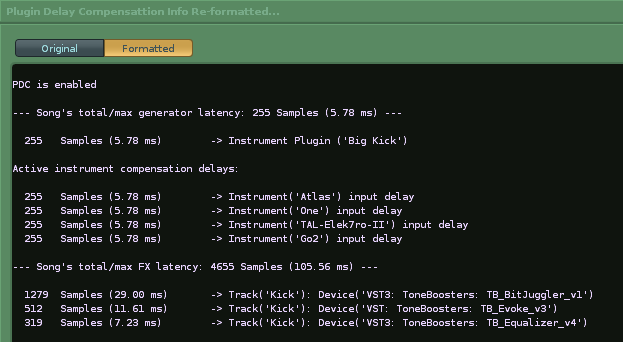
PDC readout reformatting added.

ledger.scripts.MissingPluginsInfoSimplified_V1.2.xrnx (6.1 KB)

Added a menu entry (Song menu in renoise) for a window you can paste the Plugin Delay Compensation info into and format it for clearer reading. Chatbot aided logic for the string manipulations so testing/ feedback welcomed.
Copy all text from here:

Paste into here:

1 Like

Hey @Ledger do you think it is possible to add an option / keyboard shortcut to delete the missing plugins from the songfile at the click of a button?

I’m looking for something like this for the songs I’ve transferred to my laptop where I miss a lot of plugins.

Device Sergeant might help you here at least for missing fx?

You can select the missing effect in the mixer and delete all of the same name. Not as convenient as a 1 click clear all but might help speed things up and you retain some control over exact deletions.

1 Like

thanks for your reply, apparently there is also this :slight_smile: ;

which has it incorporated, so succes!

1 Like