Hi. I discovered something in Renoise yesterday that I found very interesting and did not know about. Maybe this is old news to everyone else but it’s quite new and exciting to me…
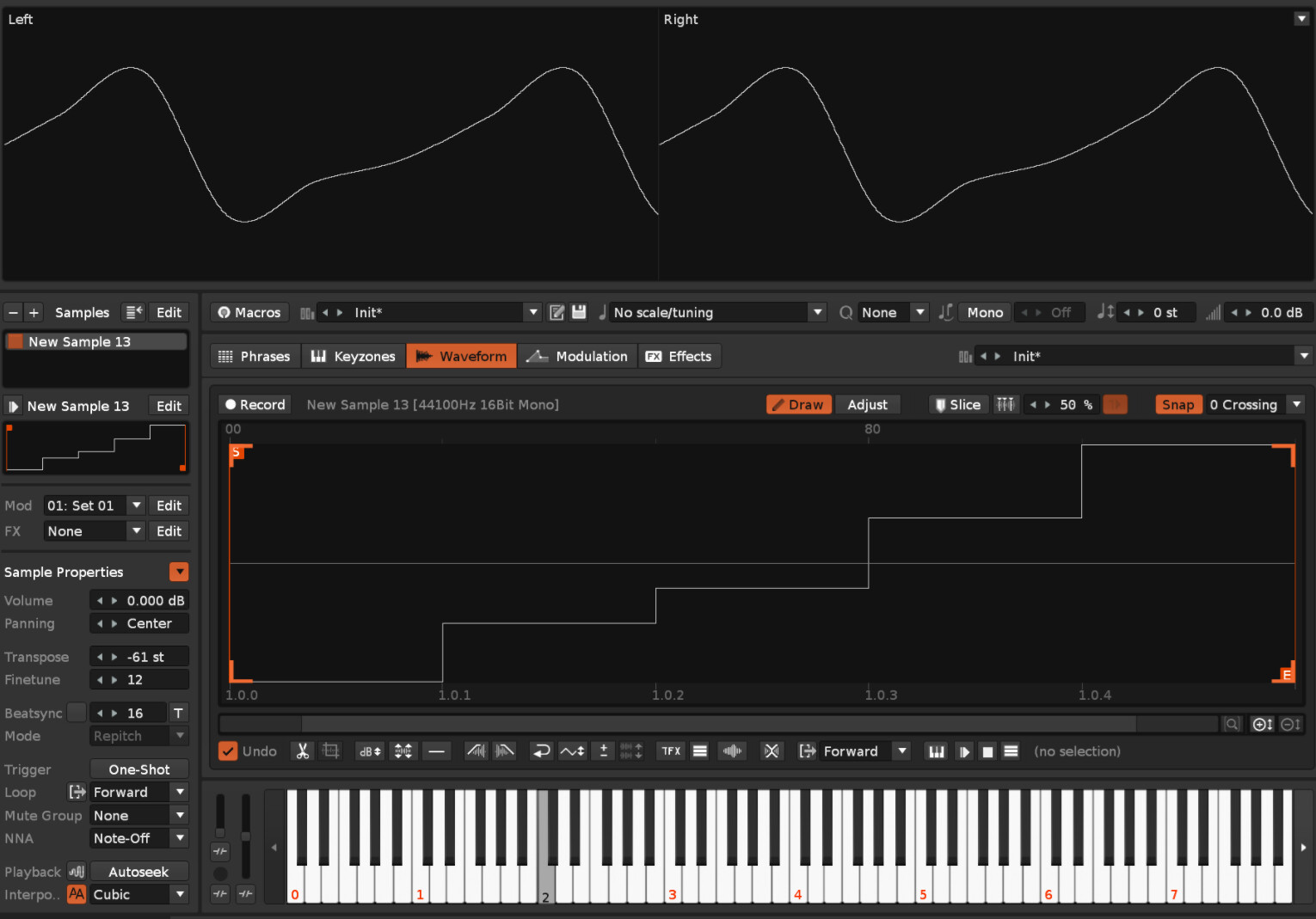
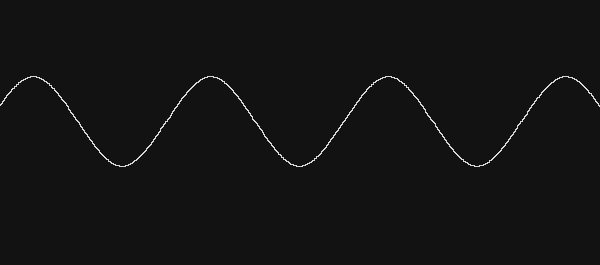
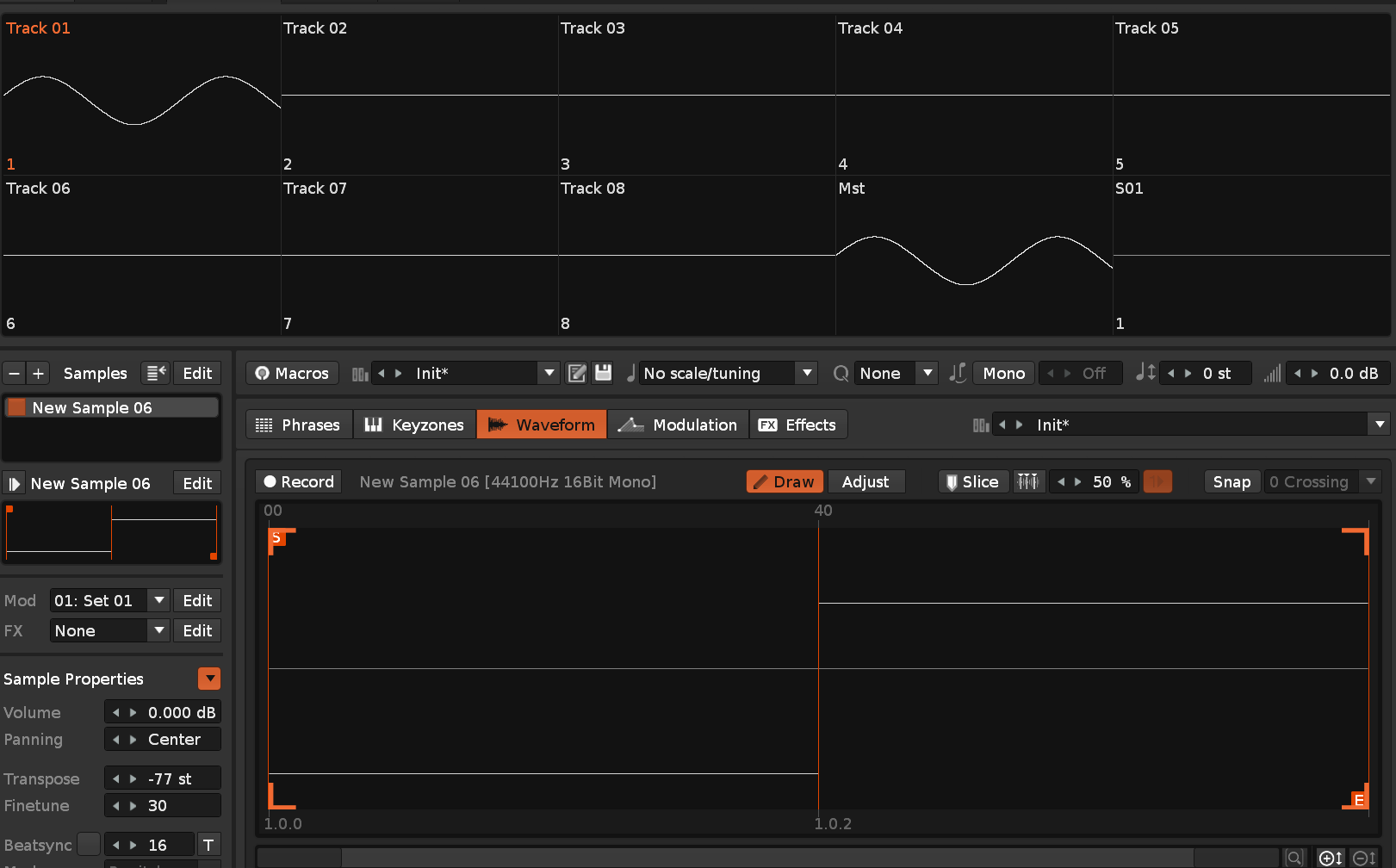
In the attached image you can see that if you create a single cycle wave form of literally just two samples, the resulting wave form is actually a nice smooth sine-like waveform, not a square wave as you might expect. I assume this is a by-product of the sample interpolation process. This is basically a “hack” to generate smooth wave forms without aliasing or other artifacts.
I use Renoise almost exclusively by creating synths using single cycle wave forms. I generally just create an empty buffer and hand-draw a wave form, or sometimes I use Adventure Kid waveforms, or snip a cycle out of a longer sample. (I have a tool that just automatically pitch adjusts any wave cycle to C4 with a keyboard shortcut, so everything is always in tune with each other.)
I’ve often thought about what is the ideal buffer length for a single cycle wave form. The default “Create new Sample” length is 168, which creates a note that is just a few cents off C4 - which I assume is why that number was chosen. Adventure Kid wave forms are 600 samples long. Using higher resolution wave forms sometimes produces strange artifacts due to aliasing, and I’ve experimented a lot with longer and shorter wave form samples. Only recently have I started experimenting with very short buffers. I was surprised to find that the tones I was getting from buffers of 32 or 16 samples were actually cleaner sounding, and more free from artifacts. When I tried the two-sample wave I was really amazed to see that nice smooth waveform.
I’ve been experimenting with different lengths - you can do 5-6 samples and introduce harmonics and overtones. 16 samples seems to be quite a nice number as well.
Is this a technique other people have been using for ages? It’s new to me!
This is very interesting to me, as I also do lots of single cycle waveform based synthesis. I tend to use longer waveforms, usually 1348 samples in length. I will be experimenting with smaller buffers as you suggest and will report back here. Cheers
If I understand what’s going on here correctly, the interpolation basically generates a band-limited wave form. I don’t really understand all the math but this is how Chat-GPT explained it to me (Sorry for posting AI generated text, but I just found this information useful and feel it’s worth sharing.):
Your 2-sample waveform [−1, +1] is, in the discrete domain, a perfect square — a hard edge that theoretically contains infinite harmonics. When Renoise plays it back using its interpolation, it’s not just drawing straight lines between −1 and +1. It’s reconstructing what a continuous-time, band-limited version of that waveform would look like.
Because the interpolation kernel removes all frequencies above Nyquist, the resulting shape must be smooth. In fact, the smoothest possible curve between those two samples within the Nyquist limit happens to be sinusoidal.
thanks for the screenshot. this sounds like a cool bit of yarn that’d be interesting to pull. when you did the two frame sample setup, did you discover any other interesting permutations? cos i can think of an interface that would let you draw these and then do the A&B wavetable that the Paketti Single Cycle Waveform Writer already does
I’ve only just started experimenting with these shorter buffers. I’ve been finding that using around 5-6 samples lets you create a generally smooth wave that let’s you introduce a few harmonics. I’ve been playing with layering waves at different octaves to build harmonic depth. I’ve found that if you want a more spiky wave you need to go up to something like 16 samples, then you can do something more like a saw wave.
I think the general lesson is that you can get a more reliably smooth and clean wave by using as few samples as possible and just rely on the interpolation system to create the wave for you.
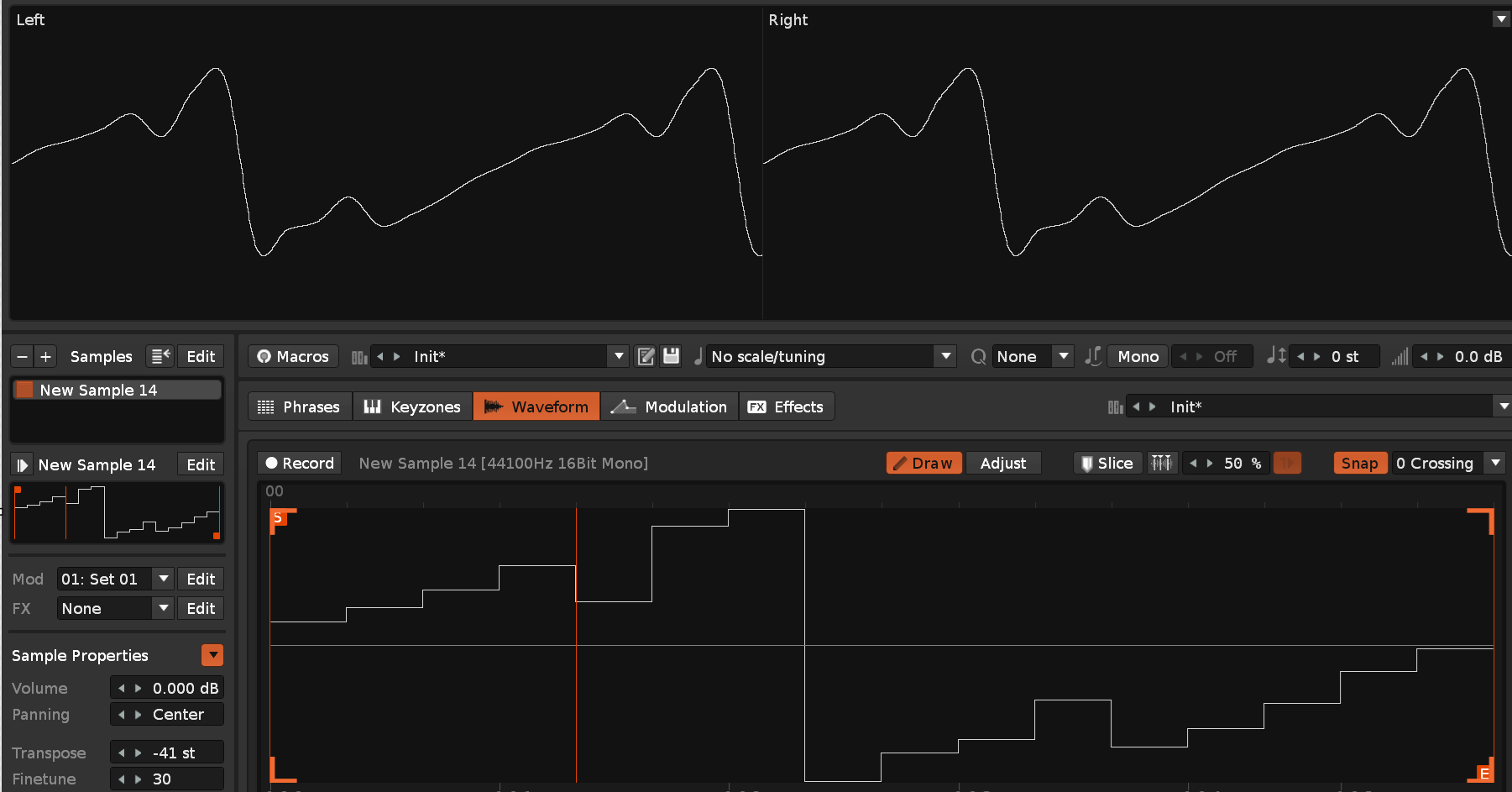
I think my settings are pretty much default. I’ll add some more screenshots.
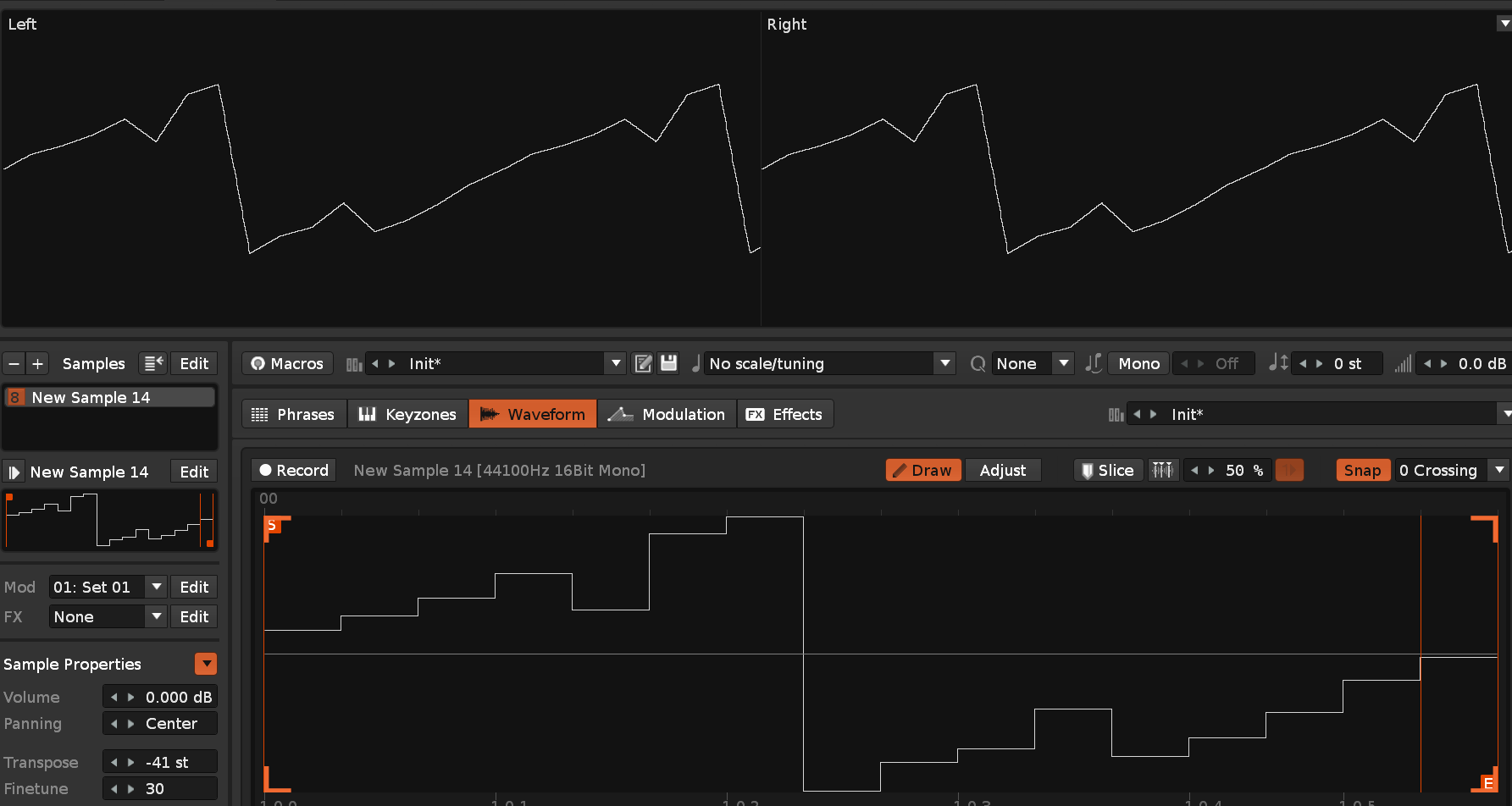
This example shows a five sample wave, making a kind of saw-like wave (a bit like a filtered saw with the high frequencies cut out.) It also shows all the interpolation settings. Just Cubic interpolation, although it seems to work with all the interpolation settings, just with a slightly different sound.
By the way, you can add AM modulation with different types of waves in the envelope section with Keytracker. But there’s just one problem with restarting the wave, apparently it’s there every time in freerun mode
yeah, this is cool. you can do some really interesting (and easy) drone and fx synthesis using short single-cycle samples in combination with the various interpolation modes in addition to the beatsync modes. Throw in the AM filters as @Jalex suggests, and there’s plenty of fertile ground here to explore.
Imagine I’ll continue using longer samples for the bulk of my single-cycle synths, but this definitely has a place in the toolbox! Thanks @Oberon for sharing the method, and glad if you enjoy the YT vids
Love and know this trick since quite a while. Easy way to make a clean oscillator by hand, and it even saves you some disk space lol. These can sound very well with a decimator etc. as the soft modes are missing some harmonic content by default for small numbers of samples, while the linear mode will sound peculiar with aliasing, as well.
Each interpolation function ofc has it’s own sound. If you want a sine from 2 samples (+/-1), you should use sinc interpolation I believe.
You can easily morph the cycle wavs by copying them, modifying some of the sample values and then modulating the osc volume.
This is definitely what I’ve been finding - the fewer samples the wave cycle has, the cleaner and less prone to aliasing artifacts it is, but it will tend to lack high end harmonic content. It basically sounds like a wave that’s gone through a lowpass filter. It means that you can basically dial in how much high end harmonic content you want by choosing a longer or shorter buffer. If you go up to 64 samples, then you can do something super sharp like a sawtooth. Since most of the time I would start with something sharp and then smooth it off, this allows me to just start with a smoother sounding wave in the first place, which is suitable in most of my current use cases.
There are so many tricks you can do with this stuff. For me the main draw is the purity of the tone you get, as artifacts from longer single cycle waves is something that has irritated me in the past.
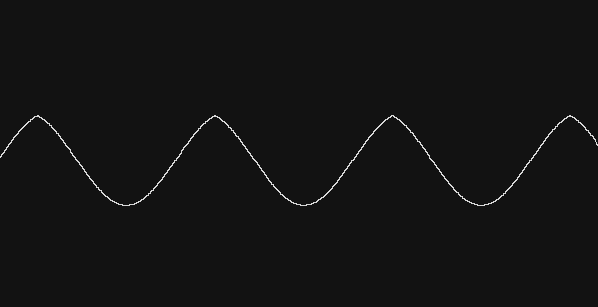
In my experiments I’ve been finding that sync interpolation seems to create a strange asymmetrical wave (at least when working with just a two sample buffer):
Damn you’re right…been some time I used this tech, was under impresion sinc should be cleaner…but it indeed is asym…probably because the interpolation is broken somehow with loops? I also tried putting pre/post samples in there which made it slightly better but not much. Well, then we’ll have to live with some additional harmonics in the cubic interpolation for soft sounds/sinewaves - it is just a pseudo-sine.
The way this tool works is, it just reads the length of the buffer and adjusts the tuning such that it will loop at c4. It’s not doing any sort of pitch analysis - it’s just based on the total length of the buffer, so it will work on any sample (up to a maximum supported size, limited by the maximum ranges of Renoise’s pitch adjustment parameters)
@Oberon
Glad someone brought this up again like I discussed previously in a different topic. Experimenting with different points and interpolations (which by itself can give 4 different types of waveforms on one sample) exploits the sound capabilities you can create with a few simple points. It’s lovely to see the different tones you can generate!
 I enjoy your videos on Youtube!